6. REMOTE CONTROL
Remote control of ACOM 2020S is provided by either ACOM 2020S built-in Ethernet interfaces, or RS-232
interface.
6.1. Remote Control via Ethernet Interfaces
Remote control of ACOM 2020S via Ethernet interface is provided by built-in:
• Cable Ethernet interface (see Figure 2-6 | RCU model R05 rear panel, Pos. 5);
• Wireless (Wi-Fi) Ethernet interface (see Figure 2-6 | RCU model R05 rear panel, Pos. 6).
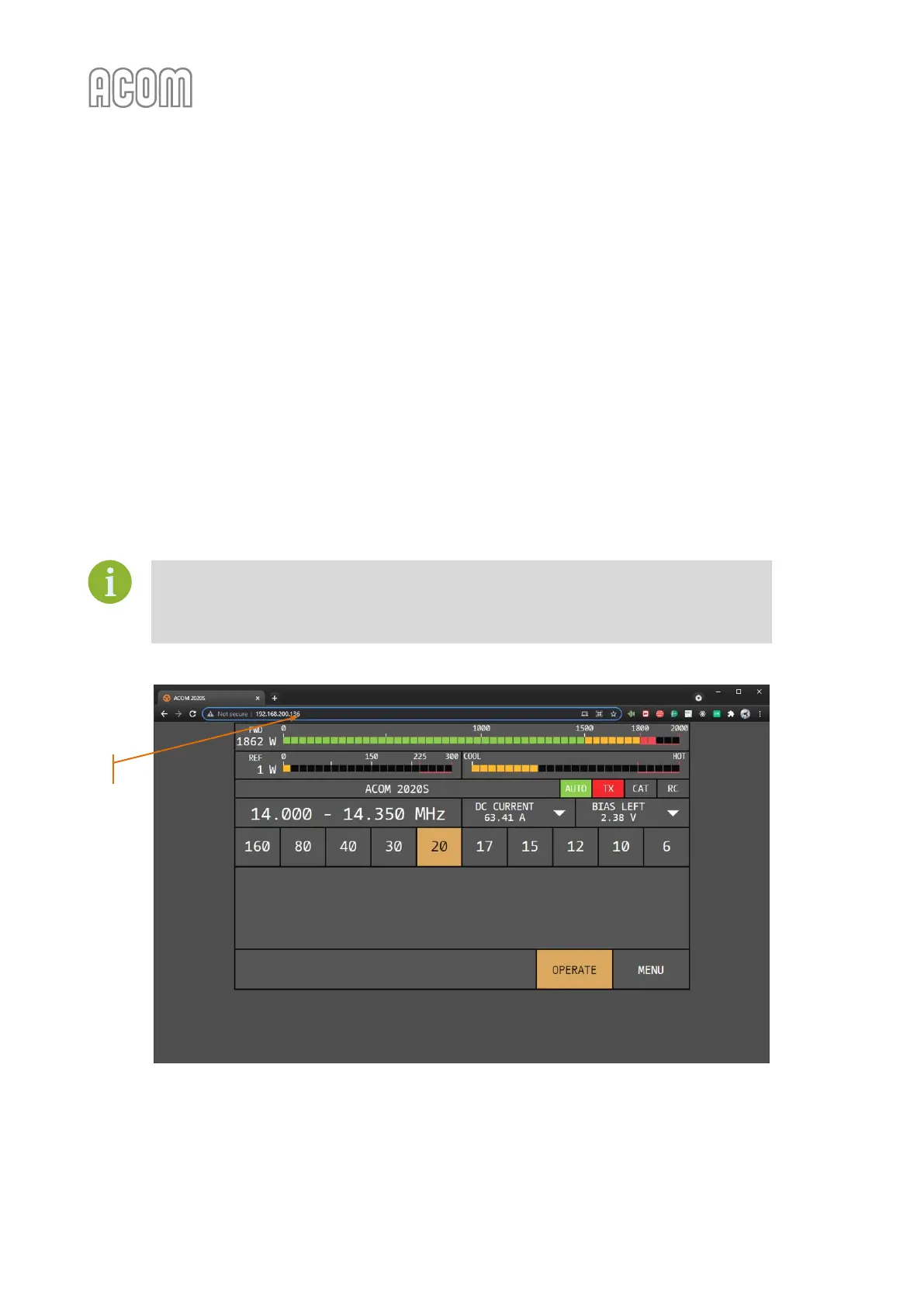
When the amplifier is connected to your LAN network, its IP address (see Figure 6-1 | Web-interface running
in web browser on a PC, Pos. 1) can be used to access its web-interface in an any web browser, running on a
device (PC, smart phone, or tablet) connected to the same LAN network. The IP address of ACOM 2020S
can be seen and changed in the NETWORK SETTINGS menu (see 5.6 Menu NETWORK SETTINGS).
The amplifier's visualization through web-interface is identical to amplifier's "standard"
user interface when operated locally.
Through amplifier's web-interface you have a full access to all menus and functionalities
of ACOM 2020S.
Figure 6-1 | Web-interface running in web browser on a PC
Figure 6-1 | Web-interface running in web browser on a PC



 To Next Page