5.6. Menu NETWORK SETTINGS
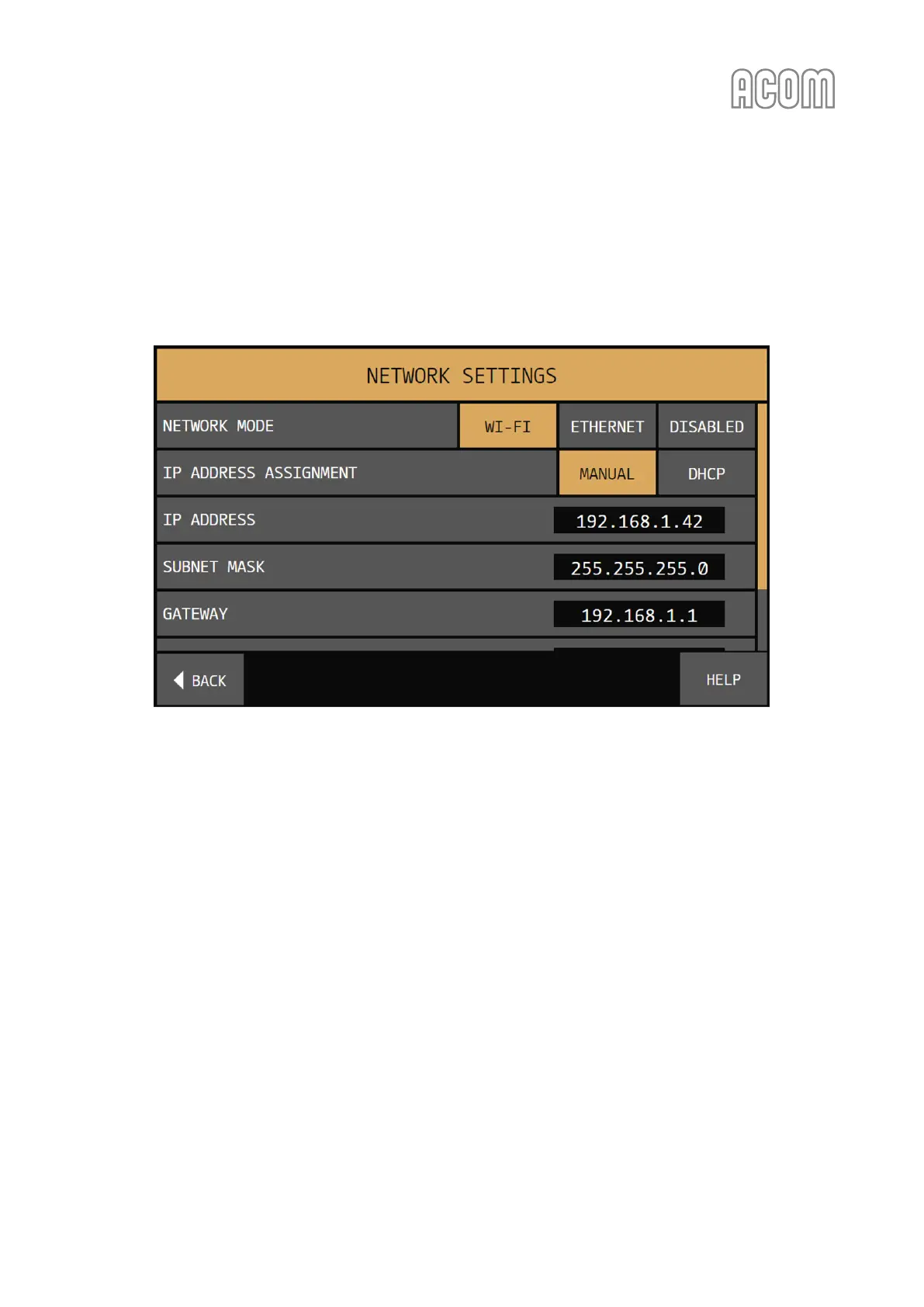
The menu NETWORK SETTINGS (see Figure 5-10 | Menu NETWORK SETTINGS) is accessible from the MENU
SELECTION screen (see Figure 5-1 | MENU SELECTION).
This menu is used to set the parameters for LAN (Local Area Network) network connection.
Figure 5-10 | Menu NETWORK SETTINGS
Figure 5-10 | Menu NETWORK SETTINGS
Available network parameters:
• NETWORK MODE
This parameter is used to choose between:
- ETHERNET wired (cable) connection (see 2.5.d) RCU's LAN Ethernet interface
connector);
- Wi-Fi (wireless) connection (see 2.5.e) RCU's Wi-Fi device interface);
- DISABLED network connection (in this selection, all other fields are hidden until
either ETHERNET or Wi-Fi is selected).
• IP ADDRESS ASSIGNMENT
This parameter is used to selects the method to set the IP (Internet Protocol) address, subnet
mask and gateway of the chosen network interface. There are two possibilities:
- MANUAL
If MANUAL is selected, the fields IP ADDRESS, SUBNET MASK, GATEWAY and DNS are
enabled, and the user is able to set their values, using the on-screen virtual keypad
that pops up once they are touched (see Figure 5-11 | Virtual keypad);



 To Next Page