29 80-0180-307, Rev A
NOTE: When completing the following programming section, the default
is “Enabled.”
Set Visual Keypad Feedback
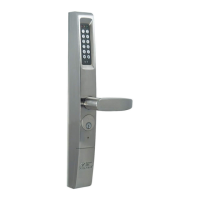
1. PERFORM the following to set visual keypad feedback.
NOTE: Yellow LED will blink continuously during programming.
a. PRESS and HOLD # for approximately 5 seconds, and
RELEASE when the yellow LED blinks.
NOTE: After Step b, there will be green LED flash and 2 short
tones.
b. ENTER Master or Supervisor Code and then #.
NOTE: After Step c, there will be green LED flash and 2 short
tones.
c. ENTER 32#.
NOTE: After Step d, there will be green LED flash and 2 short
tones to indicate successful programming.
d. ENTER either 1# (for enable) or
0# (for disable).
2. PRESS # within 2 seconds to stay in programming mode.
NOTE: When completing the following programming section, the number
set can be between 1 and 255 attempts. The default is 5.
Set Number of Successive Invalid User Code Entries
Accepted
1. PERFORM the following to set the number of successive invalid user
code entries accepted.
NOTE: Yellow LED will blink continuously during programming.
a. PRESS and HOLD # for approximately 5 seconds, and
RELEASE when the yellow LED blinks.
NOTE: After Step b, there will be green LED flash and 2 short
tones.
b. ENTER Master or Supervisor Code and then #.
NOTE: After Step c, there will be green LED flash and 2 short
tones.
c. ENTER 33#.



 To Next Page