30 80-0180-307, Rev A
NOTE: After Step d, there will be green LED flash and 2 short
tones to indicate successful programming.
d. ENTER 1–255 and then #.
2. PRESS # within 2 seconds to stay in programming mode.
NOTE: For the following section, Error Lockout Time is the amount of
time the user is unable to use the keypad following successive
invalid attempts. This number can be between 1 and 255
seconds. The default is 15 seconds.
Set Error Lockout Time
1. PERFORM the following to set the Error Lockout Time.
NOTE: Yellow LED will blink continuously during programming.
a. PRESS and HOLD # for approximately 5 seconds, and
RELEASE when the yellow LED blinks.
NOTE: After Step b, there will be green LED flash and 2 short
tones.
b. ENTER Master or Supervisor Code and then #.
NOTE: After Step c, there will be green LED flash and 2 short
tones.
c. ENTER 34#.
NOTE: After Step d, there will be green LED flash and 2 short
tones to indicate successful programming.
d. ENTER 1–255 and then #.
2. PRESS # within 2 seconds to stay in programming mode.
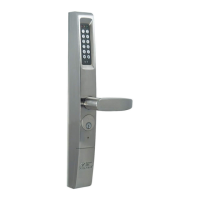
NOTE: For the following section, Hold-Open (Unlock) Time is the
amount of time the eForce 150 will remain unlocked following a
successful User Code entry. This number can be between 1 and
9 seconds. The default is 5 seconds.
Set Hold-Open (Unlock) Time
1. PERFORM the following to set the Hold-Open (Unlock) Time.
NOTE: Yellow LED will blink continuously during programming.
a. PRESS and HOLD # for approximately 5 seconds, and
RELEASE when the yellow LED blinks.
NOTE: After Step b, there will be green LED flash and 2 short
tones.
b. ENTER Master or Supervisor Code and then #.



 To Next Page