31 80-0180-307, Rev A
NOTE: After Step c, there will be green LED flash and 2 short
tones.
c. ENTER 44#.
NOTE: After Step d, there will be green LED flash and 2 short
tones to indicate successful programming.
d. ENTER 1–9 and then #.
2. PRESS # within 2 seconds to stay in programming mode.
NOTE: This number can be between 1 and 9 seconds. The default is 5
seconds.
Set Emergency Hold-Open (Unlock) Time
3. PERFORM the following to set the Emergency Hold-Open (Unlock)
Time.
NOTE: Yellow LED will blink continuously during programming.
a. PRESS and HOLD # for approximately 5 seconds, and
RELEASE when the yellow LED blinks.
NOTE: After Step b, there will be green LED flash and 2 short
tones.
b. ENTER Master or Supervisor Code and then #.
NOTE: After Step c, there will be green LED flash and 2 short
tones.
c. ENTER 46#.
NOTE: After Step d, there will be green LED flash and 2 short
tones to indicate successful programming.
d. ENTER 1–9 and then #.
4. PRESS # within 2 seconds to stay in programming mode.
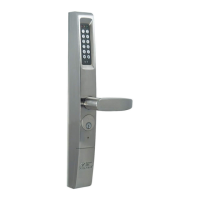
Replacing the eForce 150 Batteries
The eForce 150 goes into blackout mode when the voltage drops to
3.8V. If this happens, users 6-152 will be locked out. Only Master,
Emergency, and Supervisor Codes will allow access in this mode. No
codes are lost during low power conditions, blackout, or battery
replacement, as they are stored in non-volatile memory.
1. INSERT key into the cylinder and TURN key 180 degrees clockwise
to release blocking plate.



 To Next Page