Making batch sequences interactive
If your work requires that different documents use slightly different settings of the same
commands, you can still use batch processing to automate the work. You can set up your batch-
processing definitions to have pauses between specific commands so that you can modify
command options before they execute.
Note: You can't add interactivity to commands that don't have interactive options.
To add interactive pauses to a batch sequence:
1. Choose Advanced > Batch Processing, select the batch sequence you want to add interactivity
to, and click Edit Sequences.
2. In the Batch Edit Sequence dialog box, click Select Commands.
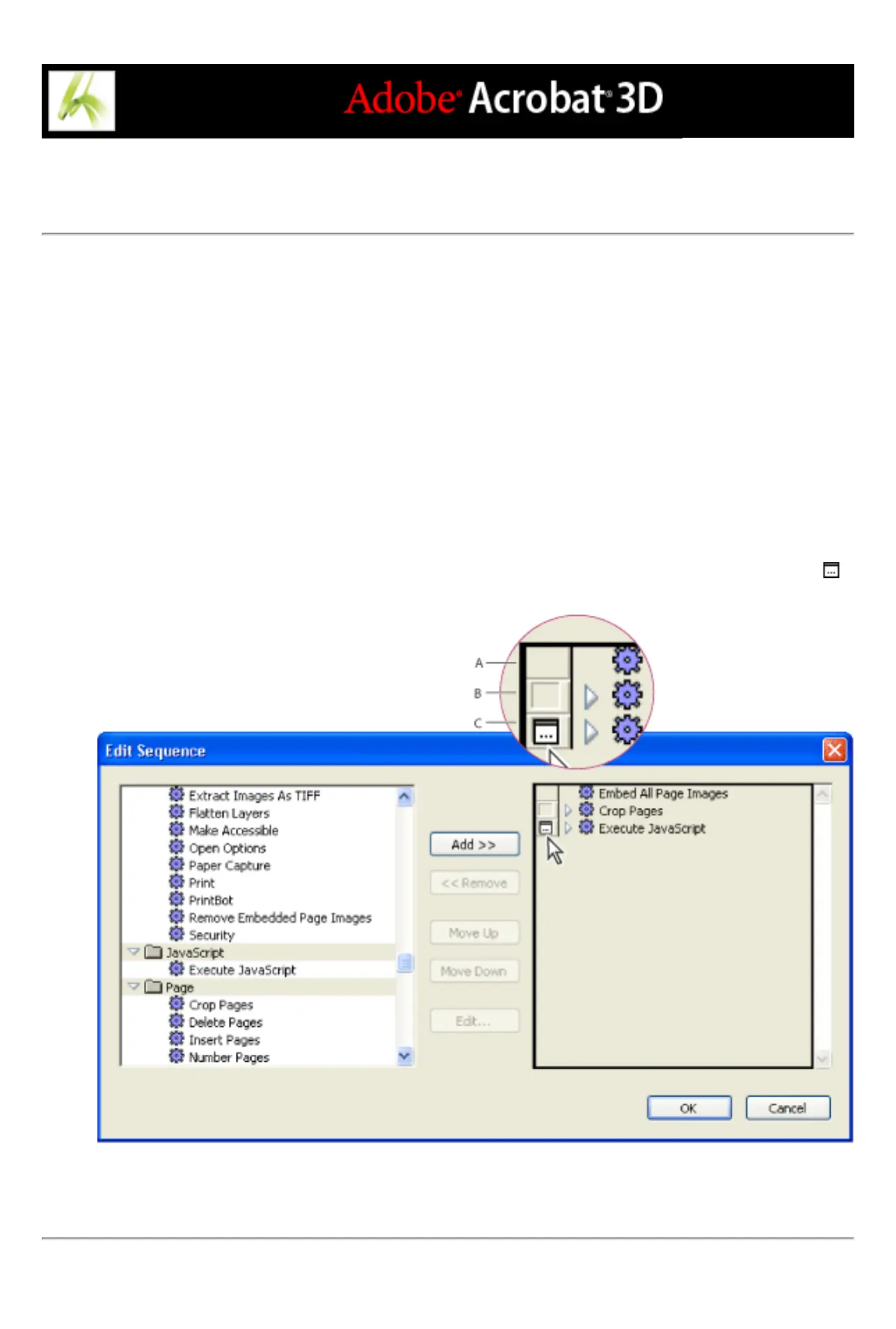
3. On the right side of the Edit Sequence dialog box, select the Toggle Interactive Mode option
for the commands that you want to provide input to during processing, and then click OK.
Toggle Interactive Mode A. Interactive mode is not available. B. Interactive mode is available but not
selected. C. Interactive mode is selected.



 To Next Page