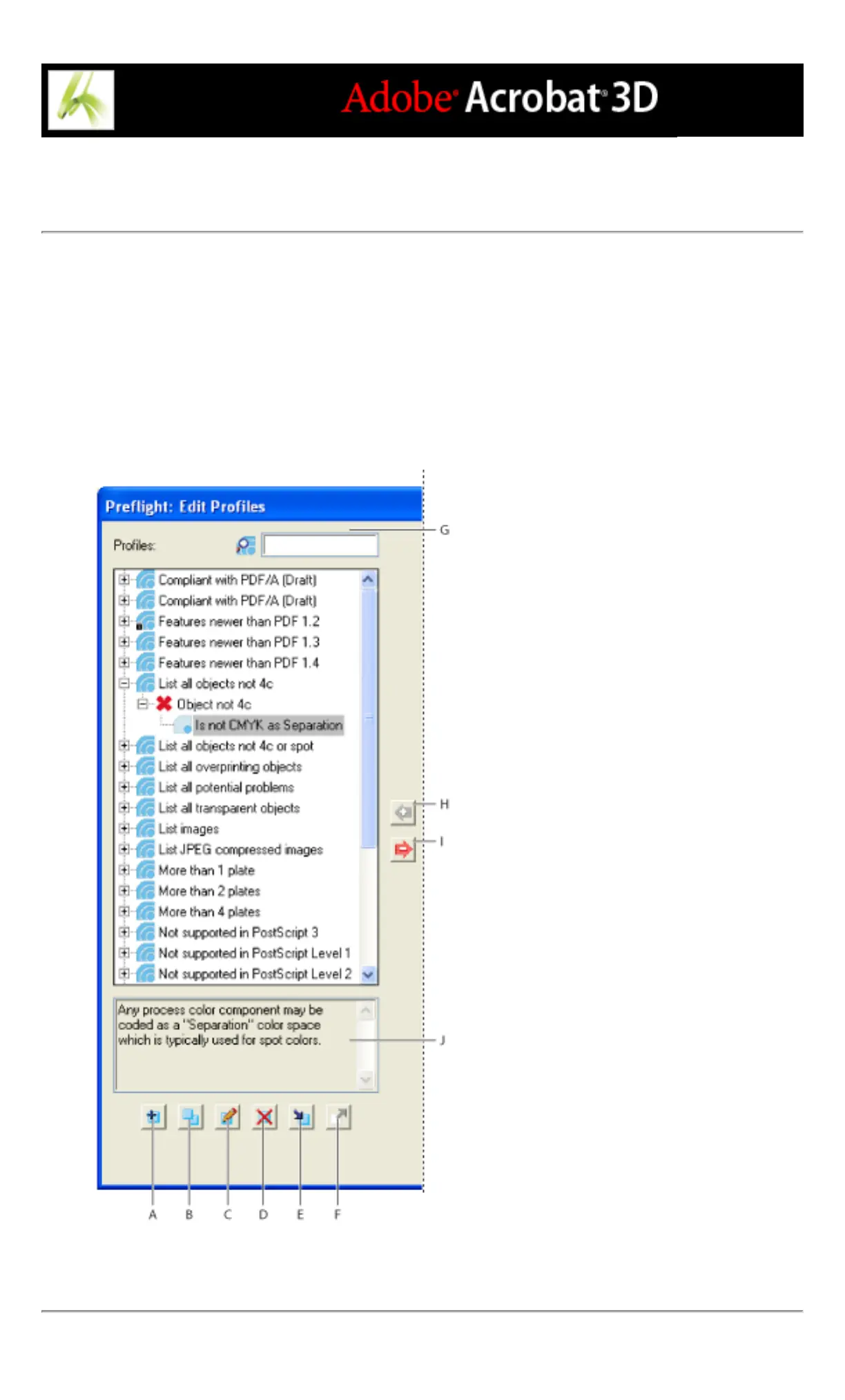
Using the Edit Profiles dialog box
The Profiles list in the Edit Profiles dialog box contains predefined profiles included with
Acrobat, and any custom profiles you've created. The arrow keys between columns move
rules and conditions to and from the columns. Generally you work from right to left,
specifying and adding conditions to rules, and then specifying and adding rules to profiles.
The buttons at the bottom of the columns perform basic editing functions, such as
duplicating, removing, and creating. The available buttons depend on whether you're
modifying a profile, a rule, or a condition. The search box highlights a profile.
Profiles column A. New B. Duplicate C. Edit D. Delete E. Import F. Export G. Search H. Assign
I. Unassign J. Description



 To Next Page