Version 15.0 AF-5000 Series Pilot Guide 53
ALT - IAS Mode
In ALT – Indicated airspeed mode the autopilot will make
the aircrafts altitude follow the Teal colored altitude bug.
When you change the altitude bug the autopilot will climb
or descend following the Yellow Airspeed Bug.
You can change the Airspeed Bug using the SET > IAS
center EFIS knob. IAS mode only works with the Dynon
AP servos.
IAS Descending Considerations
If you are trying to descend and the aircraft is already at
the airspeed bug you will need to reduce power or increase the airspeed bug to get the
autopilot to change altitude.
IAS Climbing Considerations
If you are trying to climb and the aircraft is already at the airspeed bug you will need to
increase power or lower the airspeed bug to get the autopilot to change altitude.
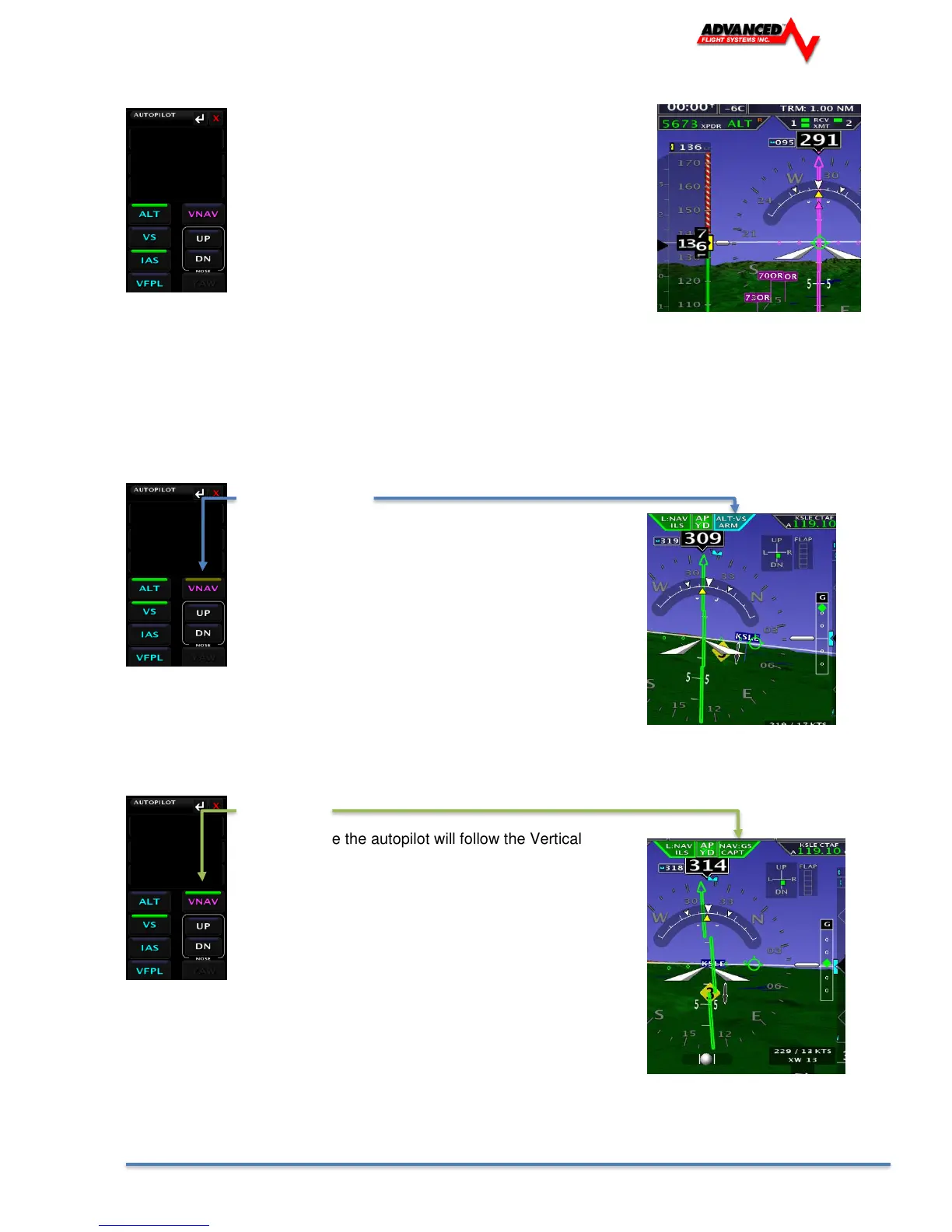
VNAV ARM Mode
In VNAV ARM Mode the autopilot will continue to follow
the altitude bug until the Vertical Deviation Indicator
needle (LPV or ILS glide slope) appears. Once the VDI
needle starts to center the autopilot will switch to NAV
mode. If you are using a TruTrack autopilot you must
always intercept the glide slope from below.
VNAV Mode
In VNAV Mode the autopilot will follow the Vertical
Deviation Indicator needle (LPV or ILS glide slope).
The autopilot will not follow the glide slope below the
Minimums Bug setting.



 To Next Page