IST Series UPS (10kVA-200kVA)
User Manual 4 Touch Screen
63
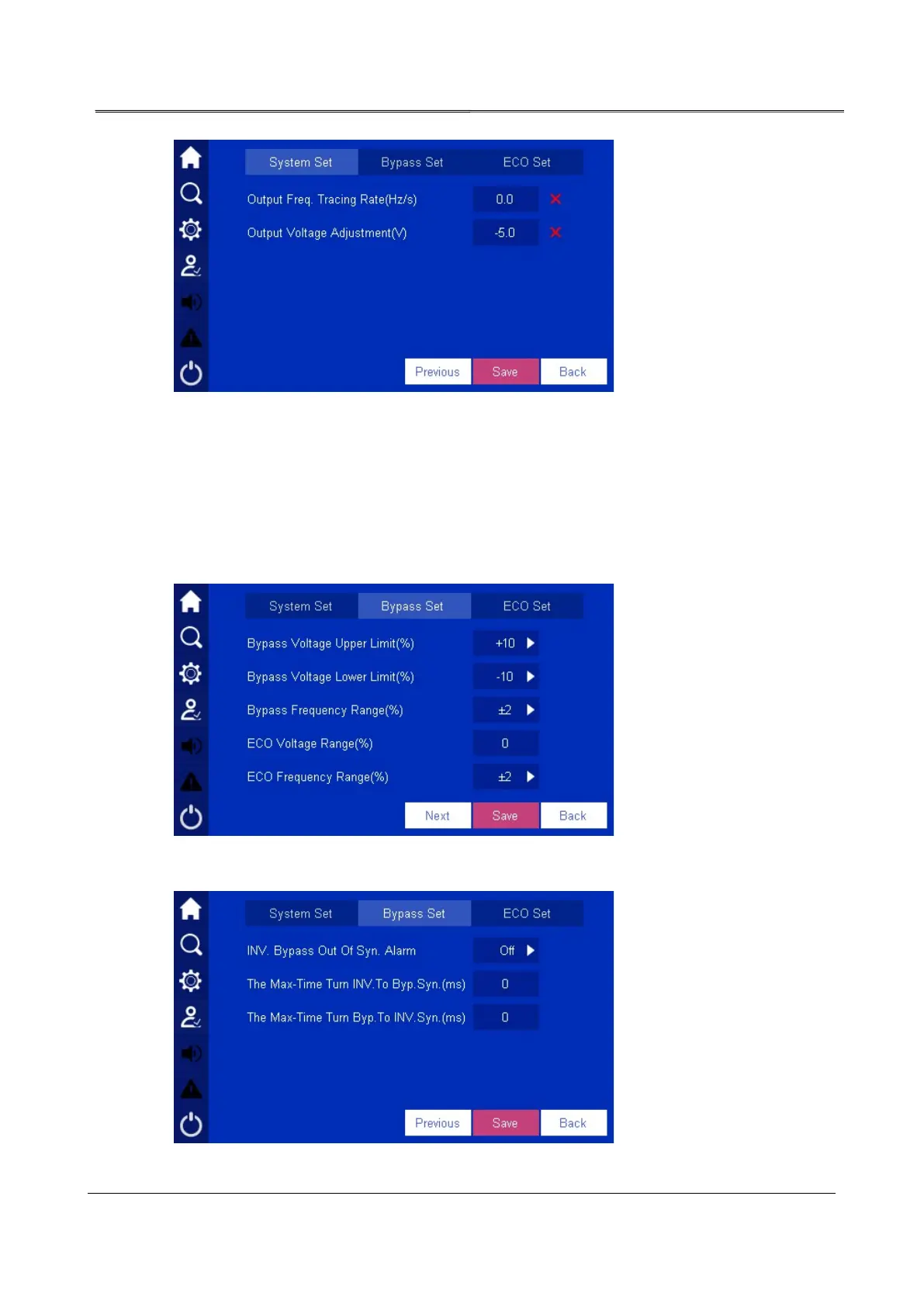
Figure4-35 Setting failure
Bypass setting
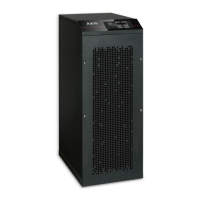
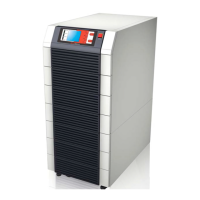
Click Bypass Setting, it will turn to bypass setting page, as shown in Figure4-36. Click enter
box to change the parameter. Click Save button to save the setting. The marks of setting
success and setting failure is the same as that of system setting.
Figure4-36 Bypass setting 1
Figure4-37 Bypass setting 2








 To Next Page