EasyManua.ls Logo

AEG IST7 - User Manual

AEG IST7
100 pages
Print Icon
To Next Page IconTo Next Page
Loading...
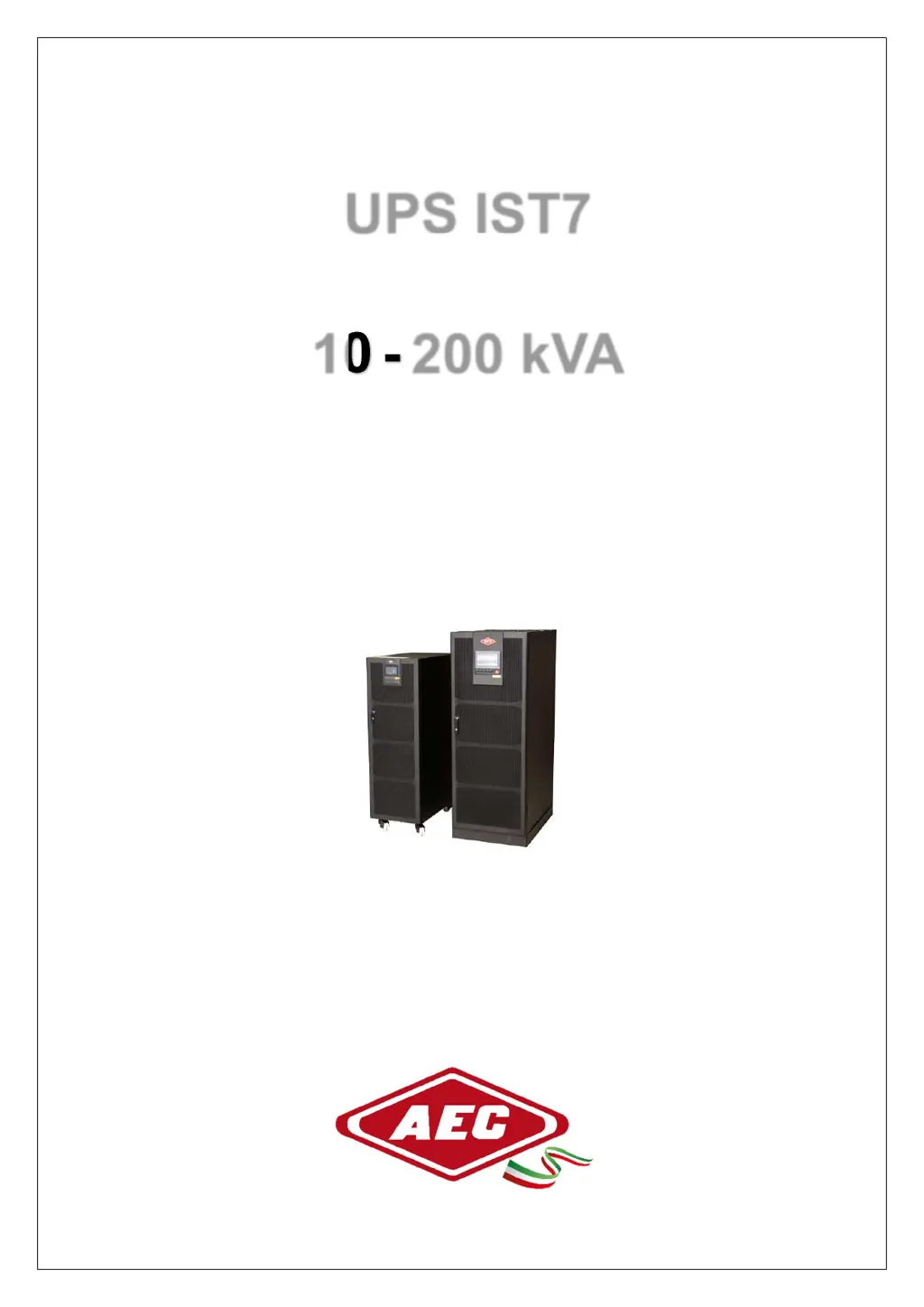
UPS IST7
10
-
200 kVA
User Manual

Table of Contents

Questions and Answers

Summary

Foreword

Summaries

Provides a summary of the UPS product and manual contents.

Symbol Conventions

Explains the meaning of safety symbols used throughout the manual.

Safety Instructions

Safety Announcements

Safety announcements for installation, use, and maintenance operations.

Safety Instructions

Specific safety instructions for operating the UPS unit.

Use Announcements for Battery

Guidelines for safely using and handling UPS batteries.

Anti-Static Protection

Precautions to prevent damage from static discharge.

Grounding Requirements

Essential grounding procedures for safe UPS operation.

Safety Warning Label Setting

Proper placement of warning labels to ensure user safety.

Measure with Electricity

Safe practices and precautions for electrical measurements.

Operation and Maintenance Requirements

Procedures for safe operation and maintenance of the UPS.

Environment Requirements

Specifies suitable environmental conditions for UPS installation.

Overview

Product Introduction

Introduces the IST7 series UPS and its target applications.

Product Features

Details the key technological features of the IST7 series UPS.

Work Principle

Explains the fundamental operational principles of the UPS system.

Work Principle Diagram

Illustrates the functional block diagram of the UPS operation.

Work Mode

Describes the different operating modes the UPS can function in.

Appearance and Structure

Describes the physical appearance and internal component layout.

Appearance

Shows the external appearance of different UPS models.

Structure Layout (Open Door)

Details the internal component layout when the unit door is open.

Alarm Function

Explains the various alarm functions and status indicators.

Installation

Installation Procedure

Outlines the step-by-step process for installing the UPS.

Installation Preparation

Steps and requirements needed before commencing UPS installation.

Installation Tools

Lists all the necessary tools required for UPS installation.

Installation Environment

Specifies the required environmental conditions for UPS installation.

Installation Space

Details the necessary clearance around the UPS for ventilation.

Selection for Input and Output Wires

Guidance on selecting appropriate wires for input and output connections.

Surge Protection Device

Information regarding the installation of surge protection devices.

Reverse Feedback Protection (Optional)

Optional protection measures against reverse feedback.

Transportation and Unpacking

Instructions for safely transporting and unpacking the UPS unit.

Transportation

Guidelines for the safe transportation of the UPS device.

Unpacking

Step-by-step instructions for unpacking the UPS unit.

Mechanical Installation

Procedures for physically installing and positioning the UPS unit.

UPS Installation

Steps for positioning and securing the UPS unit in its final location.

Wiring

Instructions for connecting input, output, and battery cables.

Install Battery Cabinet

Procedures for installing the external battery cabinet.

System Check and Test

Steps for verifying the installation and testing the UPS functionality.

Check Electrical Connection

Checklist for verifying all electrical connections are secure.

UPS Test

Procedures for performing functional tests on the UPS.

Connect Load

Steps involved in connecting the load to the UPS.

Touch Screen Operation and Setting

Menu Hierarchy

Overview of the touch screen's menu structure and navigation.

MainPage

Description of the main display screen and its icons.

System Work Status Display

Shows various system operating status displays and energy flow.

Monitor Function

How to access and interpret various UPS monitored parameters.

Bypas Input Information

Displays bypass input voltage, current, power, and frequency.

Mains Information

Displays mains input voltage, current, and frequency.

Battery Information

Displays battery voltage, current, capacity, and status.

System Output Information Page

Displays system output voltage, current, active power, and load.

Information Query

Accesses event logs, user logs, and device information.

Event Log

Records history fault and alarm information of the system and unit.

User Log

Records user parameter setting changes made on the UPS.

Device Information

Displays product name, model, and hardware/software versions.

Setting Management

Manages system, bypass, ECO, battery, and HMI settings.

System Management

Configures system parameters, bypass settings, and ECO mode.

Battery Management

Manages battery settings, charging parameters, and tests.

Battery Test

Performs standard or depth tests on the UPS battery.

Function Configuration

Configures generator settings and dedusting functions.

HMI Setting

Adjusts date, time, language, and screen brightness settings.

Password Setting

Allows changing the user login password for system access.

Buzzer Control

Enables or disables audible alarms for system events.

ON;OFF

Controls the UPS startup and shutdown operations via the screen.

Use and Operation

Use Announcements

Important announcements and guidelines before operating the UPS.

Operation Procedure

Outlines the general operational flow and sequence for the UPS.

UPS Start and Shutdown

Detailed steps for starting and shutting down the UPS unit.

Check before Startup

Pre-startup checks, load verification, and parameter review.

Startup

Steps to initiate the UPS startup sequence and system checks.

UPS Shutdown

Procedures for safely shutting down the UPS unit.

Switch to Bypass Mode Manually

How to manually switch the UPS to bypass mode.

Switch to Maintenance Bypass Mode From Inverter Output

Steps to switch to maintenance bypass from inverter output.

Switch to Inverter Output from Maintenance Bypass

Steps to switch back to inverter output from maintenance bypass.

Emergency Power Off (EPO)

How to use the Emergency Power Off function for immediate shutdown.

Emergency Power Off Recovery

Procedures to recover the system after an EPO event.

Parallel SystemStartup and Shutdown

Procedures for starting and shutting down parallel UPS systems.

Start Parallel System

Step-by-step guide to starting multiple UPS units in parallel.

Shutdown Parallel System

Steps to safely shut down multiple UPS units operating in parallel.

Emergency Power Off (EPO)

Emergency power off procedures for parallel UPS systems.

Maintenance and Troubleshooting

Maintenance Guide

General guidance and best practices for maintaining the UPS.

Safety Precautions

Safety measures to observe during maintenance operations.

Preventive Maintenance

Recommended tasks for routine preventive maintenance.

Battery Maintenance

Procedures for maintaining the UPS batteries for optimal performance.

Announcements for Battery Replacement

Important notes and precautions before replacing UPS batteries.

Troubleshooting

Guidance for diagnosing and resolving common UPS issues.

Common Abnormal Phenomena Diagnosis

Identifies common UPS problems and their potential causes.

Emergency Dispose for System Fault

Actions to take in case of system faults or failures.

Package, Transportation and Storage

Package

Details on packaging requirements, markings, and labeling.

Transportation

Guidelines for the safe transportation of the UPS device.

Storage

Recommendations for proper storage conditions of the UPS unit.

Technical Specifications

AEG IST7 Specifications

General IconGeneral
Capacity700 VA / 420 W
Input Voltage230 VAC
Communication InterfaceUSB
Frequency50/60 Hz
Operating Temperature0°C to 40°C
Storage Temperature-15°C to 45°C
Output Voltage230 VAC ± 10%

Related product manuals