IST Series UPS (10kVA-200kVA)
User Manual 3 Installation
39
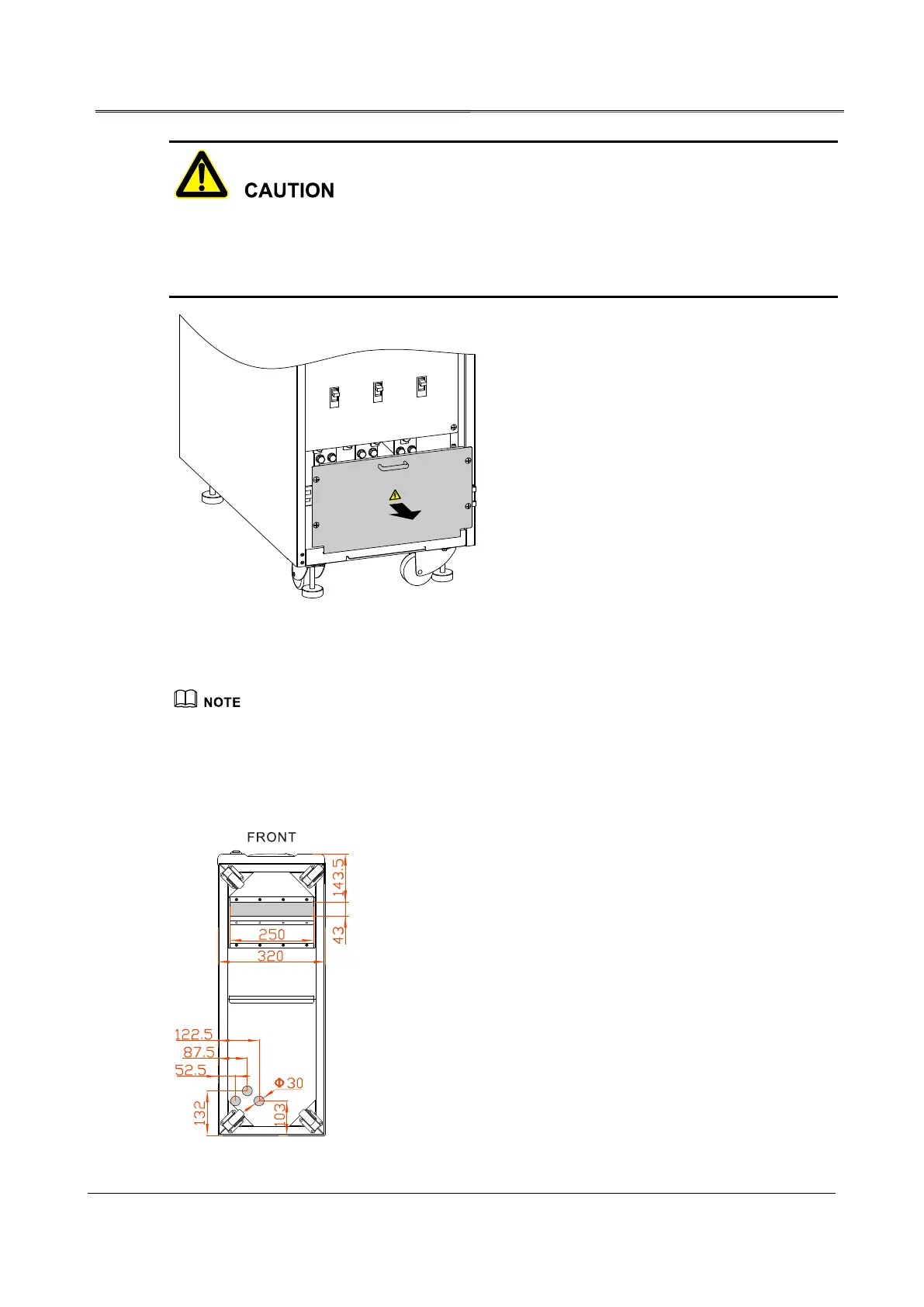
The battery +, - and neutral wire terminal of 10kVA, 20kVA, 30kVA, 40kVA, 50kVA, 60kVA are
all at the back of the UPS, so, before wiring, it needs to dismantle the rear bottom wiring cover
plate.
Figure3-16 Remove bottom wiring cover plate
The bottom wiring cover plate position of the UPS are the same, In above figure, we take 80kVA UPS
as an example to illustrate.
Step 2 Lead the input cables, output cables and battery cables go through the bottom wiring hole,
and connect the cables, then fasten the bolts.
Figure3-17 Bottom wiring holes diagram of 10kVA, 20kVA, 30kVA, 40kVA








 To Next Page