IST Series UPS (10kVA-200kVA)
User Manual 3 Installation
41
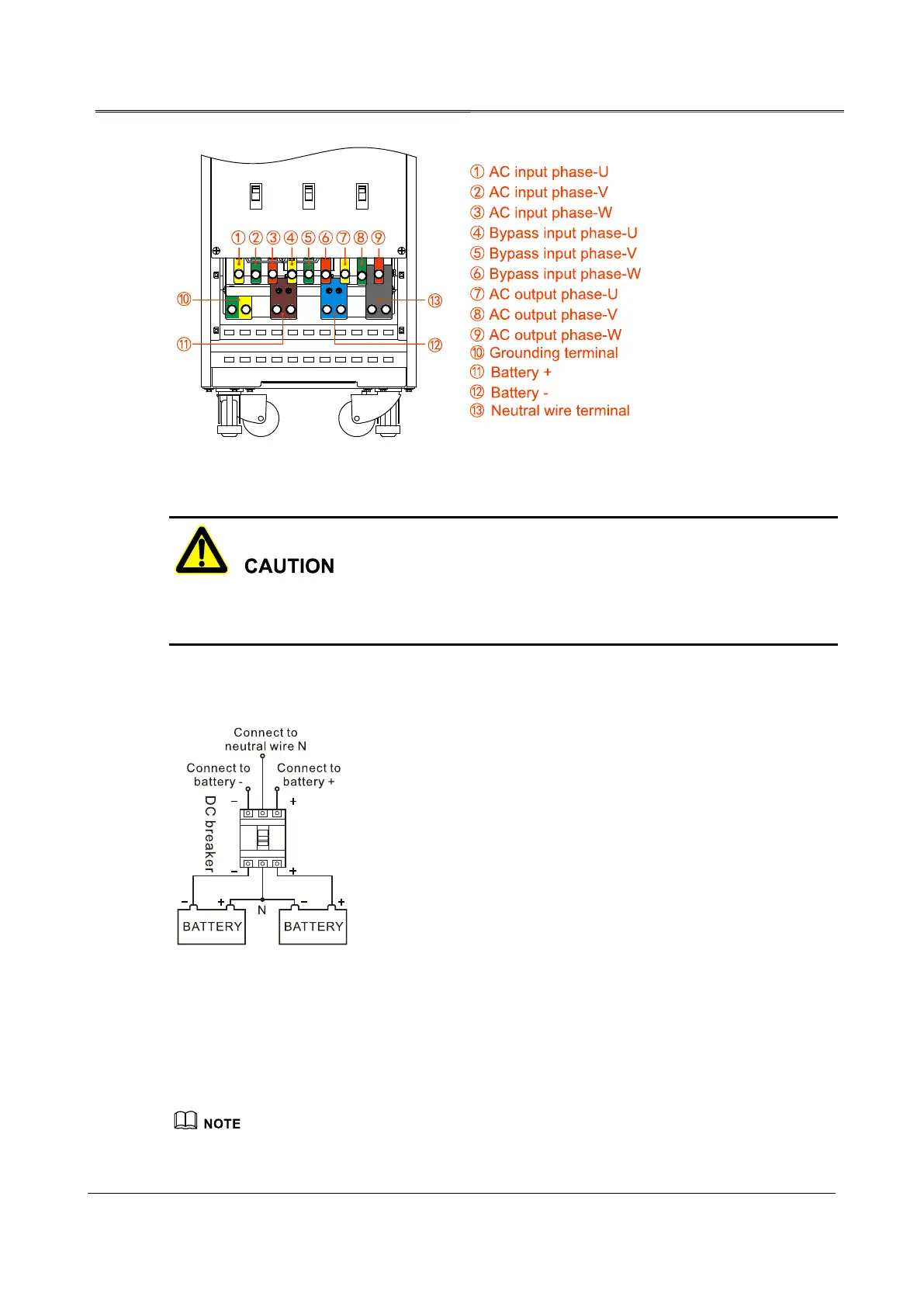
Figure3-20 Wiring terminals diagram of 50kVA, 80kVA, 100kVA, 140kVA, 140kVA
When wiring, ensure that the connection between input, output wire and input, out terminal is
reliably, avoid bad connection or wrongly connection.
It is suggested to select DC breaker for battery DC input, the detail wiring is as shown in
Figure3-21.
Figure3-21 Battery wiring diagram
Step 3 Lead the communication wires go through the bottom wiring hole and connect them to
corresponding ports and ensure reliable connection.
Fasten the communication wires to corresponding wiring bundling slot by cable ties, which is to ensure
wiring in order and avoid blocking the ventilation holes.








 To Next Page