3 Installation
IST Series UPS (10kVA-200kVA)
User Manual
42
Step 4 After ensure the wire connection are all right, fill the empty party with insulation fireproofing
mud.
Step 5 Reinstall the bottom wire seal plate, the wiring is finished.
----End
IST7 series UPS (160kVA-200kVA)
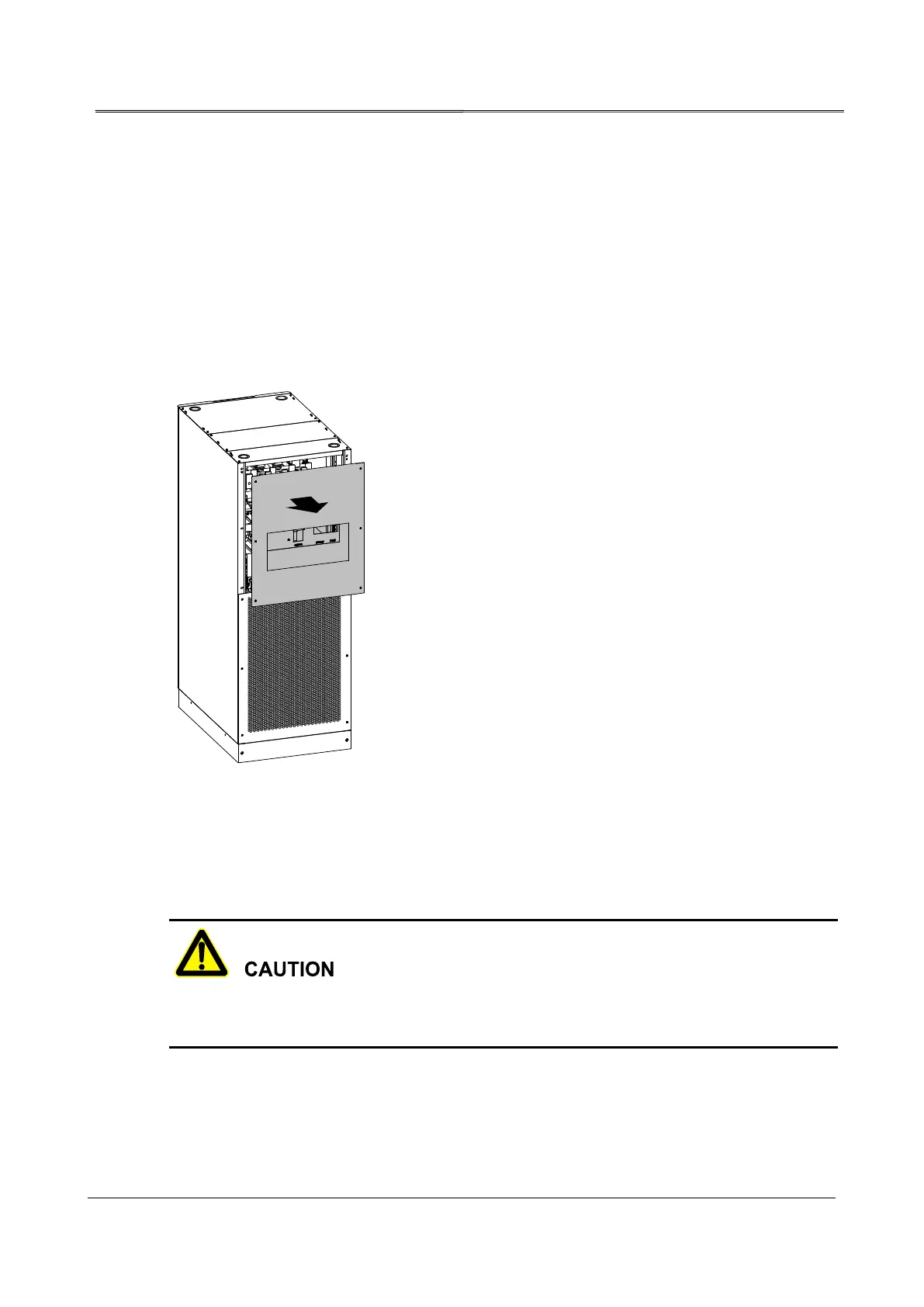
Step 1 Remove the back top wiring cover plate, as shown in Figure3-22.
Figure3-22 Remove the back top wiring cover plate
Step 2 Lead the input cables, output cables and battery cables go through the top wiring hole, and
connect the cables according to Figure3-23 respectively, then fasten the bolts.
When wiring, ensure that the connection between input, output wire and input, out terminal is
reliably, avoid bad connection or wrongly connection.








 To Next Page