IST Series UPS (10kVA-200kVA)
User Manual 5 Use and Operation
73
Step 3 Start the inverter.
Start the UPS by panel combination button.
1. Close the mains breaker (POWER).
2. 30s later, long press the panel ON combination button for 3s, the system inverters to
output. Check the system running status in the touch screen, and ensure that the system
turns to inverter from bypass to supply power.
3. Press the panel OFF combination button for 3s, the system turns to bypass power supply.
Look up the system running status in the touch screen, and ensure that the system turns
to bypass to supply power.
Start the UPS by touch screen
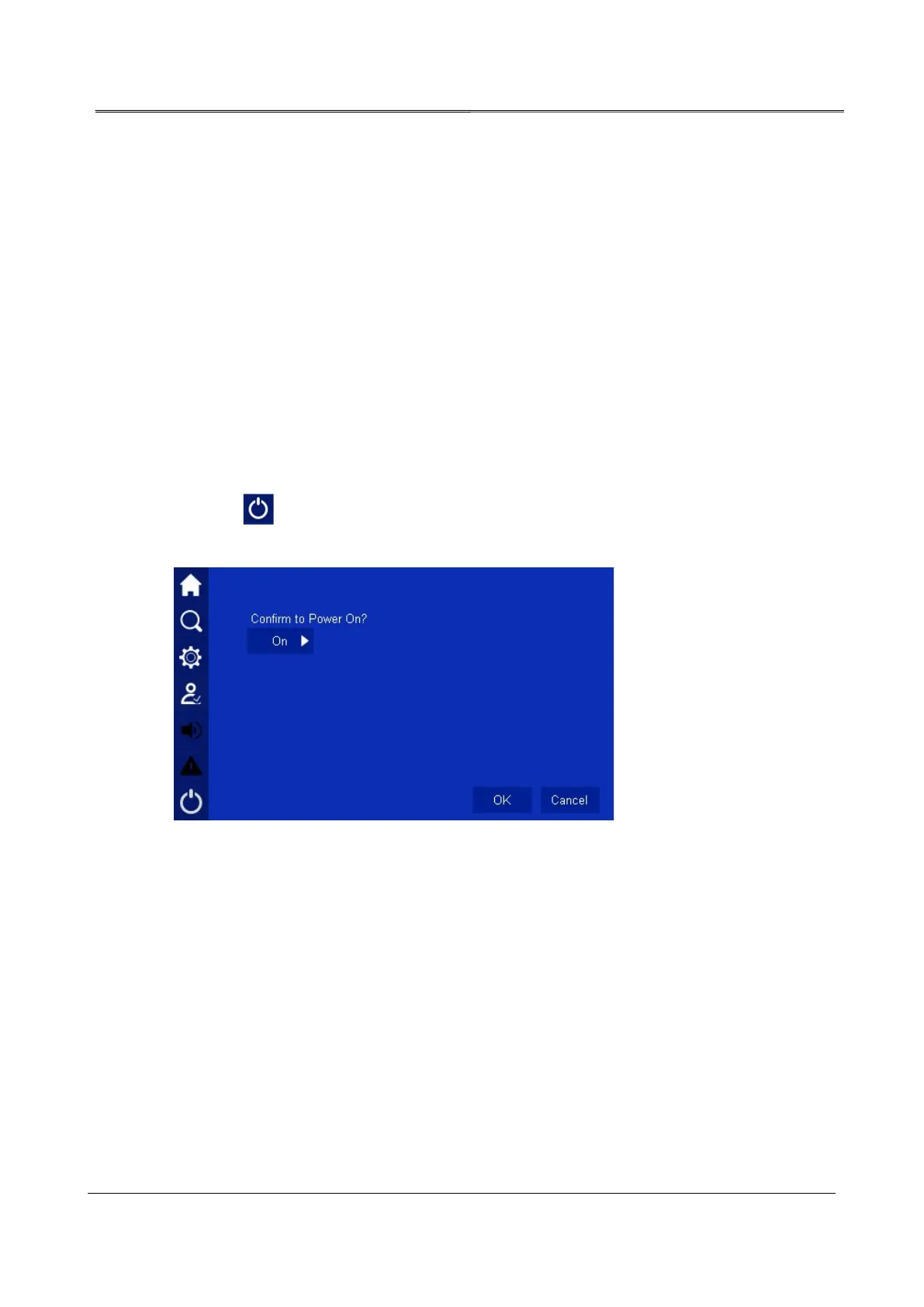
4. Click icon in system management page, it will enter ON/OFF page, click OK button
to perform the startup operation, as shown in Figure5-2.
Figure5-2 Start confirmation page
5. After start the inverter, UPS turns to inverter to supply power, the bypass output alarm
disappears. User can look up the system running status chart and ensure if the system
turns to inverter to supply power. During testing, ensure that the UPS three-phase output
voltage and frequency is normal through the real-time data in the touch screen. Measure
the three-phase output voltage and frequency of output breaker or external output
distribution breaker on output distribution cabinet and check if the voltage and frequency
is normal.
Step 4 Close the output breaker of output distribution cabinet or external output distribution breaker
to supply power for load.








 To Next Page