Digital Transformer Ratiometer DTR
®
Model 8510
27
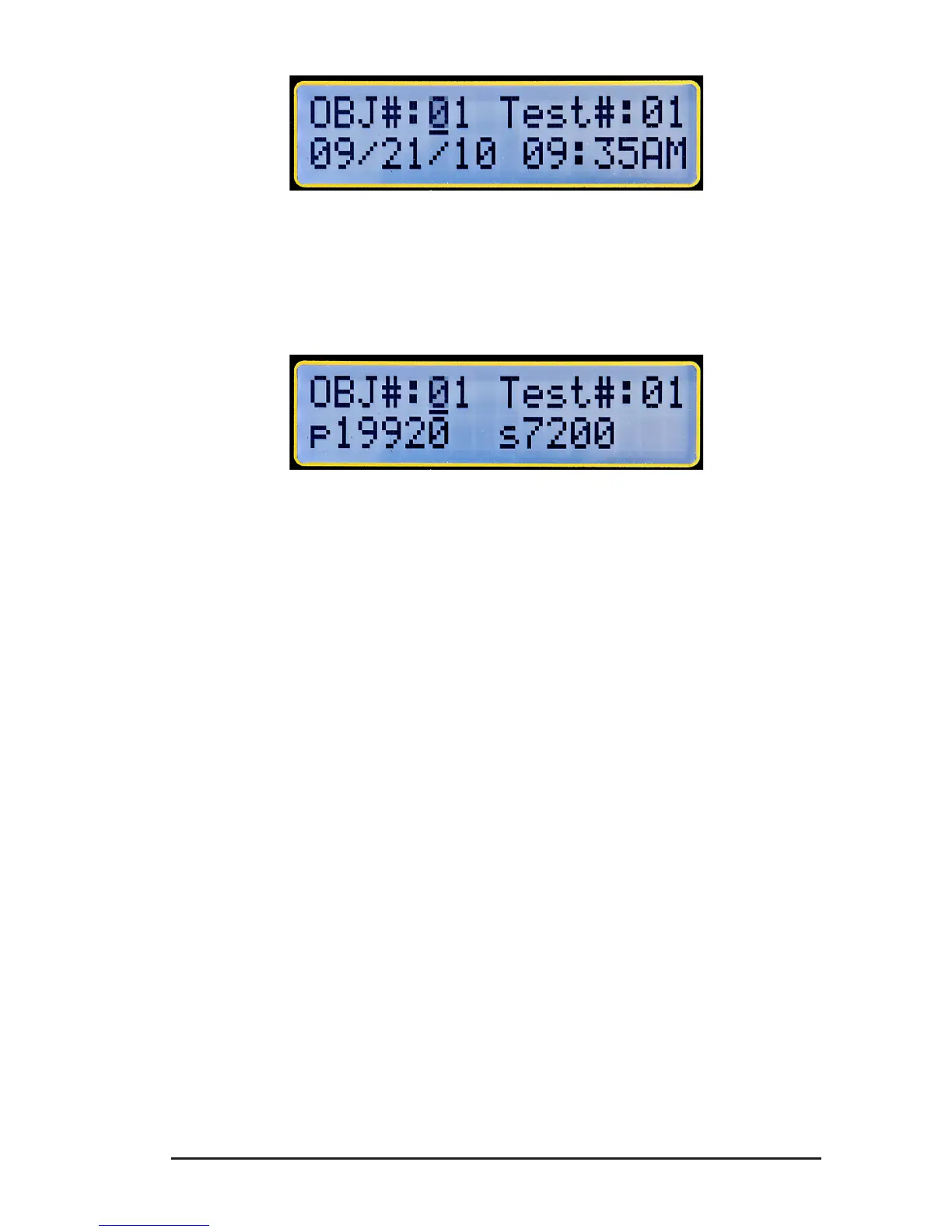
Figure 4-23
4. PresstheTESTbuttontomovetothefourthscreen to display the
PrimaryandSecondaryvoltagesofthePresentNameplateatthetime
themeasurementwasmade.
Figure 4-24
5. PresstheTESTbuttonagaintoreturntotherstscreen.
6. SelectanyOBJECTandanyTESTusingthe▼or▲keyandthe
ENTERkeytoviewtheMeasurementRecordatanylocation.
NOTE:
• TheDTR
®
8510canstore99OBJECTs.EachOBJECTcanstore
upto99TESTs.
• In Manualmode,theusercanselectthelocationtostorethe
MeasurementRecord.TheMeasurementRecordsdonothave
tonecessarilybesequentiallystored.So,duringaRecallData
operation,itisimportantfortheusertoknowwherethedatais
• AppendixBonpage59providesaformfortheusertoidentify
theinformationstoredateachlocation.Theformcanbecopied
andusedasneeded.
www.ShopAEMC.com
Shop for AEMC products online at:
1.877.766.5412



 To Next Page