14
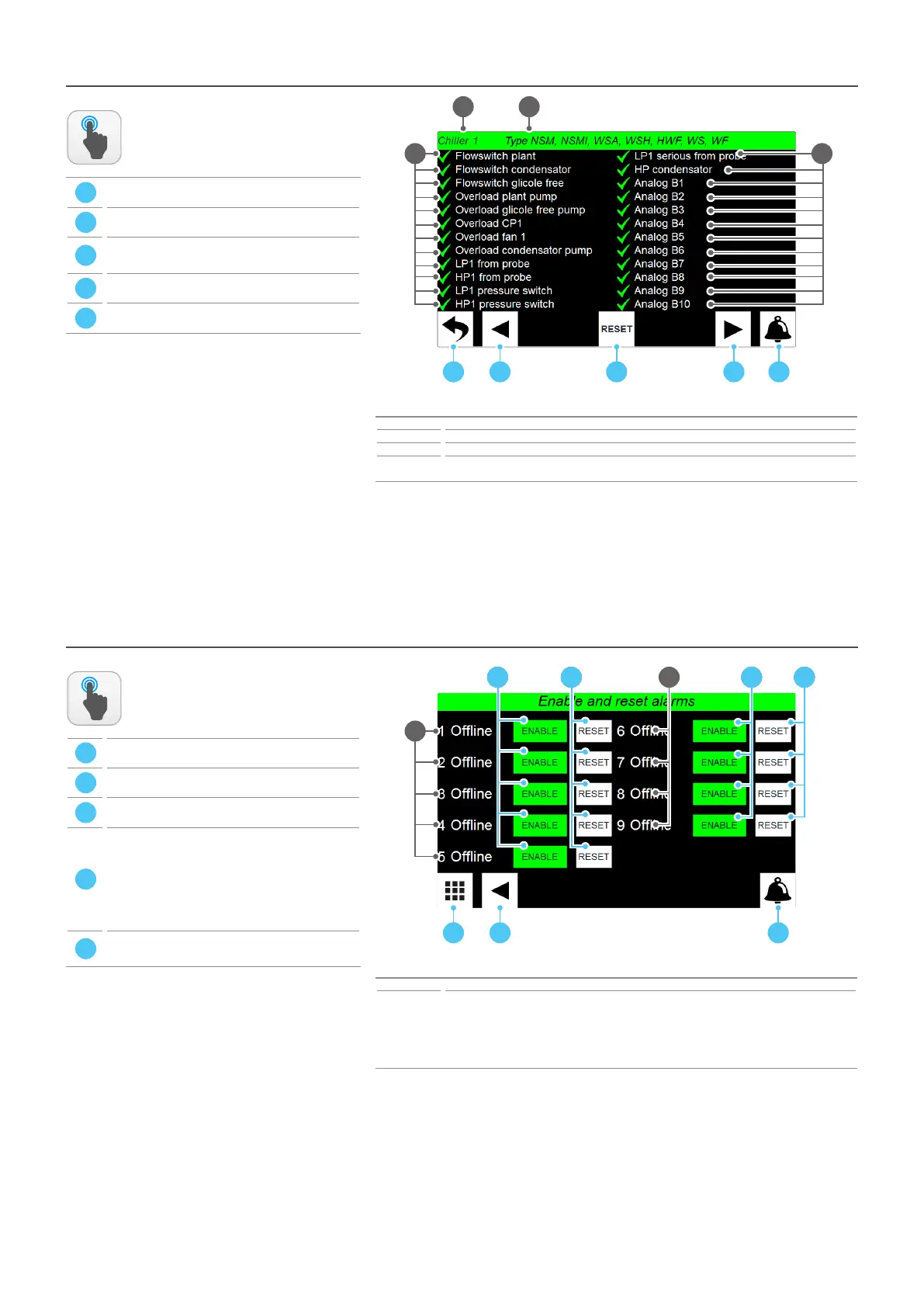
SYSTEM LAYOUT - Chiller main monitor - CHILLER sub-menu - Alarm status on selected chiller
Index Meaning
1 Indicates the current Chiller to which the displayed data refers
2 Indicates the family to which the displayed Chiller belongs
3
Each line represents the status of a specic alarm of the chiller (may vary depending on the type of chil-
ler); the status of each alarm may be: (4) alarm not active on the chiller; (8) alarm active on the chiller
ACTIONS
AVAILABLE:
ATTENTION:
SYSTEM LAYOUT - Chiller main monitor - Chiller enabling and acve alarms reset
Index Meaning
1
Indicates the state of the chiller to which the displayed data refers; this can be:
On = chiller currently operating;
O = chiller not currently operating;
Alarm = the chiller is in partial alarm, so it can provide a reduced power;
Serious al. = the chiller is currently locked by a serious alarm;
oine = the serial connection with the chiller is interrupted;
ACTIONS
AVAILABLE:
A
B
C
D
E
A
B
C
D
E
1
A D E
2
3
B C
3
A B C
1
3D 3E 3D 3E1



 To Next Page