30
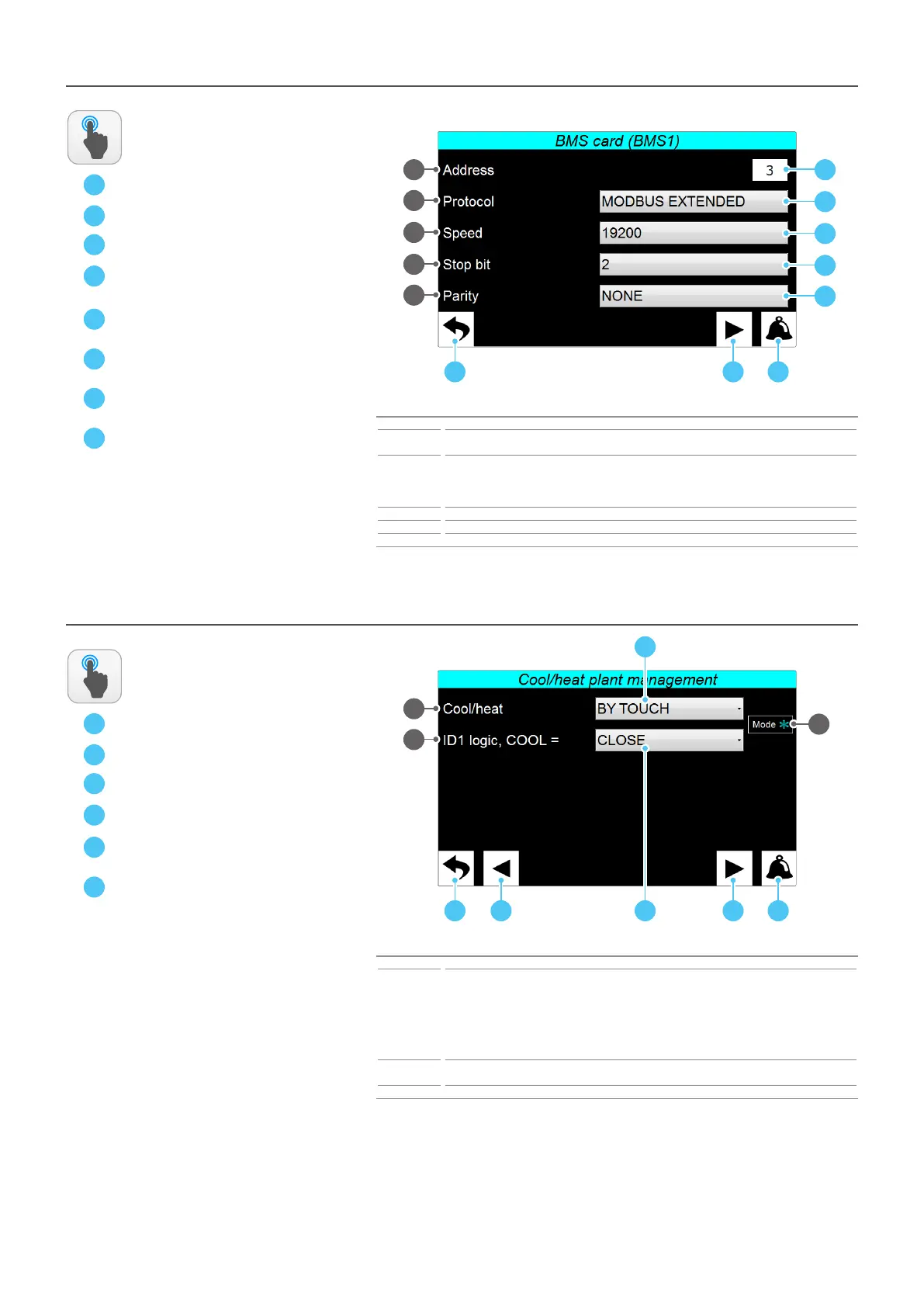
INSTALLER - Remote control - Connecon with BMS sengs
A
B
C
Index Meaning
1
Indicates the address associated with the AER485P1 board (not supplied) connected to the
Multichiller-Evo pCO5+ board to communicate with an external BMS system;
2
Indicates the type of protocol used to communicate with the BMS system; this protocol can be:
CAREL = Carel property protocol;
MODBUS EXTENDED = Modbus extended protocol;
WINLOAD = communication via winload;
3 Indicates the communication speed for connection with the BMS;
4 Indicates the number of stop bits used in the communication protocol with the BMS;
5 Indicates the type of parity used in the communication protocol with the BMS;
ACTIONS
AVAILABLE:
1
A B C
2
3
4
5
D
E
F
G
H
D
E
F
G
H
INSTALLER - Remote control - Changeover management
A
B
C
Index Meaning
1
Indicates the type of changeover management type; this management can be:
COOLING ONLY = the chillers do not provide for the heating function so the system is set for
cooling management only;
FROM TOUCH = the changeover between heating and cooling is allowed through the touch screen
interface;
FROM DIG. INP. ID1 = the changeover is managed by the ID1 digital input on the pCO5+ board;
FROM BMS: the season change is managed via remote control from BMS;
2
Indicates (if you have chosen to manage the changeover via digital input ID1) which input status to
associate with the cooling mode (open or closed);
3 Indicates the current functioning mode set for the system;
ACTIONS
AVAILABLE:
1
A B D
2
D
E
F
C
3
F
E



 To Next Page