Hardware Reference Guide 37
POE AND ETHERNET PROTECTION
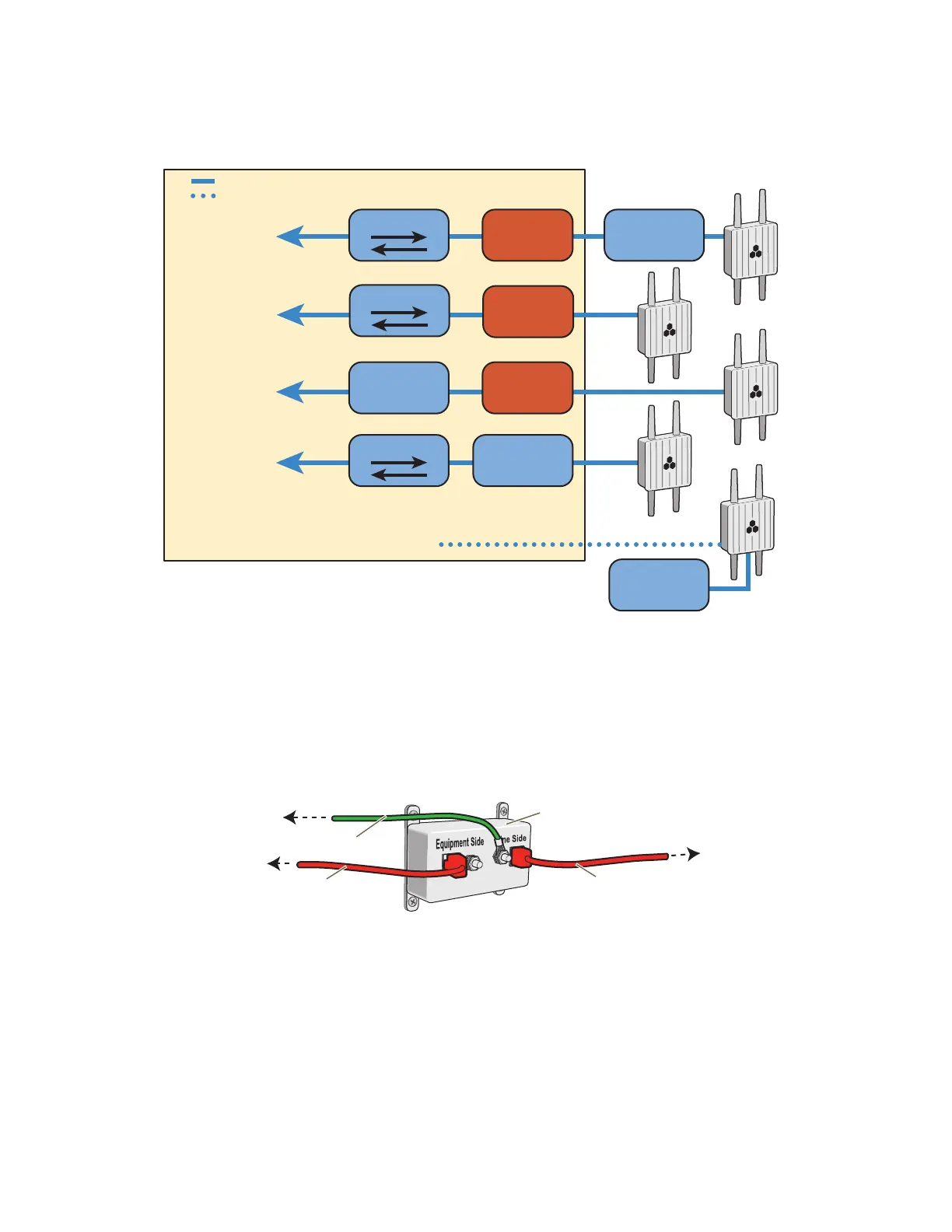
Figure 7 Placement of Ethernet protector in relation to the network
1. Attach the Ethernet protection device to the building at the entry point of the shielded Ethernet cable
from the AP170.
2. Make the following connections, as shown in Figure 8:
• Ground the device by running a wire from the grounding stud to a grounded object, such as a water
pipe, gas pipe, or grounding rod.
• Connect the shielded Ethernet cable from the AP170 to the port labeled "Line Side", and connect
another Ethernet cable from the port labeled "Equipment Side" to the network.
Figure 8 Connecting the Ethernet protection device (SKU AH-ACC-1G-ETH-PROT)
Ethernet
Protector
Ethernet
Protector
Ethernet
Protector
Outdoor PoE
injector
Indoor PoE
Injector
PoE Switch
Switch
Indoors
* This arrangement does not require an Ethernet protector
because it is built into the outdoor PoE injector.
AP170 outdoors
= Ethernet cable
= Wireless link
To network
To network
Switch
*To network
To network
To network through an AP neighbor
In the last case, the AP is a mesh point, connecting to
the Ethernet network through another AP.
Outdoor PoE
Injector
Outdoor PoE
injector
Shielded Ethernet cable
Ethernet Protection Device
(AH-ACC-1G-ETH-PROT)
Ethernet cable
Grounding wire
To the AP170 or to an
outdoor PoE injector
inline to the AP70
To a switch, PoE switch,
or indoor PoE injector
inline to the network
To a grounded object



 To Next Page