PAGINA
GCM02-MT-ING4 NEW.doc c/02 04/03/2003 ITA Page 11 of 57
1.5. COMMANDS AND OPERATIONAL MODES
The operational modes that can be selected with the programming switch are six, namely:
1.5.1 Automatic test: This starts to test the generator without disconnecting the mains power supply from the utility. When the
switch is turned back to automatic mode the generator stops following a delay of roughly one minute (it is used for periodic
tests or to check the running efficiency following maintenance).
1.5.2 Automatic mode; if there should be a failure in the mains the circuit board responds by opening the mains contact maker. If
the generator fails to start another 4 starting attempts are made. 10 seconds after it has started the generator powers the
utility. While running the generator and motor are constantly controlled and a possible anomaly is immediately displayed
(examples: fuel reserve, water level, overload, min. voltage etc.) and the relative stopping cycle is triggered. Once the mains is
re-connected, following the set time, the utility is switched back to the mains and the generator is stopped following a delay of
roughly one minute to allow it to cool down (this is the normal operational situation ).
1.5.3 Lock: this sets the generator in a locked status. It completely disables every possibility of starting while the mains power the
utility. This mode is used to work on the system in complete safety, being certain that the generator will not start even if the
mains should be disconnected ( it is used during maintenance).
1.5.4 Manual mains: this enables the forces the power supply from the mains even if the command and control electronics are
faulty (it is used when the generator is left inoperative).
1.5.5 Manual starting: this enables the generator to be started manually using the start push button. The control is direct without
the involvement of electronic components. It ensures the operation of the generator even when the electronics are faulty (it is
used for the manual emergency controls or for maintenance purposes).
WARNING
When the programming switch is in this position all the utility circuits of the generator are powered such as the solenoid
valves, electronic rpm regulators etc. If the switch is forgotten in this position with the generator stopped the starting battery
would run flat very quickly.
1.5.6 Manual generator: this enables the forced power supply from the generator (it is available for manual procedures or in
the case of problems with the automatic functions).
STOP
This is enabled whatever the situation.
It is to be held down until the motor stops completely
EMERGENCY STOP
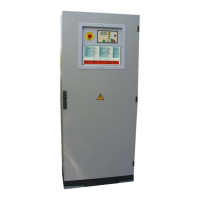
If pressed, the red mushroom push button in the middle of the door stops the generator immediately, instantaneously opening the
contact maker of the generator (CG) thus locking it.
To release the emergency status set the programming switch in Lock position and then turn the emergency push button and pull up.
FUEL PUMP CONTROL (if foreseen)
The M02 module electronically controls the fuel level. It automatically controls the fuel pump so that the daily tank
requirements are constantly ensured. A push button enables the direct control of the pump with only a maximum
safety level safety function.
WAIT/PROG
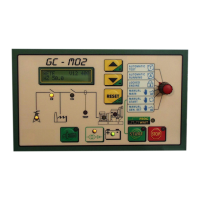
A newly conceived and remarkably useful LED has been fitted on the GCM02 module to assist the operator, namely the WAIT/PROG
LED. This LED flashes each time the timer is triggered informing the operator what is happening even over a lengthy timer period.
All LEDs are provided with a general description that make the control panel easily comprehensible.
SUMMARY
The unit is normally programmed in AUTOMATIC mode.
When any jobs are to be performed on the generator it is to be set in the LOCKED status.
If the generator is not to start even if the mains is disconnected it is to be set in the MANUAL MAINS status. The reason for this is that if,
while the generator is not working, there should be a failure in the electronics, the power supply from the mains would be ensured in any
case.
HOW TO PROCEED IF THE GENERATOR SHOULD FAIL TO WORK.
A possible alarm status will be shown on the display. Whatever the anomaly, the cause is to be found first and foremost then press the
RESET push button. The causes and the solutions differ depending on the type of anomaly involved:
1. Electrical anomalies due to min./max. voltage and frequency. If the anomaly should persist after the RESET push button has been
pressed then request technical assistance;


 To Next Page