FILE VER LAST ISSUE LANG. PAGE
GCM02-MT-ING4 NEW.doc c/02 04/03/2003 ENG Page 35 of 57
2.11.9. ALARM HISTORY RECORDS
This records all the parameters (measurements and alarms) at the time of an alarm being raised, and allows the last 15 to be displayed
consecutively.
This is only active when the programming commutator is set to block
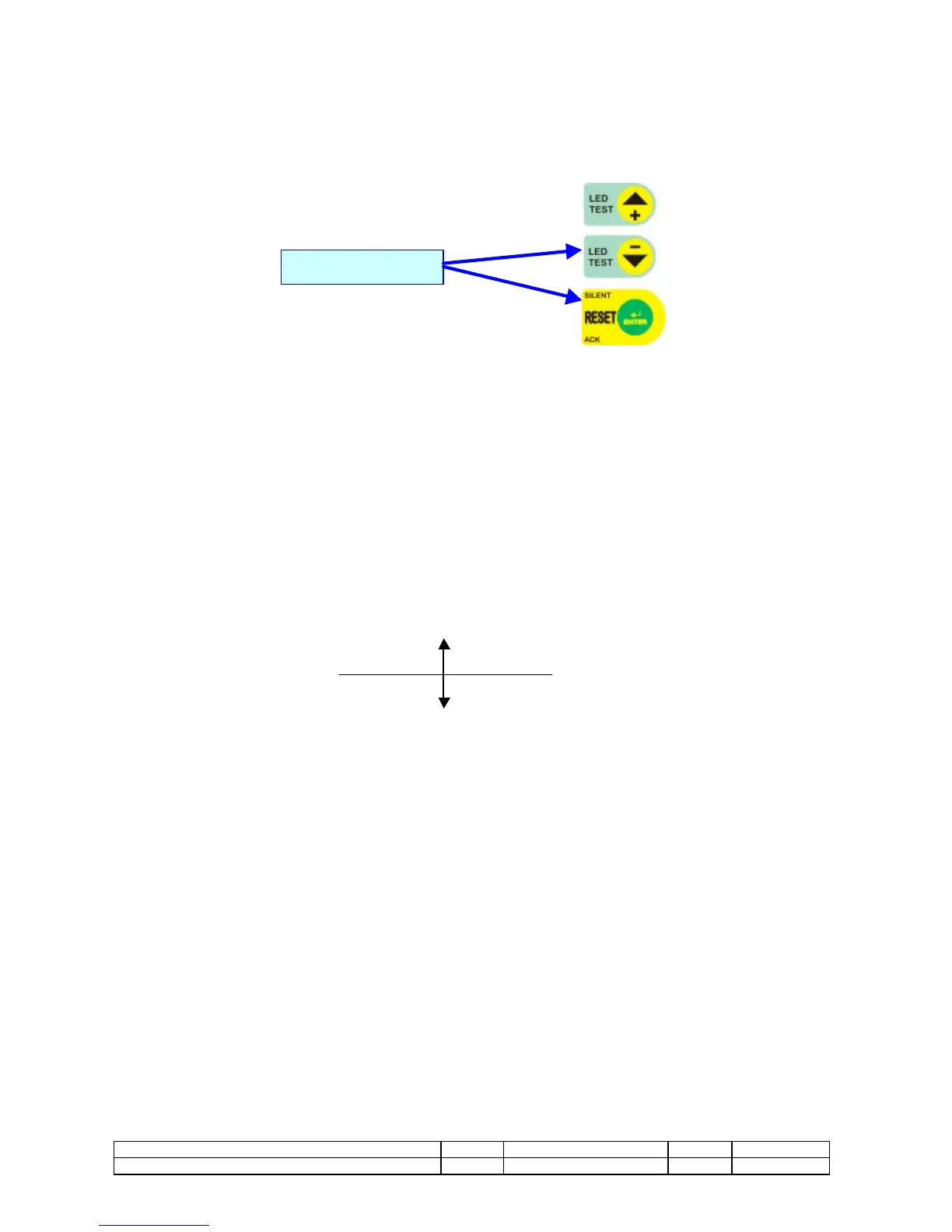
This can be displayed by pressing the buttons ( - ) and (ENTER) together for 8 seconds. The operation page will display “HISTORY 1”,
and histories 1 to 15 can be selected using the +/- buttons, and by confirming the selection using “enter”.
EVENT1 = latest history;
EVENT2 = penultimate;
Etc;
The conditions at the time the alarm was raised are displayed.
It is possible flow the pages of the recorded measurements at the time of the event as in the normal functioning.
The Output page is changed with the alarm page which caused the event recording.
This page can be alternated every 4 seconds from the possible state page present during the recording.
Every 8 seconds a writing “HISTORIAN EVENT N. x” remembers what event we are viewing.
To display another event to press ENTER for to exit, select it with the buttons +/- and to press again ENTER.
To exit from the pages of HISTORIAN turn back the switch in AUTOMATIC or MANUAL or to press together the buttons (ENTER) and (-)
A page “CLOSING HISTORIAN” informs of the happened exit.
2.11.10 PROTECTION BY INVERSE POWER (32)
In the use of the M02 with groups predisposed to the working in parallel, it is activable the Inverse Power protection (function relay 32),
this begins working if the generator absorbs current rather than to supply it. The survey of the inverse power is effected with a
mathematical calculation on the cosfì, in fact only when the cosfì is L - or C - we have power inverse in the generator.
Setting, to go in the menu thresholds and to set inverse power to the -10% of the nominal power, the intervention is delayed of 5", with
the intervention the load is not connected and the GE is stopped after the phase of cooling motor.
2.11.11 SETTABLE INPUTS
The inputs 12 HIGH OIL TEMPERATURE and the input 23 OVERLOAD can be renamed, the change can be effected only by
connection to PC. The alarm intervention is that foreseen for the respective input.
TO PRESS FOR 8”


 To Next Page