FILE VER LAST ISSUE LANG. PAGE
GCM02-MT-ING4 NEW.doc c/02 04/03/2003 ENG Page 49 of 57
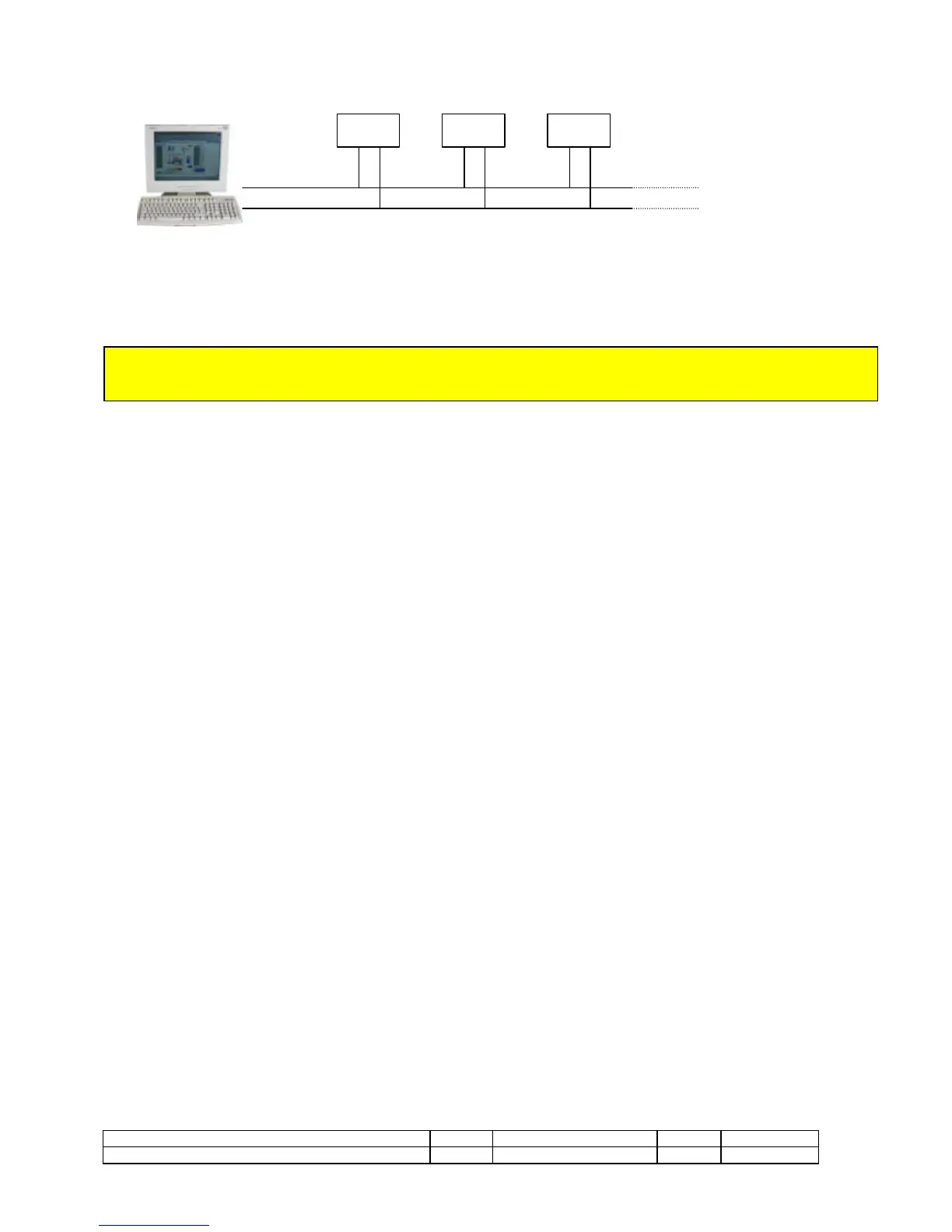
The connection of the IS03 to PC by RS485 interface allows the control of more GCM02 units, using a bight; for a correct functioning the units
should be set to the same speed but with different and consecutive address modbus. his configuration is the following:
COMMUNICATION PROTOCOL
The standard MODBUS RTU is particular type of protocol, suitable to communicate on a RS485 serial up to max speed of 256 Kb/s.
The speed used as standard is however that of 9600 Kb/s. At the end of the manual, in the appendixes section, there are the modbus mapper,
they cab be used on serial mains controlled from PLC etc.
N.B. being the IS03 an interface from the intelligent technology needs to do so that during the lighting this is
already connected to the unit because it happens a particular control of handshake that the serial trains to
the functioning After all to the manual, in the appendixes section, there are the mappers
If after the lighting the TX green led is again turned, press reset for to repeat the handshake with the IS03.
COMMUNICATION BY MODEM OR GSM
During the installation to connect the modem with the prolongs PIN TO PIN (usually supplied with the modem) to our serial.
IMPORTANT!!! If it has a modem also trained to the operation GSM it is of fundamental importance to remember also to insert before the
start the SIM card opportunely trained to the traffic data, a standard SIM (not trained to the data communication) it allows only the
communication by SMS.
As first operation to feed the modem inside the GCM-02 unit.
In the case of modem GSM needs immediately to insert the number of the PIN of the telephone SIM and subsequently to set in the field of the
"serial regulations", they cab be activated elevating the switch 4, the telephone numbers of reference (two normal and two trained for the sms)
to which it has to correspond a computer with our software. In case of signallings of alarms before they are contacted the numbers
corresponding to the sms and subsequently those with the normal numbers.
It is important for a correct control, to insert gen-set identification number to make possible the controls and the modifications by the remote
control use.
The address modbus in standard conditions has to be set to 1; after set the modem that you want use and opportunely connected to the unit.
The U.S. Robotics modem works as a normal modem of telephone line and it is not trained to the function GSM. So, the communication speed
is usually set to 9600 Kb/s also if U.S. Robotics could work up to 57600 Kb/s.
When it operates with modem trained also to the use of the function GSM in the case in which the PIN of the SIM inserted resulted wrong the
signaling it would appear on the display "Alarm SIM PIN". In this case to come into the range of the serial regulations and to check the correct
insertion of the code and eventually to modify it. In the case the code for PUK is asked, due to the wrong digitation for three consecutive times
of the code PIN, to remove from the modem the card SIM and to handle the insertion of the code PUK through a normal cellular GSM.
When a modem is used also for to the functions GSM if you are in the functionings screening (that usually active) where the hour and tha day
are visualized you can also verify the field (signal radio) present. When the field results to be of smaller value than -91 dBs the communication
could result not perfect.
POSSIBLE ERROR MESSAGES:
1) anybody answered from the modem: to verify the correct installation of the modem and his opportune lighting.
2) alarm lack SIM: to check to have inserted inside the modem GSM the telephone SIM.
3) alarm damaged SIM: it can appear in the case the code PUK has been wrong for 10 times : to replace it.
4) alarm SIM PUK: it can appear in the case the code has been wrong for three times : to extract it from the modem
GCM-02



 To Next Page