Afinia H800+ 3D Printer User’s Manual
13
Preparing the Platform
The print platform needs to be prepared so the model adheres to the platform enough to be printed
while still being easy to remove from the platform when done.
Never print directly to the aluminum platform!
There are several options:
Perf Board (Glass-reinforced Epoxy Laminate)
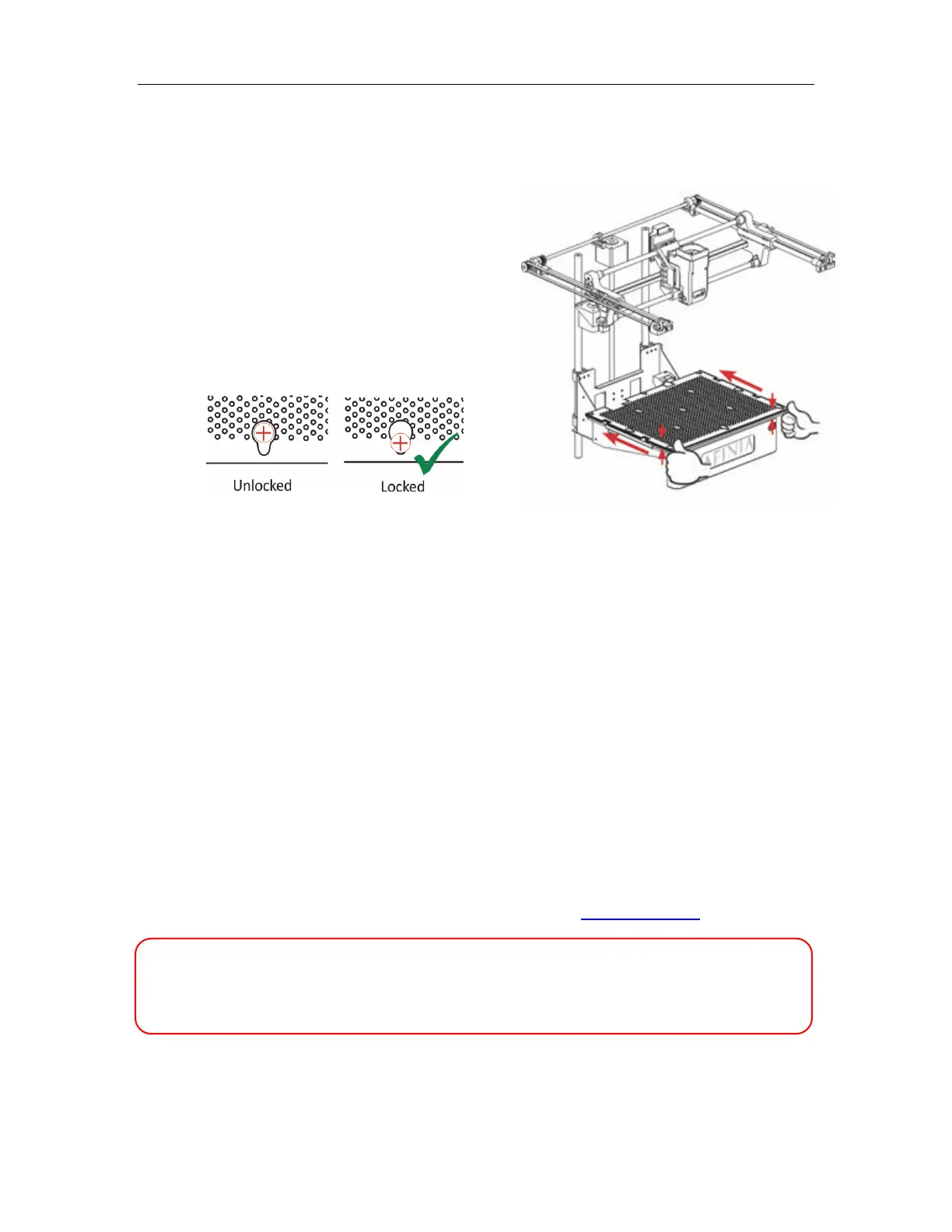
The Perf board is held in place by the 13 mounting
screws and two spring-loaded bearings.
Apply slight downward pressure on the two spring
bearings when sliding the perf board back into place.
The heads of all 13 mounting screws will lock down
the board when installed correctly.
Flex Board (Perf board with pre-installed Flex surface)
The Flex Board is mounted in the same way as the plain Perf board.
Borofloat Glass
Many people use Borofloat glass as the print surface, brushed with an ABS/acetone slurry and
allowed to dry into a thin ABS film.
The ABS film will hold the model to the glass, and release from the glass as the glass cools.
If the model does not easily release, spray a small amount of ammonia-based glass cleaner
around the model. The same glass cleaner can be used to clean the film from the glass.
It is recommended that you clean and recoat the print surface after each print.
The Borofloat glass can be placed directly on top of the installed perf board or on the platform
screws. Use office clips to hold the glass in place.
BuildTak Print Surface
BuildTak is a print surface that self-adheres to the plain Perf board or to glass. If adhering to glass,
be sure that no air is trapped between the glass and the BuildTak.
Position the BuildTak surface on the actual print zone – the Perf board is larger than the surface,
with the perimeter outside of the print zone.
Borofloat glass and BuildTak are available at store.afinia.com.
Whichever platform preparation method you use, having a well-leveled platform, a
correctly-set nozzle height, and a pre-heated print surface will improve your results.
The next few pages walk you through these steps.



 To Next Page