Afinia H800+ 3D Printer User’s Manual
14
Leveling the Print Platform
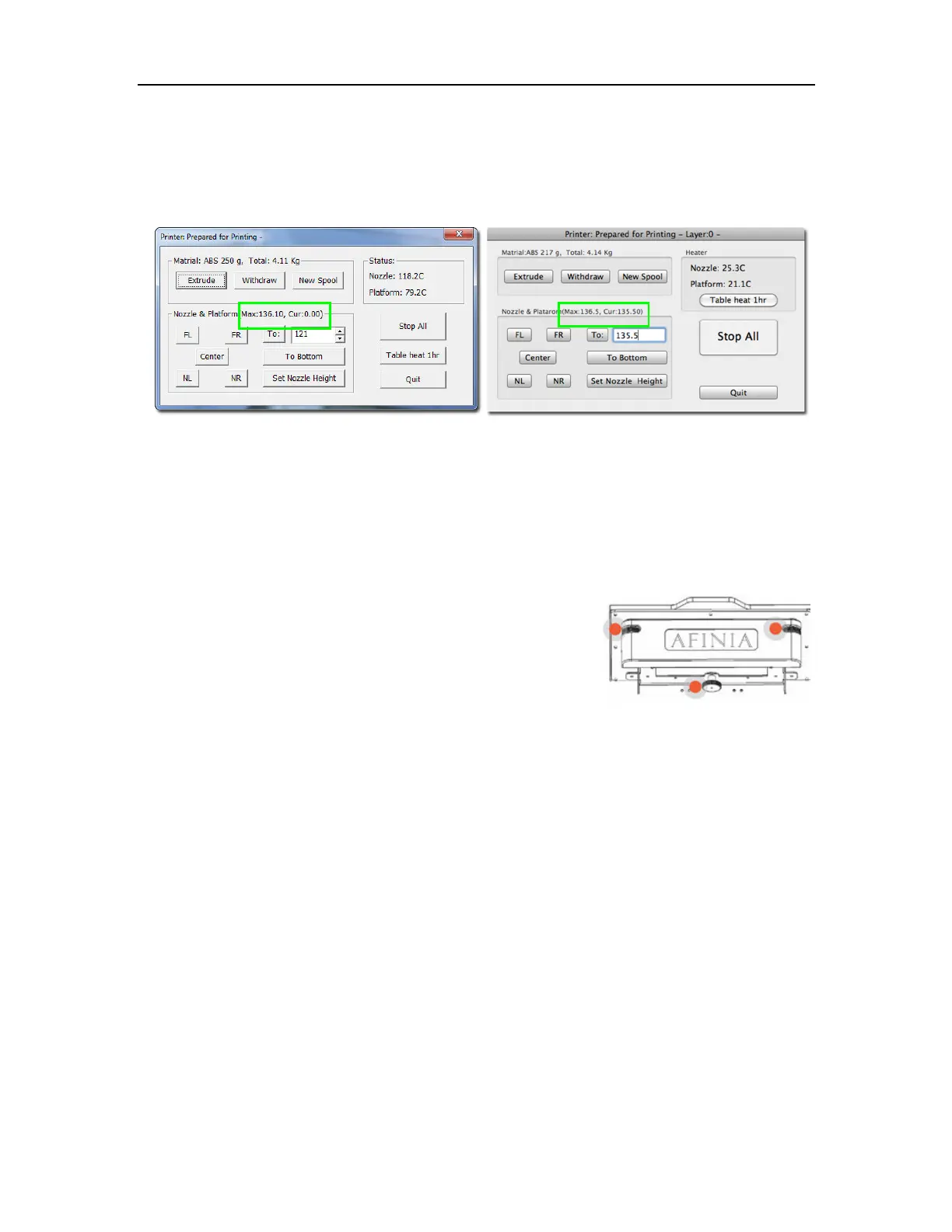
Before calibrating the nozzle height, check the vertical nozzle distance at each corner and center
of the print platform. Open Maintenance from the 3D Print menu and click the Center button.
If you know the nozzle height, enter that height in the To: box, then click the To: button.
If you don’t know the nozzle height, click the To: button to bring the platform to the displayed
height, then slowly increase the height until the platform is about 0.2 mm from the nozzle, clicking
To: after each increase.
Use the five position buttons to check that the platform at all four corners and the center are close
to the same distance from the nozzle.
If the platform is not close to the same distance from the nozzle at
all five points, adjust the platform until it is as level as possible.
Use the 3 Leveling Dials under the platform arm to level the print
platform.
Turning a dial clockwise will raise the platform above that dial.
Always recalibrate the platform and nozzle height after leveling the
platform.
The more level your platform is, the better your print will be!
Mac version
Windows version
Leveling Dials
(Viewed from under platform)



 To Next Page