Afinia H800+ 3D Printer User’s Manual
32
Model Removal
You should never attempt to remove the finished model from the print surface while it is still in the
printer. Doing so may affect the platform leveling or bend the entire platform assembly so that it is
no longer perpendicular to the printer head.
Use gloves when removing the print surface and model from the printer, as the print surface and
model may still be hot. The gloves will also protect your hands from any tools being used to
release the model from the print surface.
If you are using the Perf board, press the front corners slightly and pull the board forward to
release it.
If you are using any method that clips another surface to the printer platform, simply remove the
clips holding the surface to the platform and remove the entire print surface.
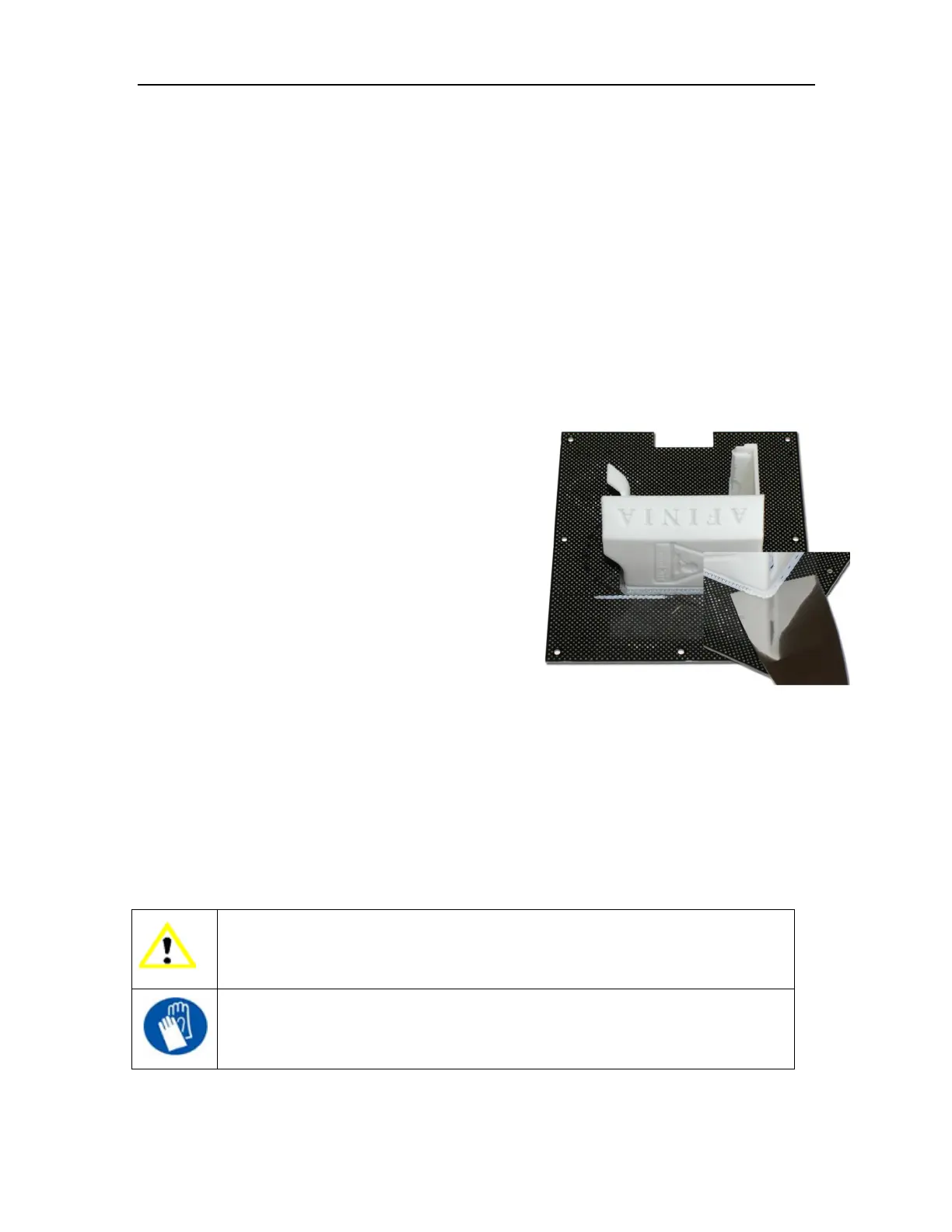
Removal from Perf Board
Gently slide the supplied putty knife under the model and
slowly wiggle it back and forth to lift the support material
from the print surface.
Be sure to clean any remaining material from both
sides of the Perf Board once the printed model and raft
have been removed.
Removal from Borofloat Glass
After removing the glass from the printer platform,
allow the glass to cool completely. As the glass cools, you may hear cracking sounds –
this is the ABS film releasing from the glass.
If the model doesn’t release from the surface of the glass, spray a small amount of
ammonia-based window cleaner onto the surface of the glass near the edge of the model. After a
few moments, the model should release.
You might need to reapply the ABS film to the glass after each print.
TIP: Depending on the platform preparation method you are using, the model may be easier to
remove from the printer when it is still hot. If you want to heat the platform before removing your
model, use the Table Heat option from the 3D Print menu.
CAUTION: It is strongly recommended that you do not attempt to remove the
model from the platform while the platform is still attached to the printer. Doing so
may damage the printer or affect the platform level and nozzle height calibration.
GLOVES: It is recommended that gloves be worn as the platform may still be hot
and to prevent injury from any tool being used to help remove the model from the
platform.



 To Next Page