Afinia H800+ 3D Printer User’s Manual
9
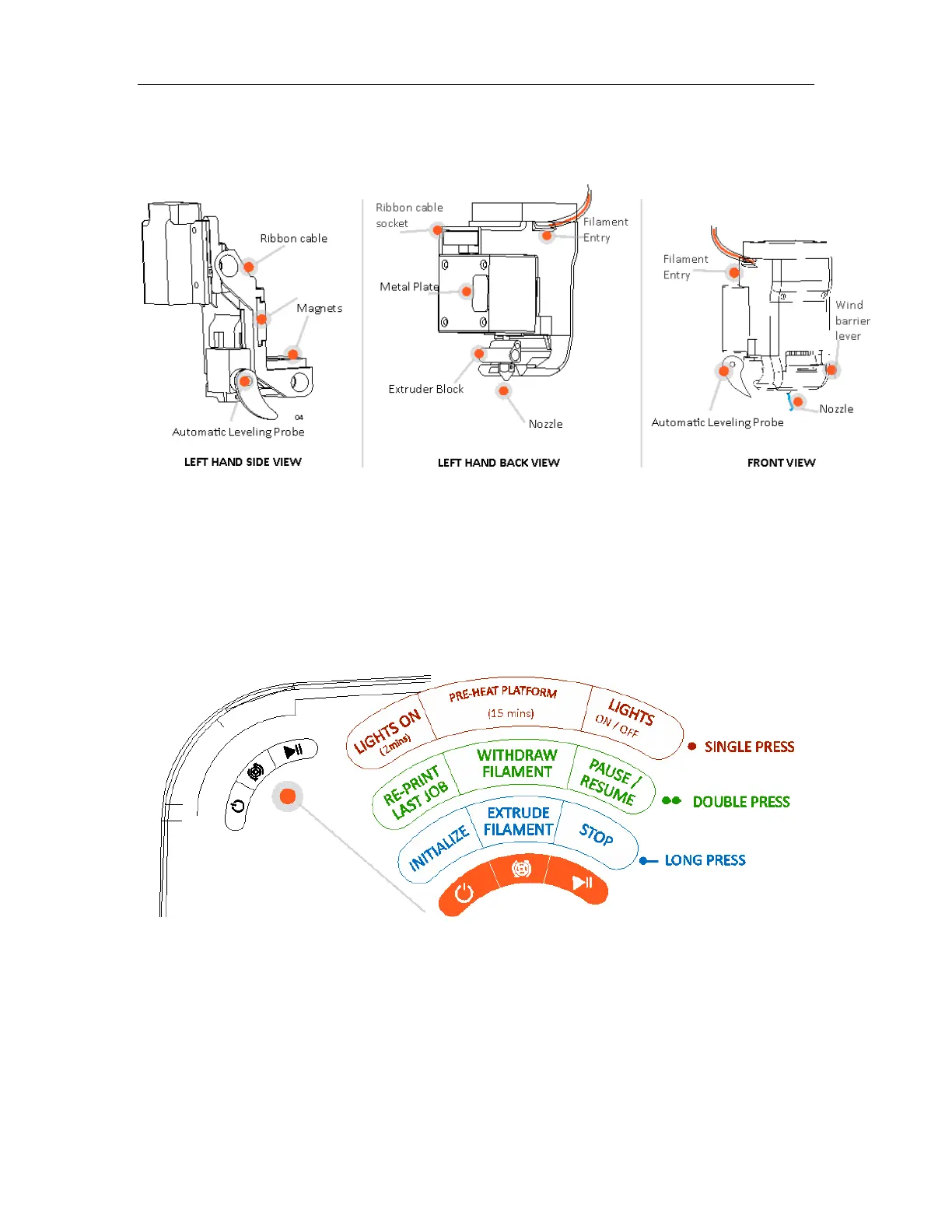
The Print Head
The Print Head is held in place using three guide magnets in the extruder bracket.
The Print Head is already installed in the Printer. You do not need to do any assembly.
The Control Buttons
You can do a lot with your Afinia H800+ by using the Control Buttons, so it follows your every
command.
You also use the Afinia software to control the Afinia H800+.
Filament Button
Power Button Pause Button



 To Next Page