Afinia H800+ 3D Printer User’s Manual
29
Printing
TIP: Two keys to successful printing on the Afinia H800+ 3D Printer are platform preparation and
preheating.
The best results will be achieved if:
• The platform has been leveled and calibrated
• The nozzle height is correctly set
• The printer is in a room that is warmer than 65° F and free of drafts
• The platform is very well preheated
Click Table Preheat 15 mins in the 3D Print menu or Short Press the Filament Button on the
panel. Click Table Heat 1 hr in the Maintenance window to preheat the platform for one hour.
When printing with ABS, let the platform heat to 80° C before sending the print. Also, the platform
will be hot enough for successful ABS printing anywhere above 80% heated. Maintenance in the
3D Print menu displays the platform and nozzle temperatures.
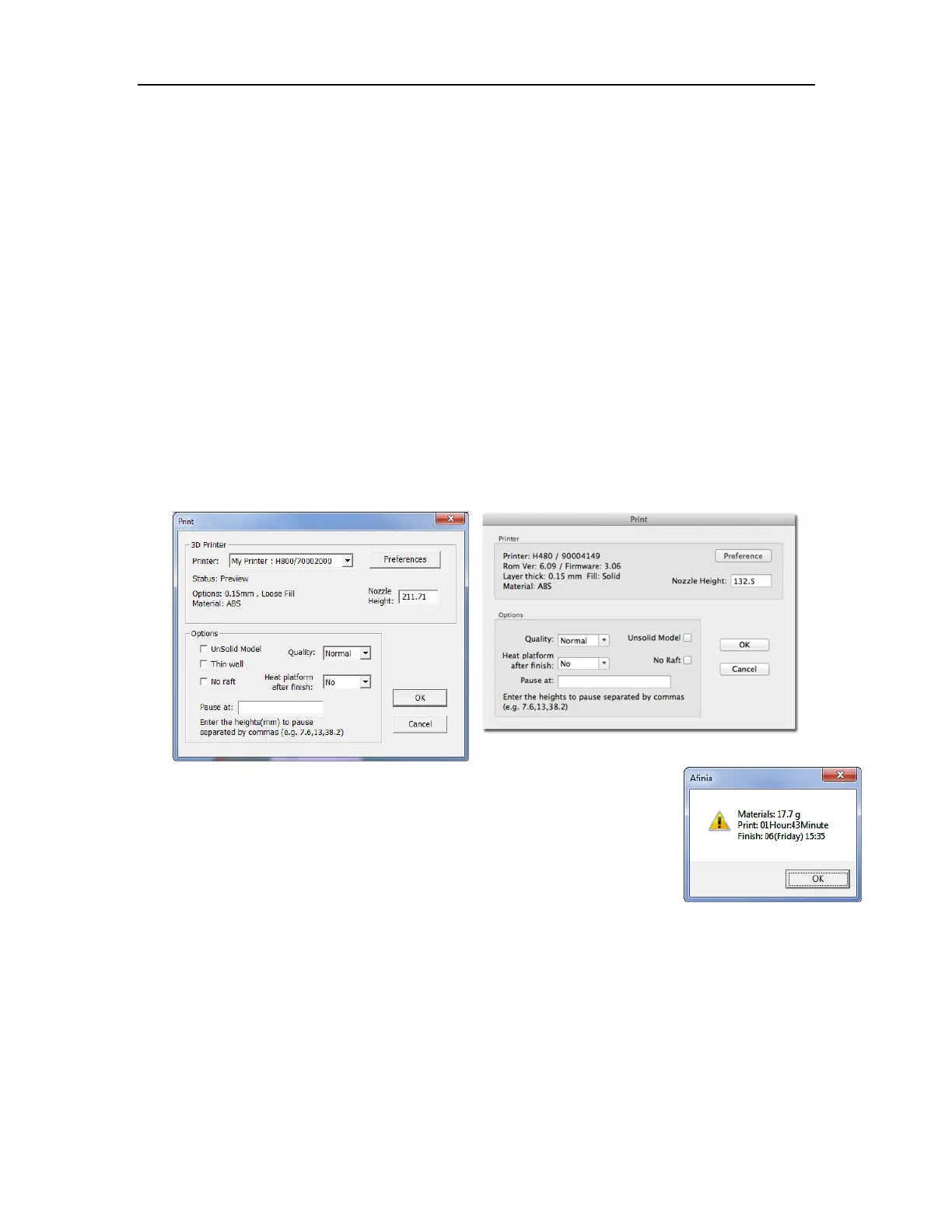
Click Print in the 3D Print menu.
The software sends instructions for printing each layer of the model to the
printer. When that is complete, the material usage and estimated print time is
displayed.
The USB connection to the printer can be unplugged at this point.
Print Options
Nozzle Height
You can make changes to the Nozzle Height using this setting for the current print only, but it is not
recommended unless you know that the value you are entering is correct.
It is recommended that you use the Calibrate Nozzle Height process as listed on page 17 to
make any changes rather than in the Print dialog.
Quality
Options are Normal, Fast, Fine, and Turbo, which affects the speed at which the printer moves.
Generally, the slower you print the better the quality of the parts.
For tall narrow parts, running at Fast or Turbo speed can put down layers too fast; if the last layer
hasn’t yet hardened, the part may distort.



 To Next Page