Afinia H800+ 3D Printer User’s Manual
25
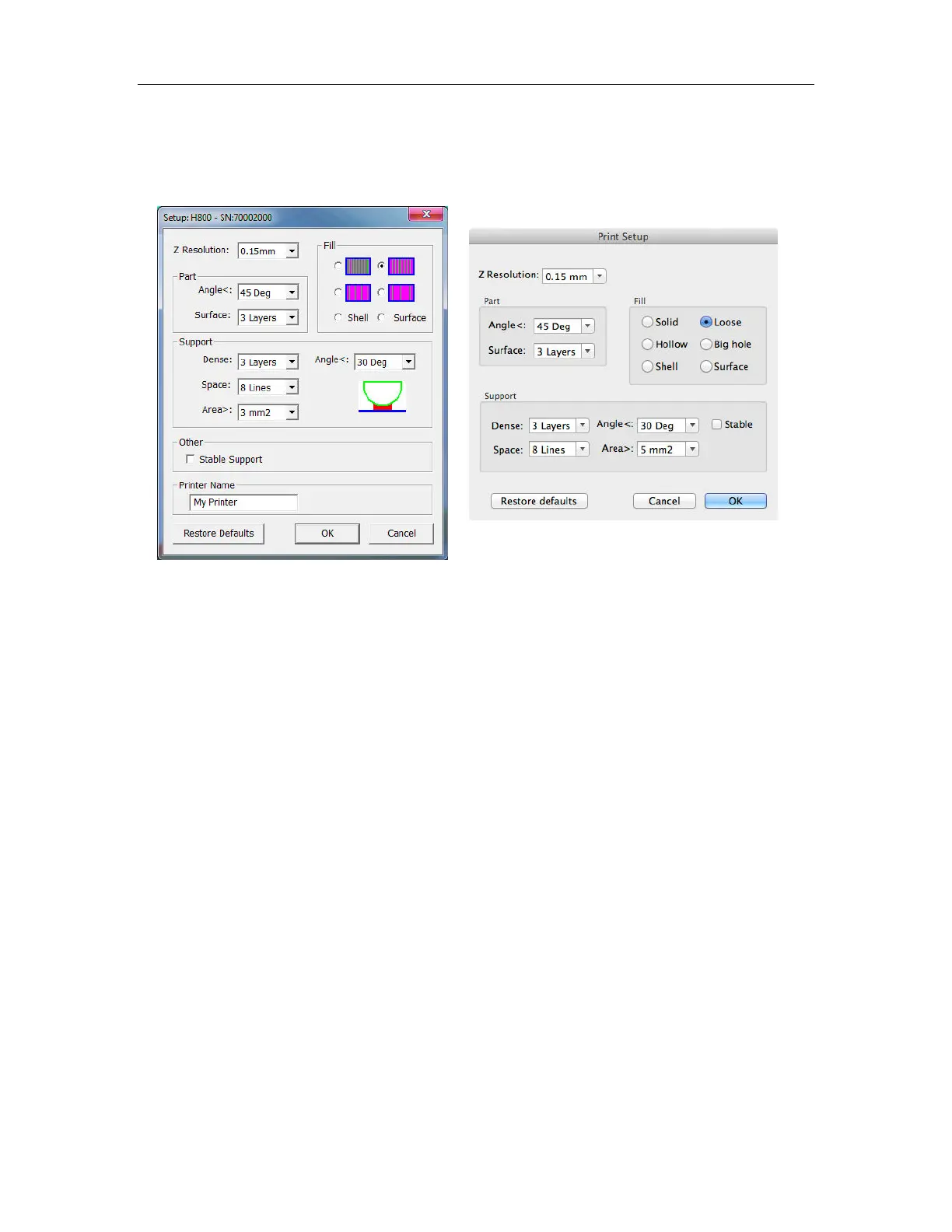
Print Setup Options
Click the Setup option in the 3D Print menu or the Preferences button on the Print and Print
Preview windows.
Print Settings
Z Resolution
This setting decides the layer thickness of the printer. Options are 0.10mm to 0.40mm thick layers.
Part Settings
Angle
The Part Angle sets the horizontal printing orientation for fill printing. At 45 Deg, the part will be
filled in with material printed at 45 degrees to the X- and Y-axes.
The orientation of the part itself will not be changed; just the angle the fill material and solid layers
are printed.
Surface
This setting determines how many layers form the bottom face of a part when it is not solid. If you
set it to 5, the printer will print 5 complete layers before printing infill.
You may see more layers printing solidly if you are using very thin layer thicknesses. This is
normal.
This does not affect the side wall thickness, which will be approximately 1.5mm regardless of the
fill mode.
Mac version
Windows version



 To Next Page