Afinia H800+ 3D Printer User’s Manual
35
Cleaning the Nozzle
The outside of the nozzle can get covered with a layer of filament during regular use. When the
printer is printing, this layer may melt on the nozzle and leave discolored spots in the model or
even clog the nozzle. To avoid this, regularly clean the nozzle.
Click To Bottom in Maintenance and then click Extrude to heat the extruder and melt the coating
of filament. Wait until the filament is finished extruding, then remove the extruded filament from the
nozzle.
Use a heat-resistant material such as 100 percent cotton cloth or soft paper and a pair of pliers.
With the material between the pliers and the nozzle, apply gentle pressure and turn the pliers to
remove the filament material. Do not apply heavy pressure!
Remember, the nozzle can heat up to 260° C (500° F) – that’s over two and a half times the boiling
point of water. Do not touch the nozzle or nozzle mount with bare skin!
If this does not clear up any issues, remove and soak the nozzle in acetone overnight to remove
excess ABS material from the nozzle. Ultrasonic cleaning baths also work.
Removing / Changing the Nozzle
If the nozzle becomes blocked, you will need to remove the nozzle in order to unblock or replace it.
Lower the platform to the bottom.
Click the Withdraw button on the Printer or Maintenance
dialog box to remove the filament from the nozzle.
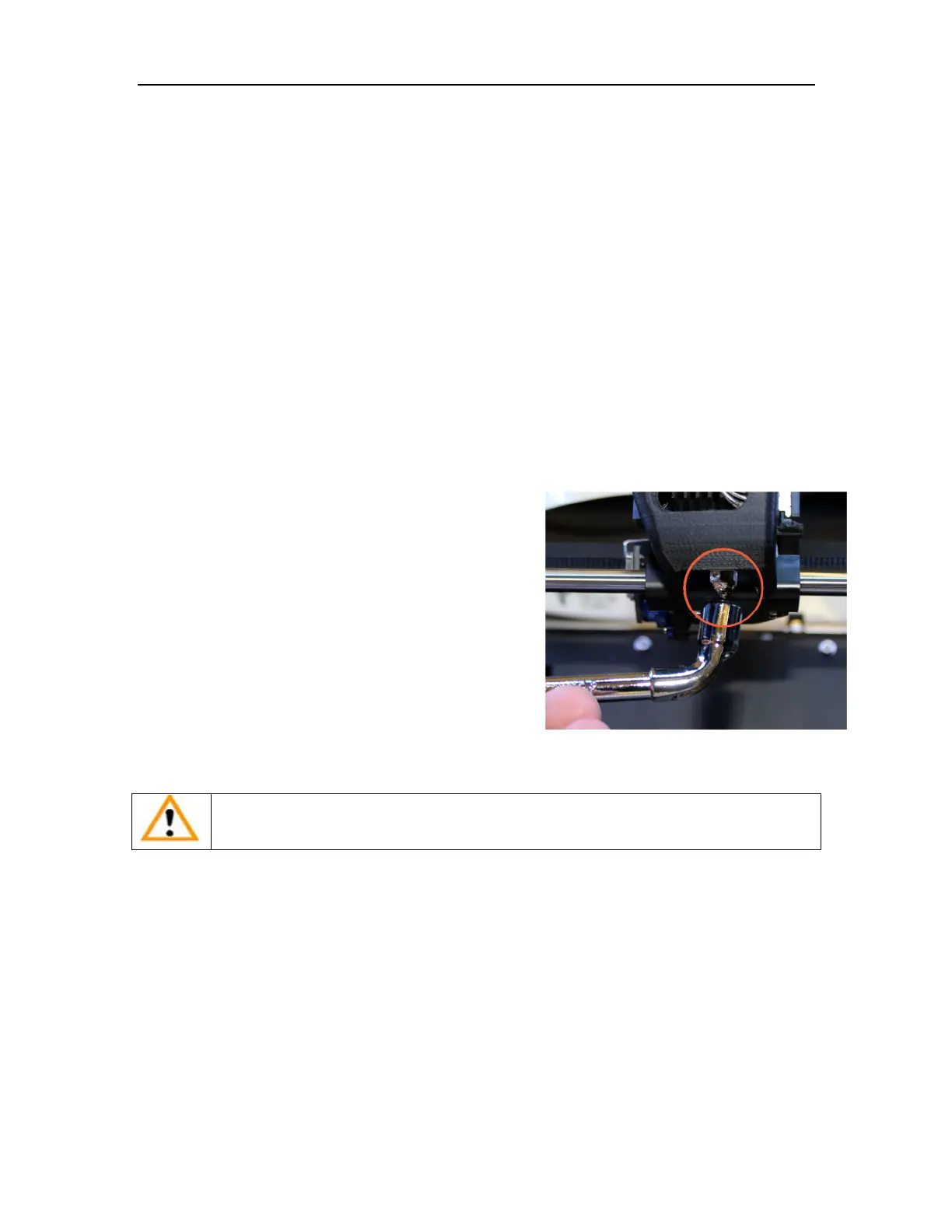
Once the Withdraw has completed and before the heater
has a chance to cool below 200° C, use the nozzle
wrench provided in the toolkit to remove the nozzle.
Use the same process to replace the nozzle, being sure
to heat the extruder to at least 200° C before tightening
the nozzle back down.
Do not apply too much torque to the nozzle to avoid
twisting the heater assembly!
TIP: Heating the nozzle to 200° C will make it easier to remove and replace.
WARNING: Be careful when handling the heated nozzle and nozzle wrench!



 To Next Page