Afinia H800+ 3D Printer User’s Manual
31
Calculating model costs
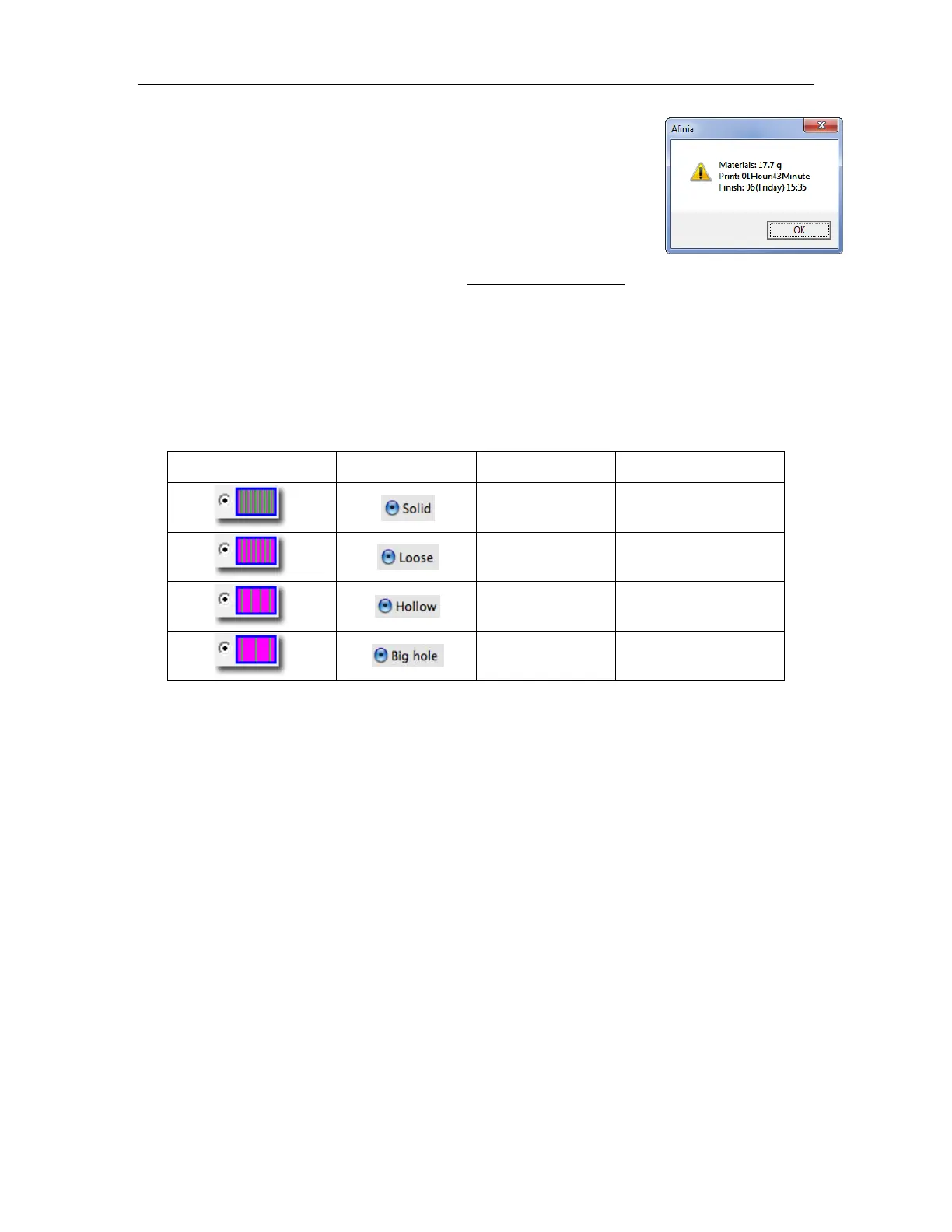
Calculate the cost of the material that will be used for your model using the
Print Preview option under the 3D Print menu. The application will
calculate the total weight of material used, including the raft and any
support material.
Use that weight to determine the cost to print the model using the following
formula:
Use the weight of the filament that you purchased, not the current weight of the spool. If you are
using a 500g spool of Afinia Premium Plus ABS filament, divide the cost of the spool by 500g to
get the cost per gram of material.
The Fill and Support settings affect the amount of filament used more than anything else. Say you
are printing a cube measuring 30mm x 30mm x 30mm with a layer thickness of 0.15mm. The
amounts of material will be used for each of the four Fill settings would be:
PC Fill Setting Mac Fill Setting Fill Percentage Weight of Model
50% 17.7 g
25% 12.0 g
17% 9.1 g
12% 8.2 g
Note: Shell and Surface fill settings results are not shown.
The cube printed at the lowest density will be about half the cost of printing it at the highest, but
this may not apply to all models; each model will have a different ratio of surface to infill. Run a
Print Preview to calculate the printing costs of any given model.
TIP: Once the print has started, you can disconnect the USB cable to printer. The print job is
stored in the printer’s internal memory, so the computer is no longer required. Most actions can be
done using the button panel on the computer – pause printing, for instance - but you will need to
reconnect the printer to see the exact layer being printed or the nozzle and platform temperatures.
Save as Project
Once your model is on the platform and the print settings the way you want them, you can Save as
Project option under the 3D Print menu to create a 3D print project. All of the settings within the
Setup or Preferences will be saved, as well as the Quality and No Raft settings.
Settings that are not saved in a project include the Nozzle Height, UnSolid Model, Heat platform
after finish, and Pause at settings.
The project file will be saved with an extension of UPP. This file can be copied to other locations or
computers without needing to include the original STL file or files.
Cost of Spool
Full Filament Weight
(
)
Cost to Print = Weight of Model X



 To Next Page