Afinia H800+ 3D Printer User’s Manual
26
Fill Settings
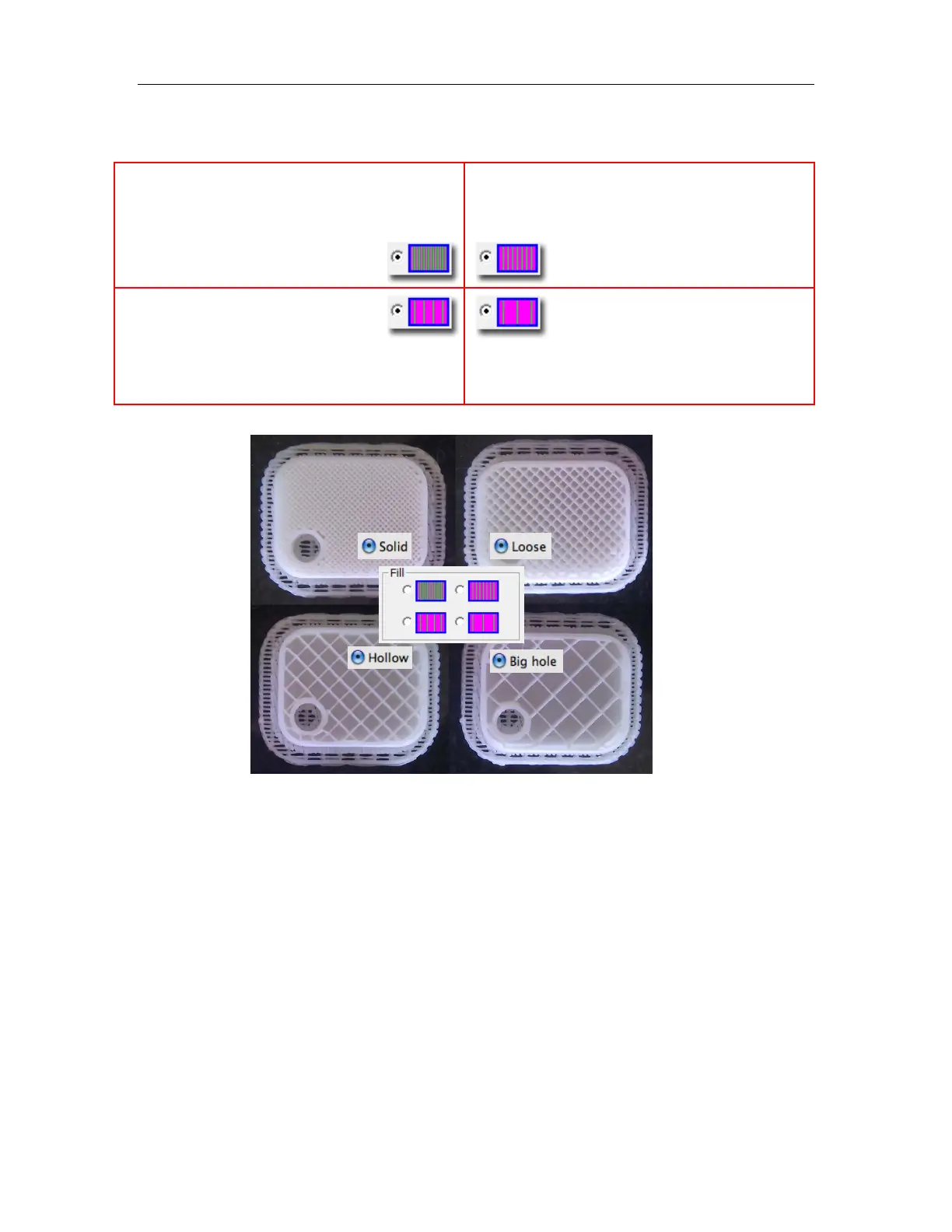
There are four ways to fill the interior of the parts, as described below.
Shell
For no fill, select Shell.
Checking the Shell setting will reduce the material use and print time by not printing the fill
material.
Some models may not be suited to printing with the Shell setting checked.
This will not affect the printed model’s wall thickness or support material requirements.
Surface
The Surface setting will print a model as a single-layer outline of the model perimeter. Note that
this setting will not work with models having a base, solid top, or requiring any inner fill structure.
The part is 50% filled.
This Fill setting is recommended for
functional engineering parts.
The part is 25% filled.
This is the default Fill setting.
The part is 17% filled.
The part is 12% filled, using the least amount
of material.
Mac setting: Solid
Mac setting: Hollow
Mac setting: Loose
Mac setting: Big Hole



 To Next Page