Page 37
Brake Mix
Page F2 (BR-MIX)
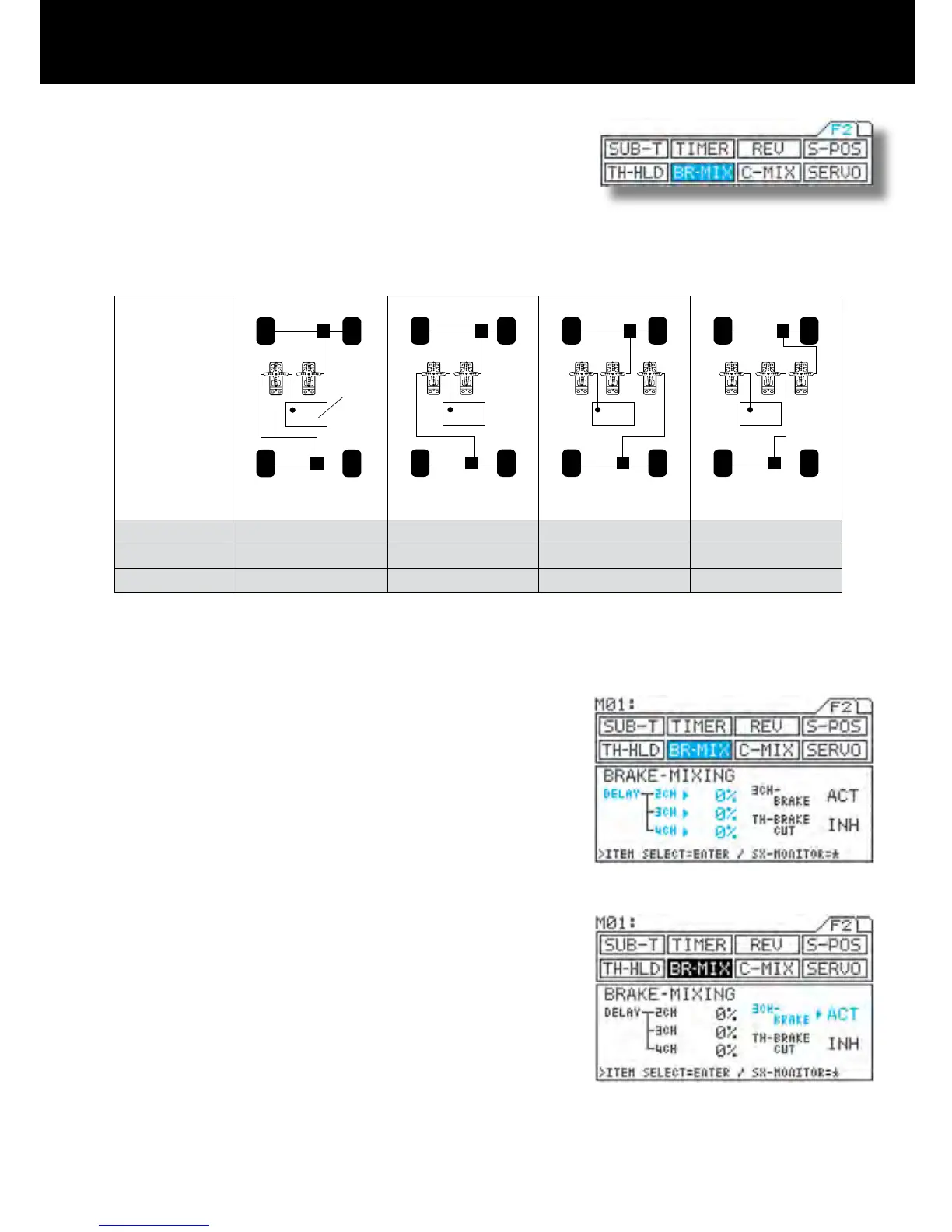
* This function makes it possible to adjust servo mixing with models which re-
quires two servos for braking, such as 1/5-scale engine-powered models.
* REV, EPA, SUB-T, and delay can be set independently for each channel,
providing exibility for adjustment of different model types.
* Brake trim is provided separately from throttle trim.
* If intended not to use the brake on 2nd channel, (2CH), brake side can be
disabled.
(TH-BRAKE CUT function)
* Settings for
various model
types
Receiver type 3channel 4channel 4channel 4channel
3CH-BRAKE
ACT INH ACT ACT
TH-BRAKE CUT INH INH ACT ACT
* A variety of other model types are also supported.
1) Using the function select keys, move the cursor to
BR-MIX.
2) Setting DELAY
<2CH>
Be sure that u appears to the right of DELAY-2CH,
and then set the DELAY value by pressing the Inc.+
or Dec.- key.
<3CH>
Move u to the right of DELAY-3CH with the ENTER
key, and then set the DELAY value by pressing the
Inc.+ or Dec.- key.
<4CH>
Move u to the right of DELAY-4CH with the ENTER
key, and then set the DELAY value by pressing the
Inc.+ or Dec.- key.
3) Setting INH/ACT for 3CH-BRAKE
Move u to the right of 3CH-BRAKE with the ENTER
key, and then select INH or ACT by pressing the
Inc.+ or Dec.- key.
* This setting determines whether channel 3 is used
for brakes or as an AUX channel.
It is a brake channel when ACT is selected.



 To Next Page