Page 48
[TRIM]
Trim Assignment
Function Menu screen Constant display area Factory default
Exponential steering EXP-ST EXS
Exponential throttle EXP-TH EXT
Adjustable rate control, steering ARC-ST ARS
Adjustable rate control, throttle ARC-TH ART
Speed steering SPD-ST SPS
Speed braking SPD-BR SPB
Anti-lock braking ALB ALB [SW2]
Traction control TR-CTL TRC
Lap timerl LAP-T LAP [SW3]
Interval timer INT-T INT [SW3]
Down timer DWN-T DWN [SW3]
Starting position S-POS SPO [SW1]
Starting position, brake lock BR-LCK BRL
Throttle hold TH-HLD HLD
Compensation mixing 1 C-MIX1 CX1
Compensation mixing 2 C-MIX2 CX2
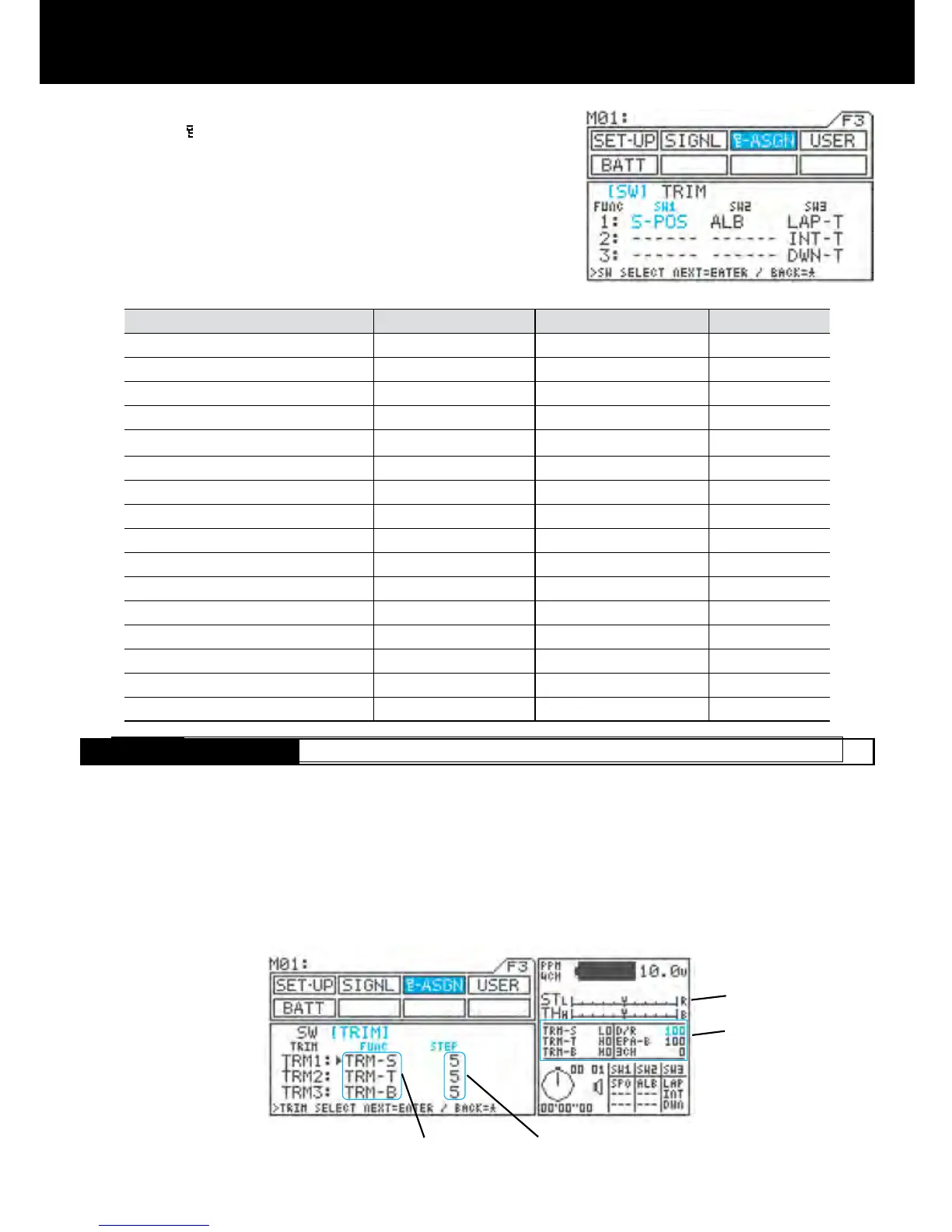
1) Using the function select keys, move the cursor to
[SW] in -ASGN.
2) Using the
H key or the ENTER keys, move u to the
switch to be assigned, and then assign functions to
the switch by pressing the Inc.+ or Dec.- key.
* Assignable functions
[TRIM]
Key Assign Trim
* Setting of function can be varies by using trimmers TRM1 to TRM5 and the dial.
* The size of the STEP can be set and each setting width can be changed by pressing a key.
* Functions can be freely assigned to any of 6 positions, allowing you to choose the controls that are best suited to
your situation.
* The values of function settings made using key assign trim can be displayed in the constant display area, allowing
them to be conrmed from any menu.
Settings also appear
Number of steps (size of change)
Function setting
Status of settings is also
displayed in the constant
display area.



 To Next Page