128
SECTION 8: NETWORK SETTINGS
3. In the menu shown above, enter the RTSP port number. The default RTSP port is 1050.
4. Click Apply to save your settings and close the menu.
8.2.6 ConguringServerandHTTPPorts
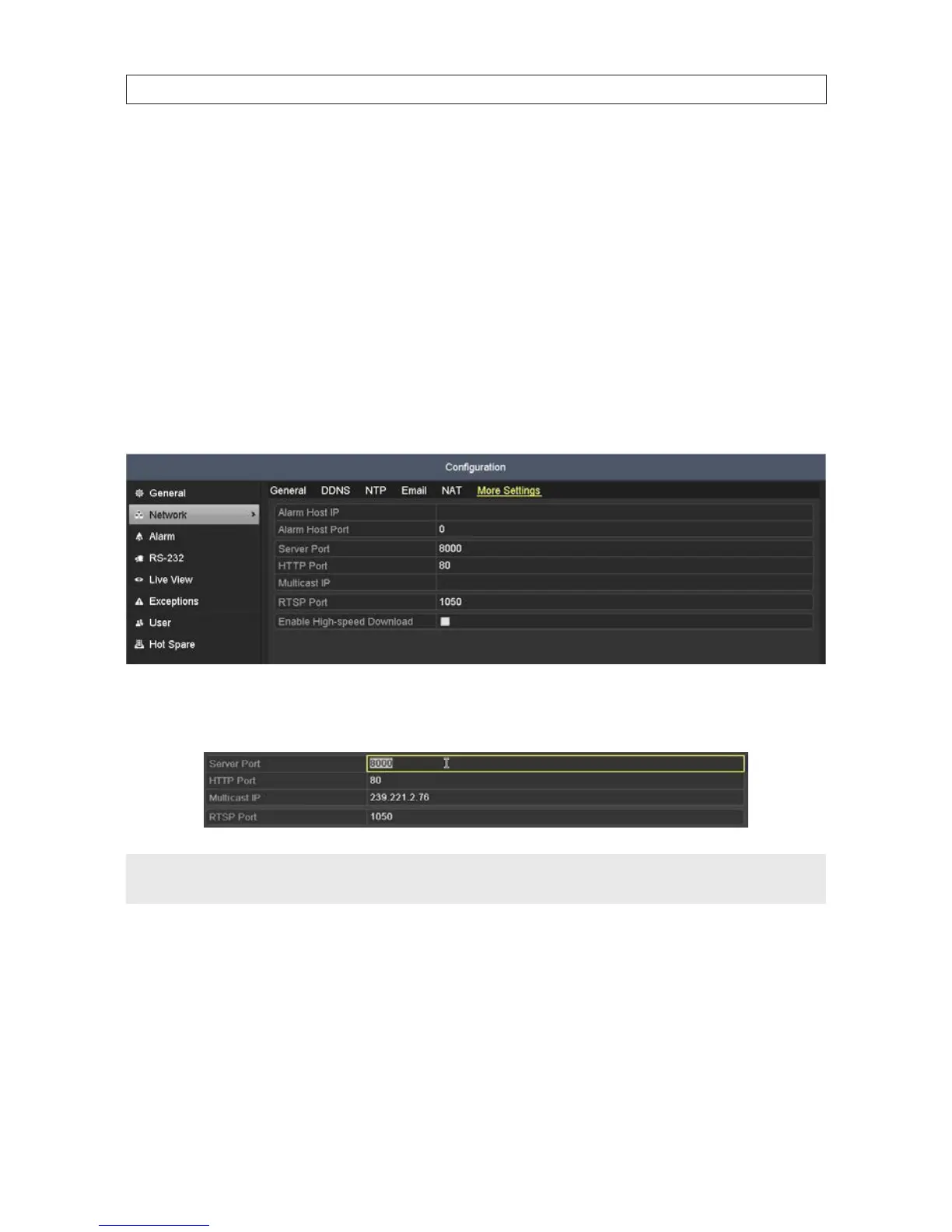
You can change the server and HTTP ports in the Network Settings menu. The default server port is 8000 and the default HTTP port
is 80.
1. Open the Network Settings menu. Go to Menu | Conguration | Network
2. Click the More Settings tab to open the More Settings menu.
3. Enter a new Server Port number and HTTP Port number in the appropriate elds. The default Server Port is 8000 and the HTTP
Port is 80.
NOTE
The Server Port number must be in the range 2000 .. 65535. it is used for remote client software access.
The HTTP port is used for remote IE access.
4. Click Apply to save your settings and close the menu.
8.2.7 ConguringEmail
The system can be congured to send an Email notication to all designated users if an alarm event is detected, etc., an alarm or
motion event is detected or the administrator password is changed.










 To Next Page