NOTE
Green “ON” icon means that the channel is congured with a record schedule.
If the NVR is rebooted, manual record operations are canceled.
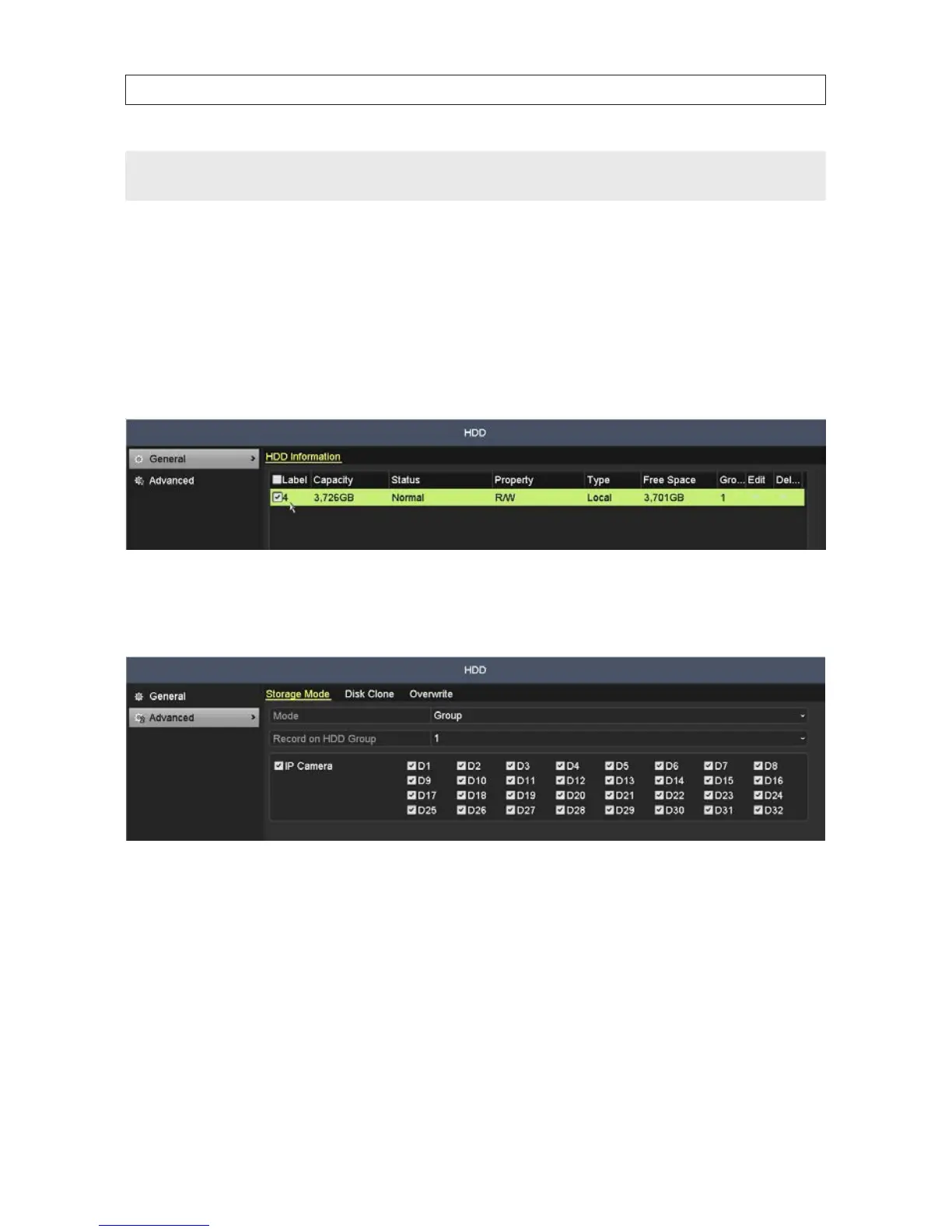
6.1.6 ConguringHDDGroupforRecording
You can group the HDDs and save the record les in a specic HDD group. You must have multiple HDDs installed in the system to
perform this conguration.
1. Open the HDD menu. Go to Menu | HDD
2. Click Advanced in the left frame to open the Storage Mode menu.
3. In the Storage Mode menu, open the Mode drop down list, then select Group.
4. Verify that the HDD mode is Group. If not, set it to Group, then click Apply and follow the on-screen instructions to reboot the
NVR. See Return to the HDD menu.
5. Click General in the left frame.
6. Click the icon in the Edit column for the HDD to open the editing menu. To select the HDD group:
a. Choose a group number for the HDD group.
b. Select the channels you want to save in this group.
SECTION 6: RECORD, PLAYBACK AND VIDEO BACKUP










 To Next Page