38
2.9.2 ManagingNetworkStorage
Additional le storage can be added to your NVR using up to 8 NAS disks, or up to 7 NAS disks with 1 IP SAN disk. To congure this
storage:
1. Open the HDD Information interface. Go to Menu | HDD | General
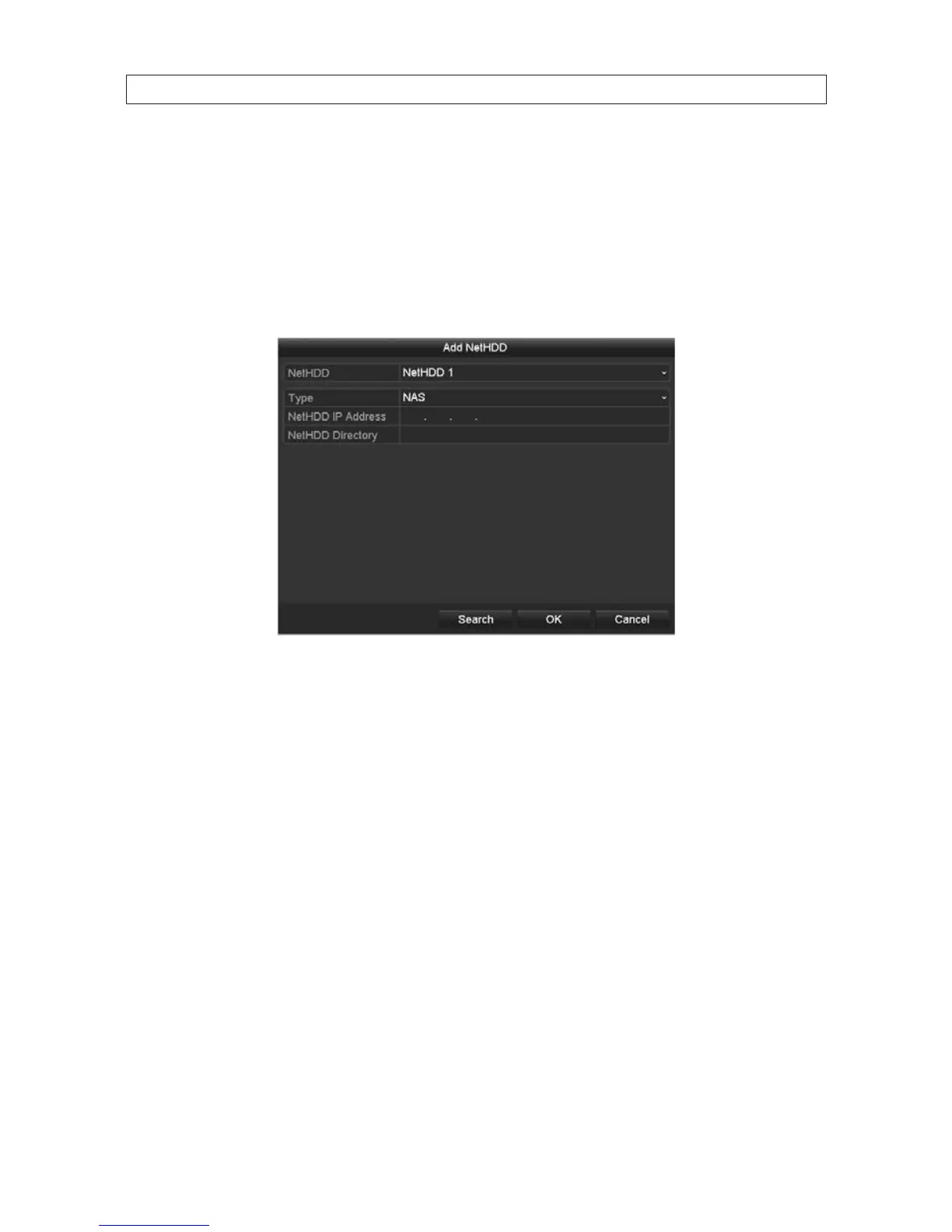
2. Click the Add button at the bottom of the screen to open the Add NetHDD menu.
3. In the NetHDD drop down list, select the NetHDD ID (NetHDD 1 .. NetHDD 8) you want to add.
4. In the Type drop down list select either NAS or IP SAN.
5. Congure the device type you selected.
— For a NAS disk:
i. Click the NetHDD IP Address eld to open a virtual keyboard and enter the IP address of the storage device.
SECTION 2: INSTALLING THE SYSTEM










 To Next Page