68
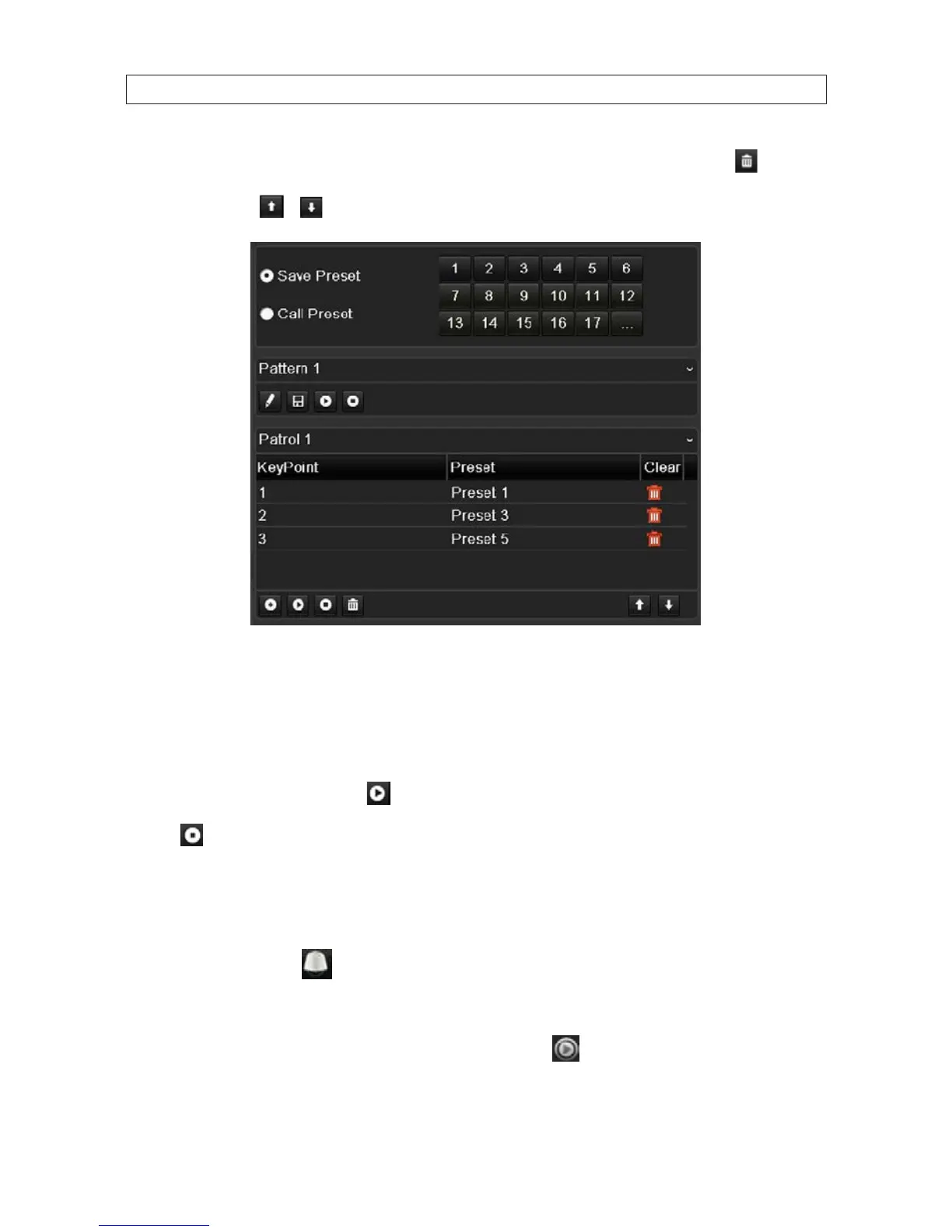
6. Repeat the above steps to add more KeyPoints. You can also delete all the key points by clicking the trash icon . Select a
KeyPoint, then click
or button to adjust the order of the KeyPoints.
5.2.4 CallingPatrols
Calling a patrol makes the PTZ to move according the predened patrol path. Calling patrol in the PTZ setting interface:
1. Open the PTZ settings menu. Go to: Menu | Camera | PTZ | More Settings
2. Select the Patrol number, and then click to start (call) the patrol.
3. Click to stop the patrol.
Calling patrol in live view mode
1. Click the PTZ button in the lower-right corner of the PTZ setting interface, press the PTZ button on the front panel,
or click the PTZ Control icon
in the Quick Setting bar to enter the PTZ setting menu in live view mode.
2. Choose Patrol on the control bar.
3. Double click the patrol number, or select the patrol and click the associated icon to start it.
SECTION 5: PTZ CONTROLS










 To Next Page