NOTE
The default User Name with administrative privileges and its associated Password are admin and 1111.
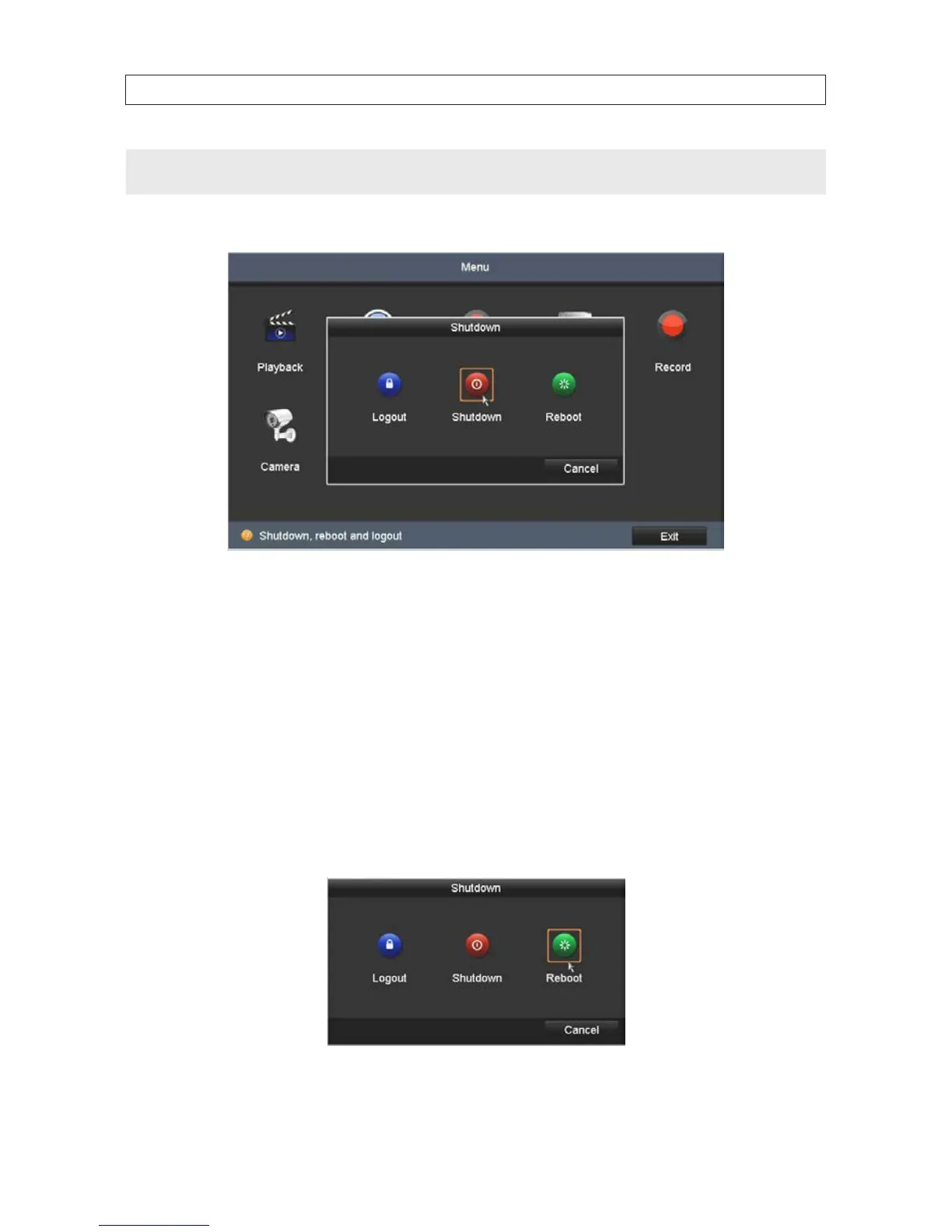
3. In the Menu window, click the Shutdown icon, then click Shutdown in the pop-up window.
4. Click Yes in the Attention window.
5. When the message Please power o! appears, rock the power switch on the back panel to the o (“O”) position.
3.1.3 RebootingtheNVR
In the Shutdown menu, you can also reboot the NVR.
1. Open the Shutdown menu by clicking Menu | Shutdown.
2. In the Menu window, click the Shutdown icon, then click Reboot in the pop-up window.
3. Click Yes in the Attention window.
SECTION 3: STARTUP, SHUTDOWN, REBOOT










 To Next Page