48
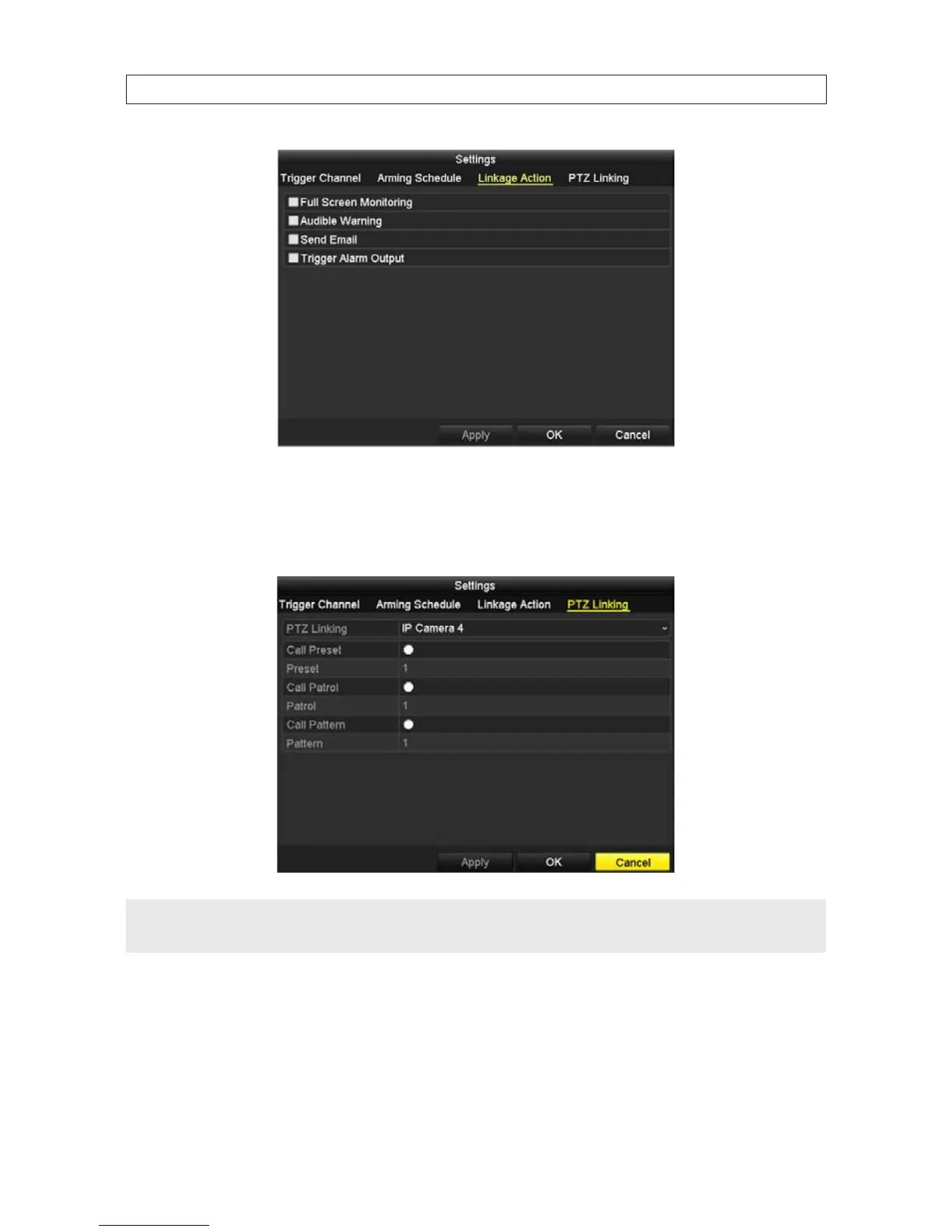
13. In the Linkage Action menu, select the actions you want to occur when the alarm is active, then click Apply to save the
settings. If PTZ cameras are not installed on your system, click OK to return to the Alarm Input menu.
14. If PTZ cameras are installed on your system, select the PTZ Linking tab to set up alarm response actions of PTZ cameras.
NOTE
• Verify that your PTZ or speed dome camera supports PTZ linkage before making these settings.
• One alarm input can trigger presets, patrols or patterns of more than one channel.
15. Select the preferred options in the PTZ Linking menu, then click Apply.
16. Click OK to return to the Alarm Input menu.
17. Repeat steps 3 - 18 above to congure additional alarm inputs connected to your NVR, if necessary. You can also copy an the
alarm input setup you saved to other alarm inputs. To do so:
SECTION 2: INSTALLING THE SYSTEM










 To Next Page