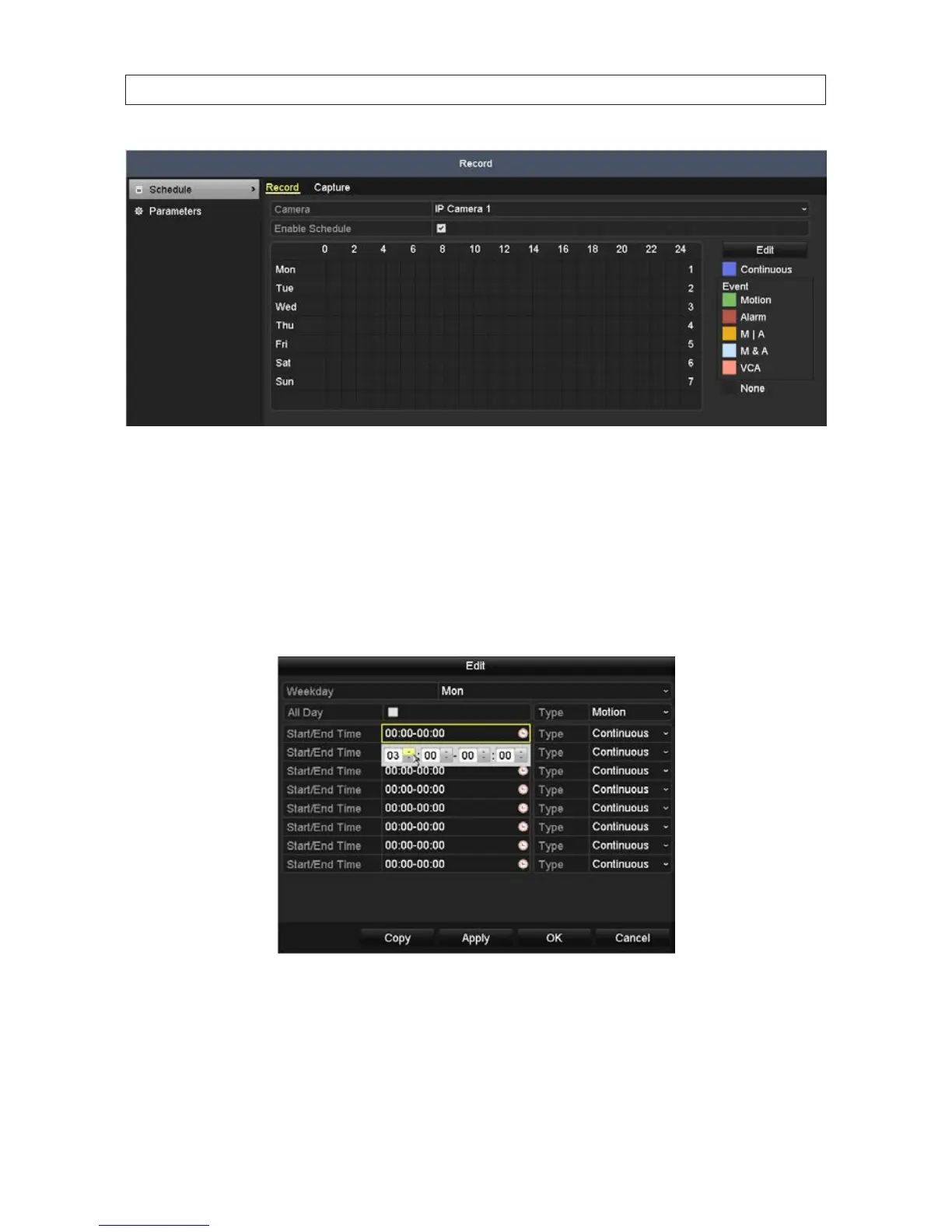
2. To congure the Record schedule:
a. Open the Camera drop-down list to select the camera you want to congure.
b. Check the Enable Schedule box.
c. Click Edit, or use the graphical method to apply recording modes to hours of the day.
i. If you clicked the Edit button, a record schedule list opens.
— Open the Schedule line drop down list and select the day you want to create a record schedule for.
— To schedule all-day recording, check the checkbox after the All Day item. To setup specic start and end times,
click the clock icon to open a time setting popup window.
SECTION 6: RECORD, PLAYBACK AND VIDEO BACKUP










 To Next Page