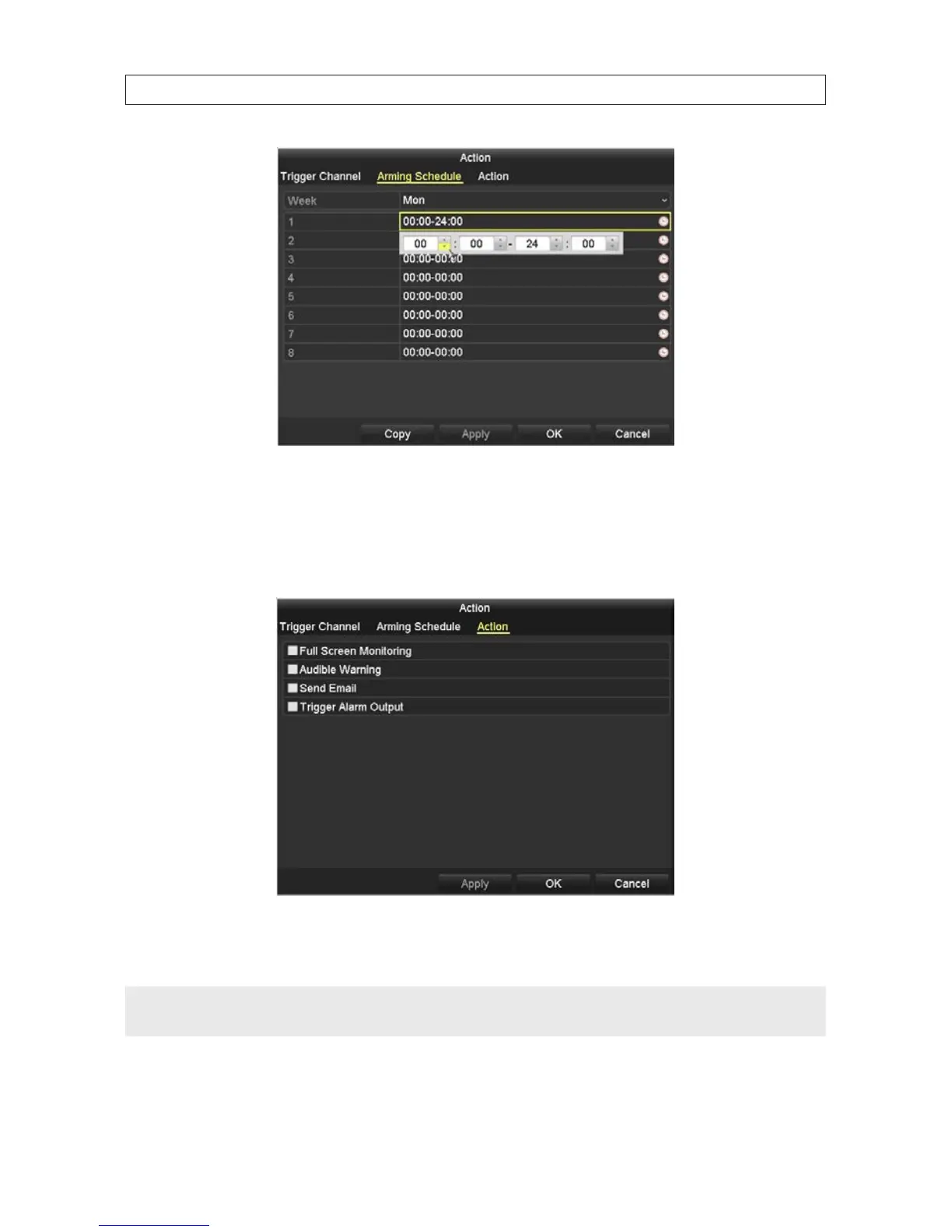
h. Click Apply to save the settings. You can also click Copy to copy the Arming Schedule setup in the window to other days
of the week.
i. Click the Linkage Action tab. In the Handling tab, you can cause certain actions to occur when motion triggered
recording occurs.
j. Select the actions you want to occur, then click Apply to save your settings, and OK to return to the Motion Detection
menu.
NOTE
Test your settings during broad conditions to ensure that motion in the eld of view triggers an action. You may need to return to
this menu later to adjust the Sensitivity slider to ensure it is working adequately.
SECTION 6: RECORD, PLAYBACK AND VIDEO BACKUP










 To Next Page