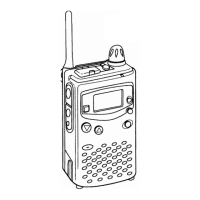
Professional
FM Transceiver
06
Key Operation Parameter Instruction Enter and exit Page
Sub-tone setting:
Operations are common to Decode (R-CDC),
Encode (T-CDC) and Synchronous (C-CDC). Press
【
A
】
Key to move cursor to the menu, Press
【
1
】
Key to choose CTCSS/DCS/OFF, Press
【
B
】
/
【
C
】
Key to choose the value ,
【
#
】
Key to choose correct
DCS inverted and positive code.
CTCSS (50 Groups in total): 67Hz-254.1Hz
DCS (232Groups in total): 017N-765I
【
D
】
/
【
#
】
36
Offset frequency shift value:
Press
【
A
】
Key to move cursor to the menu, Press
【
B
】
/
【
C
】
Key to choose the value.
Available parameters are 0-70Mhz.
【
D
】
/
【
#
】
38
Bandwidth setting:
Press
【
A
】
Key to move cursor to the menu, Press
【
B
】
/
【
C
】
Key to choose the value.
Wide band: 25K Middle band:20K
Narrow band:12.5K
【
D
】
/
【
#
】
38
Frequency reverse / Talk-around:
Press
【
A
】
Key to move cursor to the menu, Press
【
B
】
/
【
C
】
Key to choose the value.
REV : Frequency Reverse TA : Talk Around
【
D
】
/
【
#
】
39
Inversion scrambling:
Press
【
A
】
Key to move cursor to the value of menu,
Press
【
B
】
/
【
C
】
Key to choose the value.
OFF: Disable scramble ON: Enable scramble
【
D
】
/
【
#
】
39
Voice Compander:
Press
【
A
】
Key to move cursor to the menu, Press
【
B
】
/
【
C
】
Key to choose the value.
N ot e : D o n ot a c ti v at e t hi s f u n c ti o n wh il e
communicating with Non-Compander radios.
ON: Enable compander
OFF: Disable compander
【
D
】
/
【
#
】
40
KEY OPERATIONS / QUICK CHART



 To Next Page