Professional
FM Transceiver
02
You may set the radio as VFO mode and Channel mode. There are also different setting parameters to
properly set functions as per your operating comfort.
OPERATION MODE (VFO mode and Channel mode)
1. By programming software:
In PC programming utility software, "General Setting" menu, choose "Display Mode" to select VFO
mode or Channel mode.
2. By manual setup:
Please refer to "Display Mode" in Page 51.
VFO Mode: In this mode, press
【
D
】
key to switch between Channel mode and VFO.
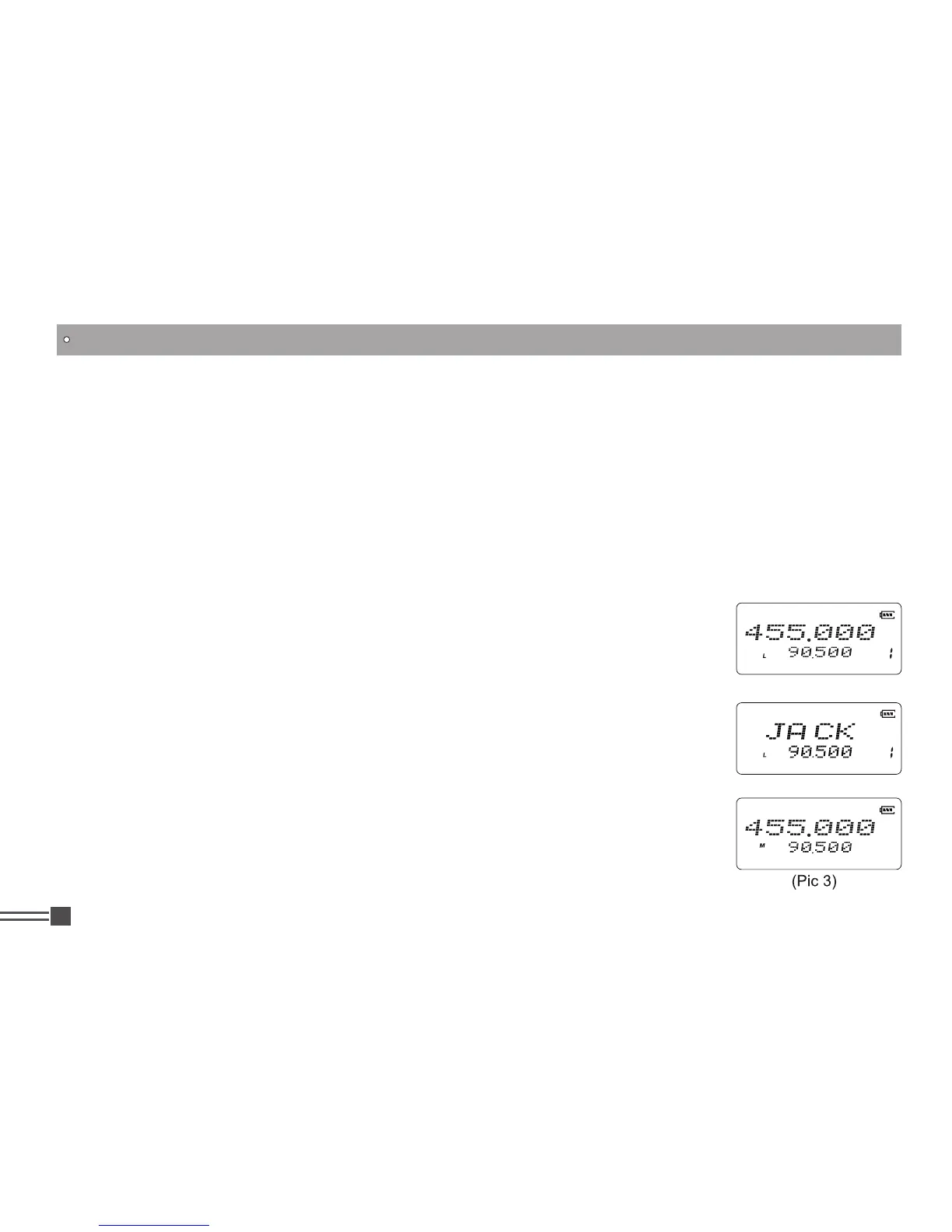
A.Memory mode/Freq.+channel display: At this mode, when set display as
"
FREQ
", it enters into Frequency + Channel mode. Once the radio is turned
off or switched to another channel, the temporary setting will be erased and
back to initial settings. (As pic 1)
B.Memory mode/Name tag+channel number display: When set display as
"
NAME
", it will display corresponding channel name when the current channel
is edited with name in advance. Otherwise, it will display frequency and
channel number. Its operations are the same as frequency + channel mode.
(As pic 2)
C.VFO Mode(Frequency mode): This mode shows only frequency on the
display. Set mode operation and Channel setting are stored as the latest
value. Once the radio is turned off or changed to new frequency using VFO,
the value remains until next change. (As pic 3)
(Pic 1)
(Pic 2)



 To Next Page