Professional
FM Transceiver
51
5ST:
When receives signal, scan stops for 5 seconds and resume.
10ST:
Same, 10 seconds.
15ST:
Same, 15 seconds.
Default is 10 seconds.
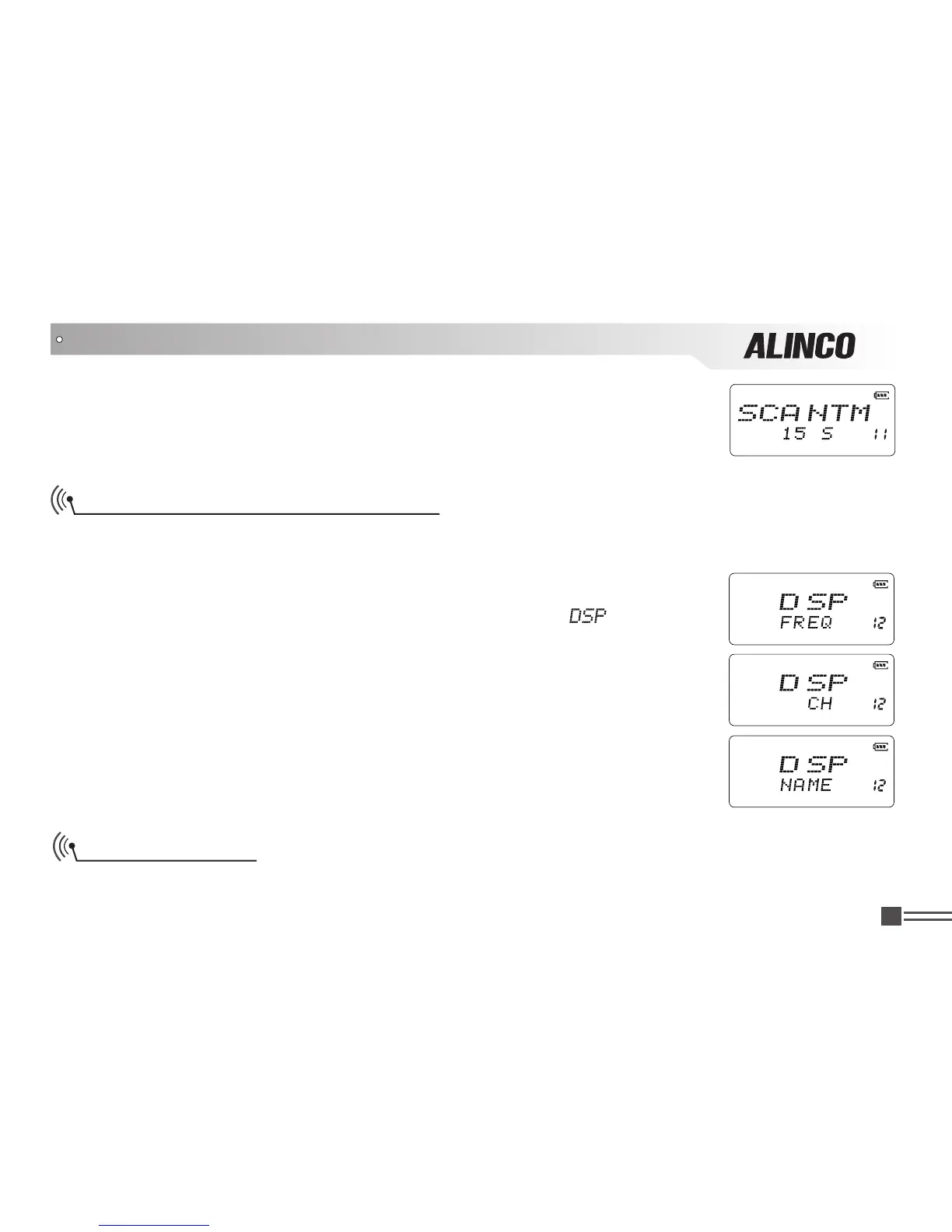
Frequency/Channel Display Mode
There are 3 different display modes available, Frequency + Channel mode, Channel mode and
Channel+Name Tag modes.
1.Press and hold
【
PF2
】
key while turning on the radio, and keep pressing
【
PF2
】
key for 3 seconds to enter into the Set Mode operations.
2.Press【
B
】/【
C
】key to choose the Menu 12 and display “
”.
3.Press
【
A
】
key then press
【
B
】
key or
【
C
】
key to choose the parameter.
FREQ:
Frequency + Channel mode (VFO mode). Press
【
D
】
key to switch into
VFO mode.
CH:
Channel mode. Note that manual setting is not available when the radio has
been preprogrammed by the dealer using software.
NAME:
Channel+Name Tag mode(VFO mode). Press
【
D
】
key to switch into
VFO mode.
Default setting is FREQ.
SET MODE OPERATIONS
Tone Burst Tone
Especially in Europe, Tone-burst tone operated repeaters are popular. To access to those repeaters,



 To Next Page