Professional
FM Transceiver
29
ADVANCED OPERATIONS
pressing
【
A
】
key, while
icon is displayed on the top left corner, press
【
4
】
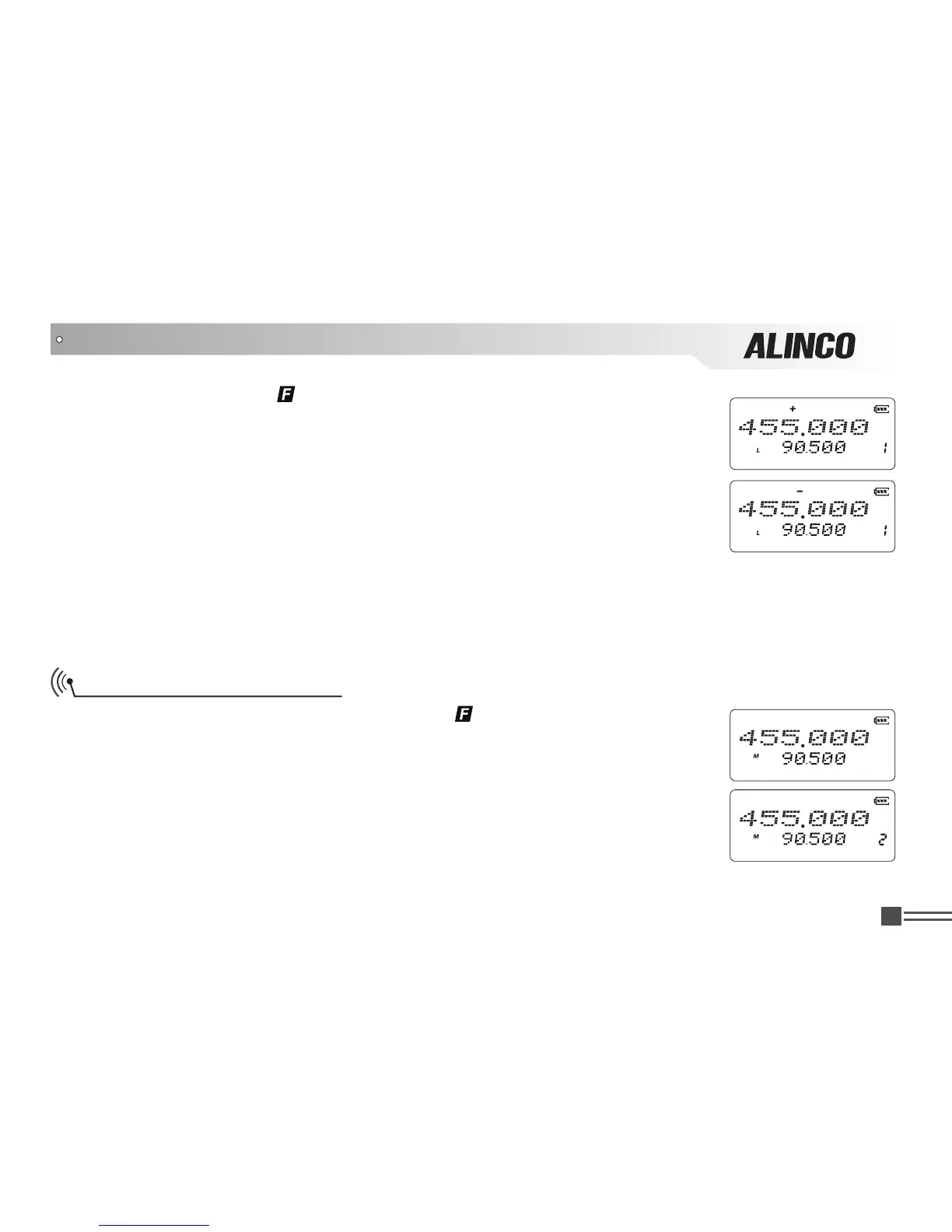
key to choose positive offset direction (+), minus offset direction (-) or exit setting
(no icons displayed).
1.(+)Positive offset: Indicates the frequency is higher than receiving frequency.
When enable reverse function, the receiving frequency is higher than
transmitting frequency.
2.(-)Minus offset: Indicates the frequency is lower than receiving frequency. When
enable reverse function, the receiving frequency is lower than transmitting
frequency.
3. None: Indicates the radio is in the simplex mode.
NOTE:This function is unavailable in commercial radio mode.
Frequency/Channel Scan
While receiving, after pressing
【
A
】
key, while
icon is displayed on the
top left corner, press
【
5
】
key to begin frequency scan or channel scan.
1.Frequency Scan
In VFO mode, it scans all channels. Press numeric key or
【
D
】
key to stop
scanning.
2.Channel Scan
In channel modes, it scans in accordance with preprogrammed channels.
Press any numberical, PTT press
【
D
】
key to stop scanning.



 To Next Page