Professional
FM Transceiver
36
ADVANCED OPERATIONS
Tone Squelch / DCS squelch (Sub tone CTCSS / DCS ) Decode Tone Setup
This function enables the selective-calling and speaker sounds only when a
signal with matching encoded CTCSS/DCS tone being received.
1. after pressing
【
A
】
key, while
icon is displayed on the top left corner, press
【
8
】
key to enter into function menu.
2. Press
【
B
】
/
【
C
】
key to choose Menu 1 and display
“
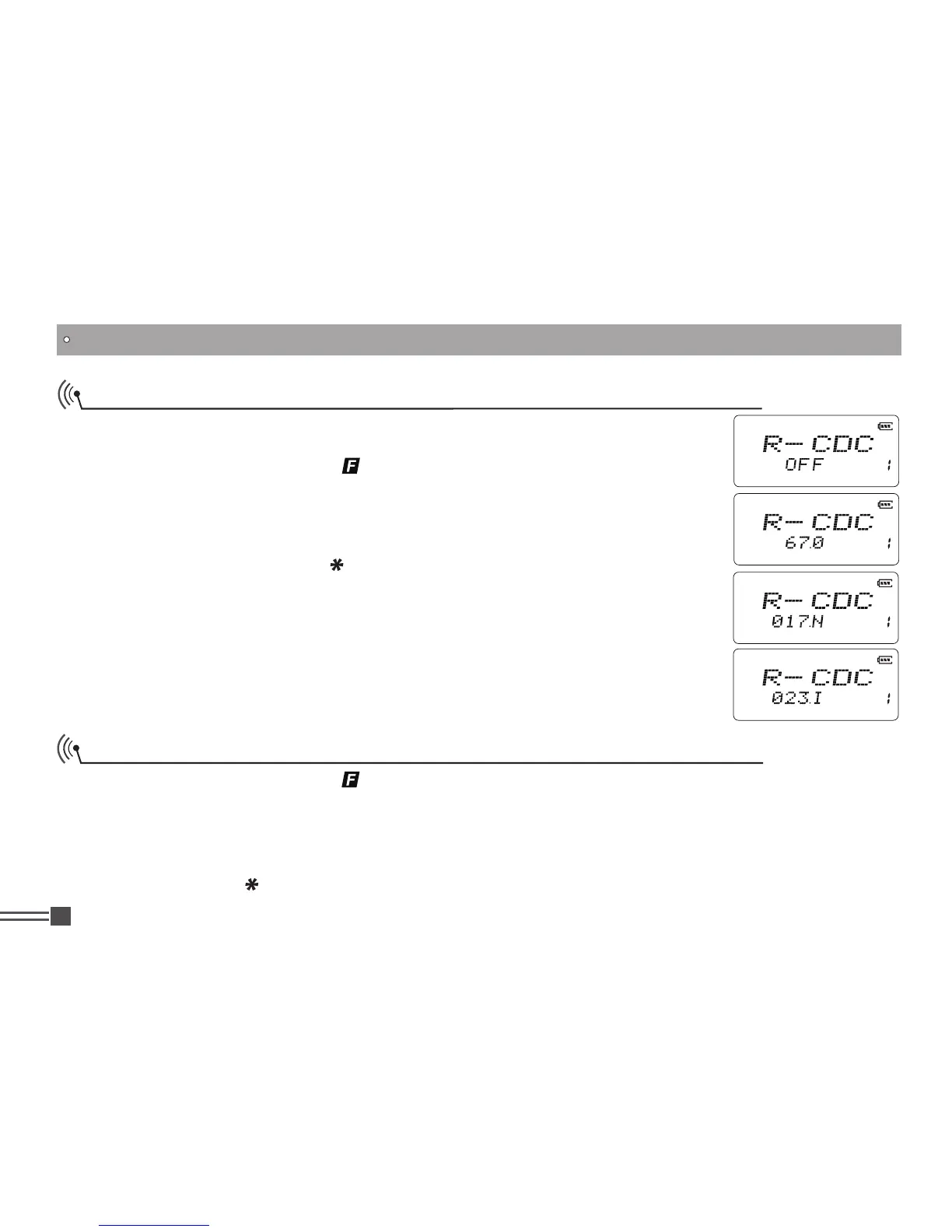
R-CDC
” .
3. Press
【
A
】
then press
【
1
】
key to choose CTCSS, DCS or OFF. When DCS
signaling is selected, press
【
】
key to choose DCS positive or inverse code.
4. Press
【
B
】
key or
【
C
】
key to choose the desired CTCSS / DCS decode tone.
5. Available CTCSS tones: 67Hz- 254.1Hz, 50 tones in total, Default is OFF.
6. DCS: 017N-765I, 232 codes,
[N]
stands for positive,
[I]
stands for inverse
codes. Default is OFF.
*
PRESS
【
A
】
key again then press
【
B
】
or
【
C
】
to move to the next menu, or
press PTT to set and exit to a communication mode.
Tone Squelch / DCS squelch (Sub tone CTCSS / DCS ) Encode Tone Setup
1. after pressing
【
A
】
key, while
icon is displayed on the top left corner, press
【
8
】
key to enter
into function menu.
2.
Press
【
A
】
key to choose Menu 2 and display
"
T-CDC
” .
3. Press
【
A
】
then press
【
1
】
key to choose CTCSS, DCS or OFF. When DCS signaling is
selected, press
【
】
key to choose DCS positive or inverse code.



 To Next Page