Professional
FM Transceiver
53
3.Press
【
A
】
key then press
【
B
】
key or
【
C
】
key to choose parameters, that is
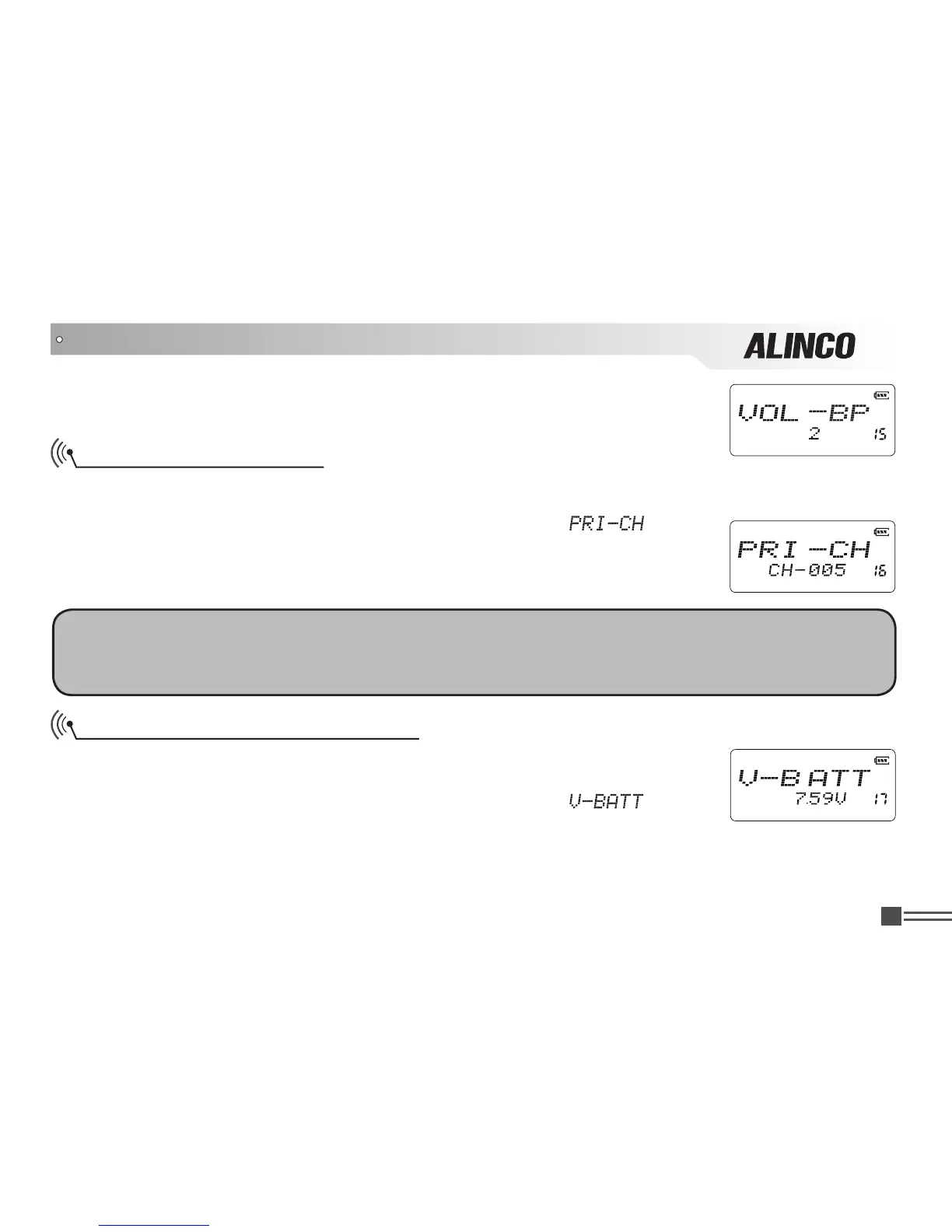
1 to 5. Higher the louder. Default is 2.
Priority Channel Setup
1.Press and hold
【
PF2
】
key while turning on the radio, and keep pressing【
PF2
】key for 3 seconds
to enter into the Set Mode operations.
2.Press
【
B
】
/
【
C
】key to choose the Menu 16 and display “
”.
3.Press
【
A
】
key then press
【
B
】
key or
【
C
】
key to choose the channel you
wish to use for Priority Scan operation from any one of 128 available channels.
OFF:
Priority channel is disabled. Default is OFF.
NOTE:
This function is only to set the channel used for the priority scan monitoring. At least one channel must be
preprogrammed to activate priority scanning. Scan skip channel or channel without being programmed
cannot be selected.
Current Battery Voltage Display
1.Press and hold
【
PF2
】
key while turning on the radio, and keep pressing
【
PF2
】
key for 3 seconds to enter into the Set Mode operations.
2.Press
【
B
】
/
【
C
】
key to choose the Menu 17 and display “
”.
At this state, the approximate battery voltage is displayed on the LCD.
Please note that the voltage is approximate and Alinco does not guarantee the accuracy.
SET MODE OPERATIONS



 To Next Page