Professional
FM Transceiver
28
ADVANCED OPERATIONS
Enable /Disable Beeping
Beep sounds to conrm or alert the operation status.
In Stand-by conditions, after pressing
【
A
】
key, While
icon is displayed on
the top left corner, press
【
2
】
key to turn off the beep. Repeat it to enable beep
sounds.
NOTE: This function is not available in Commercial radio mode and no sub tone
is received in current channel. In current channel, if signaling sets as CTCSS, it
will scan CTCSS, if signaling sets as DCS, it will scan DCS.
Offset Frequency Direction Setup
In VFO mode, frequency + channel mode or channel + name tag mode, after
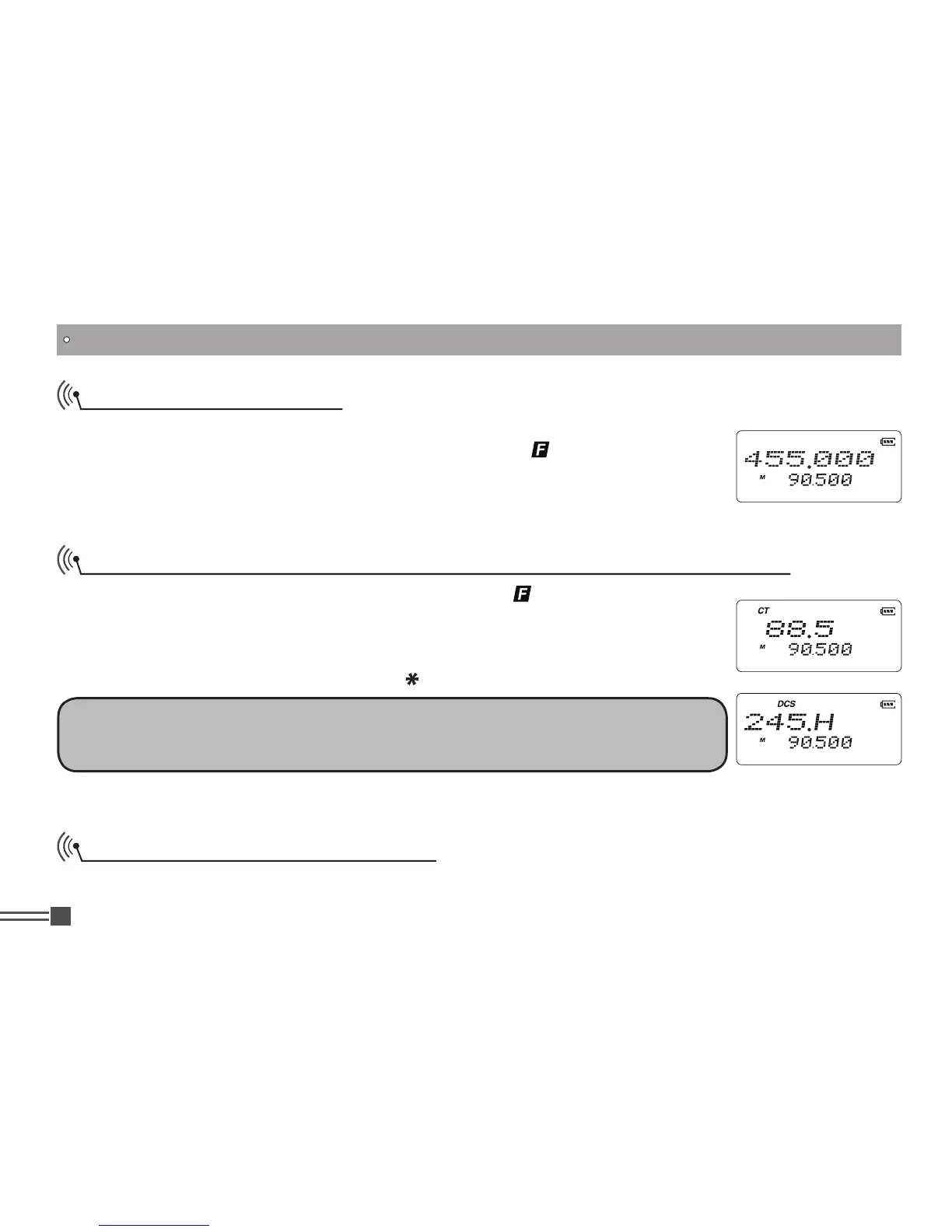
In Stand-by conditions, after pressing
【
A
】
key, While
icon is displayed on the
top left corner, press
【
3
】
key to activate CTCSS / DCS Scanning. Press
【
B
】
key or
【
C
】
key to change the scan direction. When the matched tone is detected
with the radio’s signaling setting, it will stay tuned for 15 seconds and resumes
scanning. Press any key except
【
A
】
,
【 】
,
【
#
】
keys to exit.
CTCSS / DCS Scan
(Works only when CTCSS/DCS are preprogrammed)



 To Next Page