Professional
FM Transceiver
31
ADVANCED OPERATIONS
TX Power Selection
After pressing
【
A
】
key, while
icon is displayed on the top left corner, press
【
9
】
key to set the
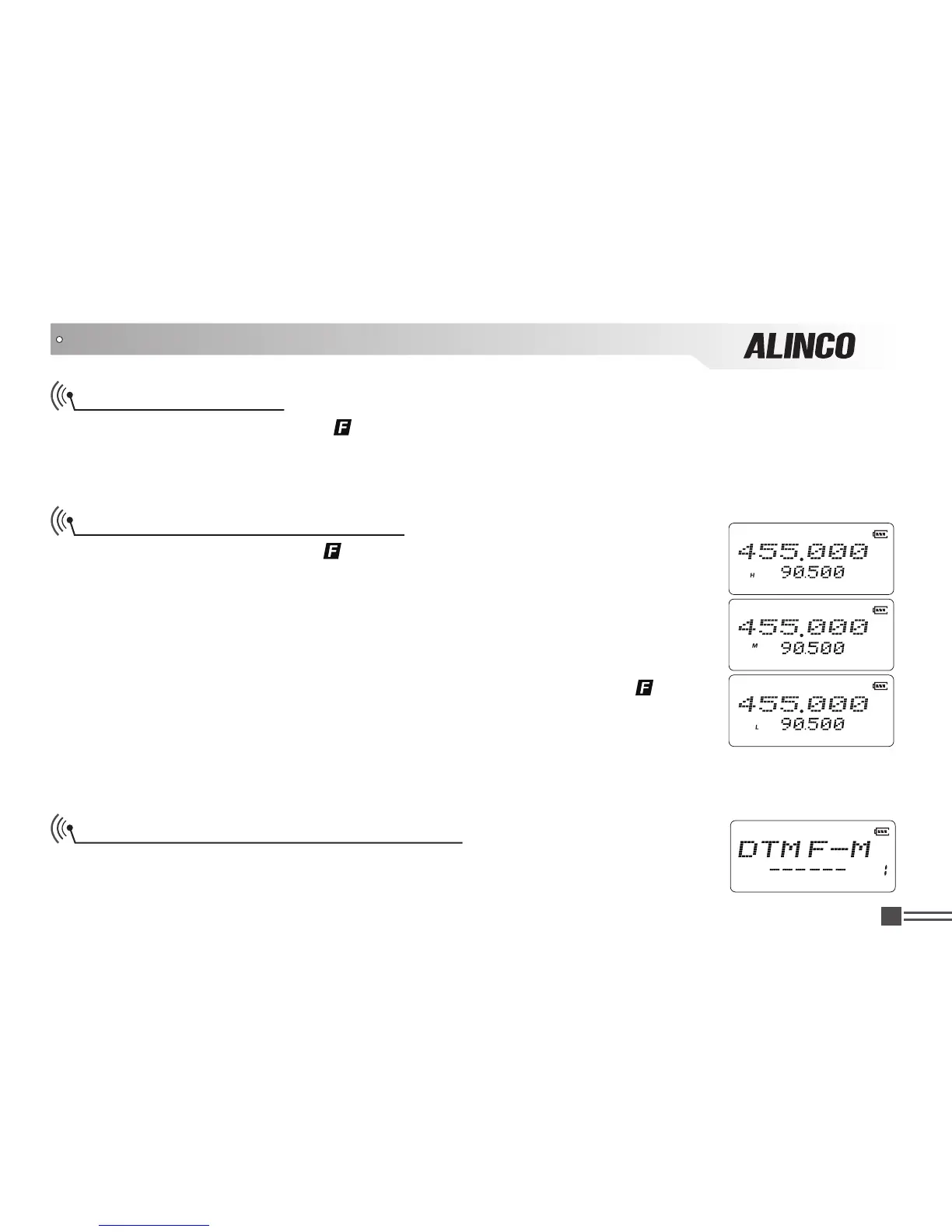
output power. When the bottom left corner of screen displays 'H' the power is 5W/high power.‘L’ for 0.5W.
When nothing is displayed, the output power is middle/2W.
DTMF Code Enquiry and Setup
After pressing
【
A
】
key, while
icon is displayed on the top left corner, press
【
0
】
key to show the DTMF Auto-dialer group setting (16 groups in total).
You should preprogram the DTMF auto-dialer group in advance to activate this
feature
.Each group can store up to 16 DTMF characters.
1.Press
【
B
】
key or
【
C
】
key to choose the desired Auto-dialer group. If it is not
been edited in advance, it displays the current group number and “__”.
2.When current group is displayed as “__”, press
【
A
】
key, while
icon is
displayed on the top left corner, press and holding
【
0
】
key for 2 seconds. A
beep sounds “DU” and enters to DTMF code edit mode. Now you can enter the
DTMF data using keypad.Press and hold
【
0
】
key to erase and edit the codes.
3.After editing, press
【
PF2
】
key to sound DTMF tones then to save and exit the edit mode.
Manually Transmitting DTMF Tones
Method 1: Press and hold
【
PTT
】
key to transmit. While transmitting enter the
desired DTMF characters using corresponding keys.



 To Next Page