Professional
FM Transceiver
50
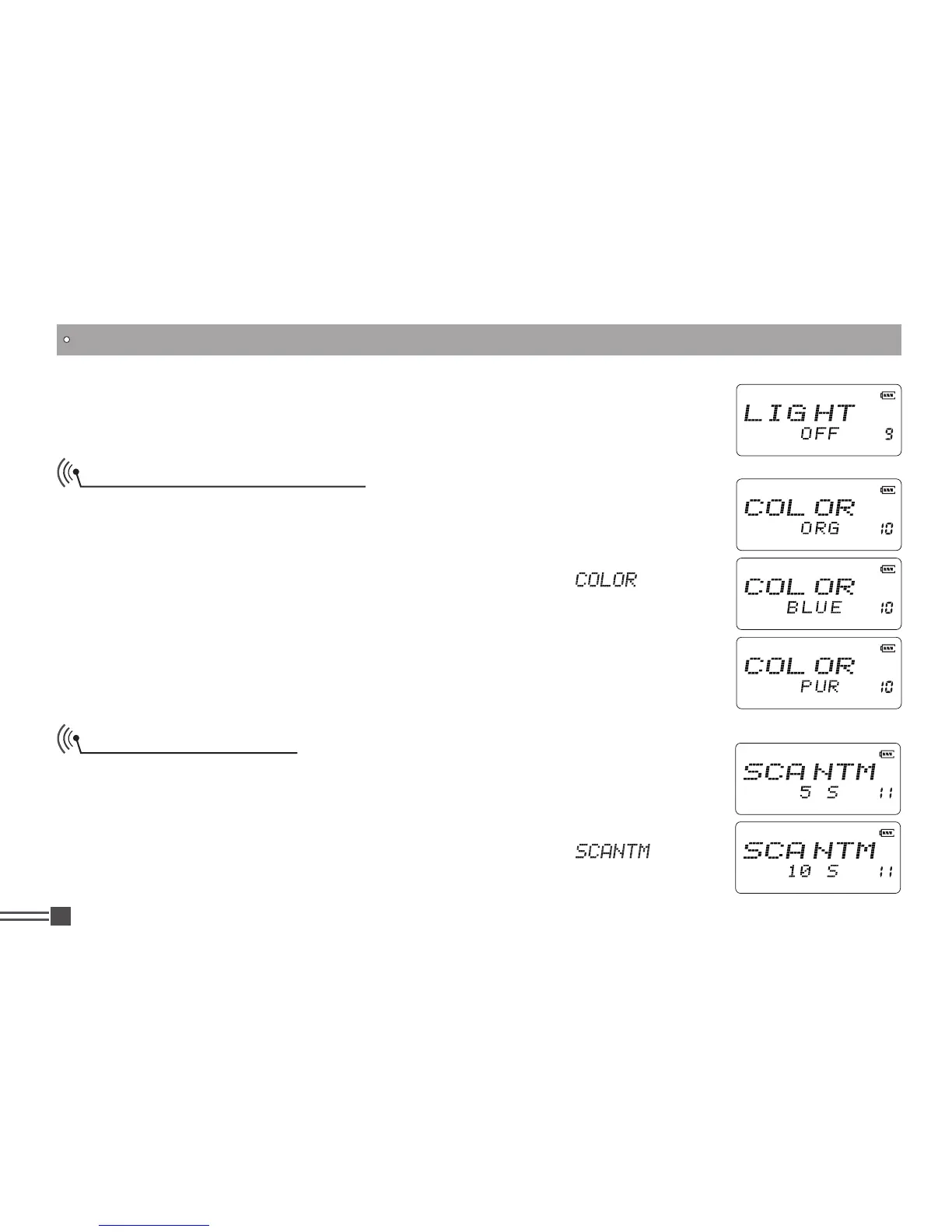
ON:
Always lit, not recommended as it considerably consumes battery.
OFF:
Remain turned off always.
LCD Backlight Color Setup
There are three backlight colors available to suit your preference.
1.Press and hold
【
PF2
】
key while turning on the radio, and keep pressing
【
PF2
】
key for 3 seconds to enter into the Set Mode operations.
2.Press
【
B
】
/
【
C
】
key to choose the Menu 10 and display “
”.
3.Press
【
A
】
key then press
【
B
】
key or
【
C
】
key to choose the parameter.
ORG:
Orange and default.
BLUE:
Blue
PUR:
Purple
Scan Resume Time
There are three time setting available for scan resume condition.
1.Press and hold
【
PF2
】
key while turning on the radio, and keep pressing
【
PF2
】
key for 3 seconds to enter into the Set Mode operations.
2.Press
【
B
】
/
【
C
】
key to choose the Menu 11 and display “
”.
3.Press
【
A
】
key then press
【
B
】
key or
【
C
】
key to choose the parameter.
SET MODE OPERATIONS



 To Next Page