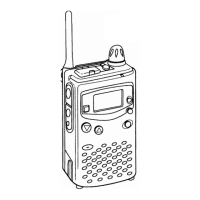
Professional
FM Transceiver
10
Press
【
A
】
Key to move cursor to the menu
Press
【
B
】
/
【
C
】
key to choose the value
LCD backlight color selection:
BLUE: Blue backlight
ORG: Orange backlight
PUR: Purple backlight
【
D
】
/
【
#
】
50
Press
【
A
】
Key to move cursor to the menu
Press
【
B
】
/
【
C
】
key to choose the value
Scan resume time setting:
3 parameters: 5 seconds / 10 seconds / 15 seconds
【
D
】
/
【
#
】
50
Press
【
A
】
Key to move cursor to the menu
Press
【
B
】
/
【
C
】
key to choose the value
Display mode: (May be preprogrammed by dealer and
locked)
FREQ: Frequency and Channel display
CH: Channel display
NAME: Channel number with name-tag display if
programmed
【
D
】
/
【
#
】
51
Press
【
A
】
Key to move cursor to the menu
Press
【
B
】
/
【
C
】
key to choose the value
Tone-Burst tones:
4 tones available: 1750Hz / 2100Hz / 1000Hz / 1450Hz
【
D
】
/
【
#
】
51
Press
【
A
】
Key to move cursor to the menu
Press
【
B
】
/
【
C
】
key to choose the value
DTMF tone transmitting time:
10 parameters including 50Microseconds, 100Ms, 150Ms,
200Ms, 250Ms,300Ms, 350Ms, 400Ms, 450Ms, and 500Ms
【
D
】
/
【
#
】
52
Press
【
A
】
Key to move cursor to the menu
Press
【
B
】
/
【
C
】
key to choose the value
Beep volume level:
5 levels from 1 to 5
【
D
】
/
【
#
】
52
Press
【
A
】
Key to move cursor to the menu
Press
【
B
】
/
【
C
】
key to choose the value
Priority scan channel setup:
Select one from available programmed channels
OFF: Disable Priority Channel
【
D
】
/
【
#
】
53
Press
【
A
】
Key to move cursor to the menu
Press
【
B
】
/
【
C
】
key to choose the value
Battery-voltage display (approx)
Display current battery voltage
【
D
】
/
【
#
】
53
Press
【
A
】
Key to move cursor to the menu
Press
【
B
】
/
【
C
】
key to choose the value
Perform RESET
FACT? : Resume Factory Default, erasing the memory
channels
INIT? : Resume General Setting, keeping memory channel
programming
OFF: Cancels reset
【
D
】
/
【
#
】
54
KEY OPERATIONS / QUICK CHART



 To Next Page